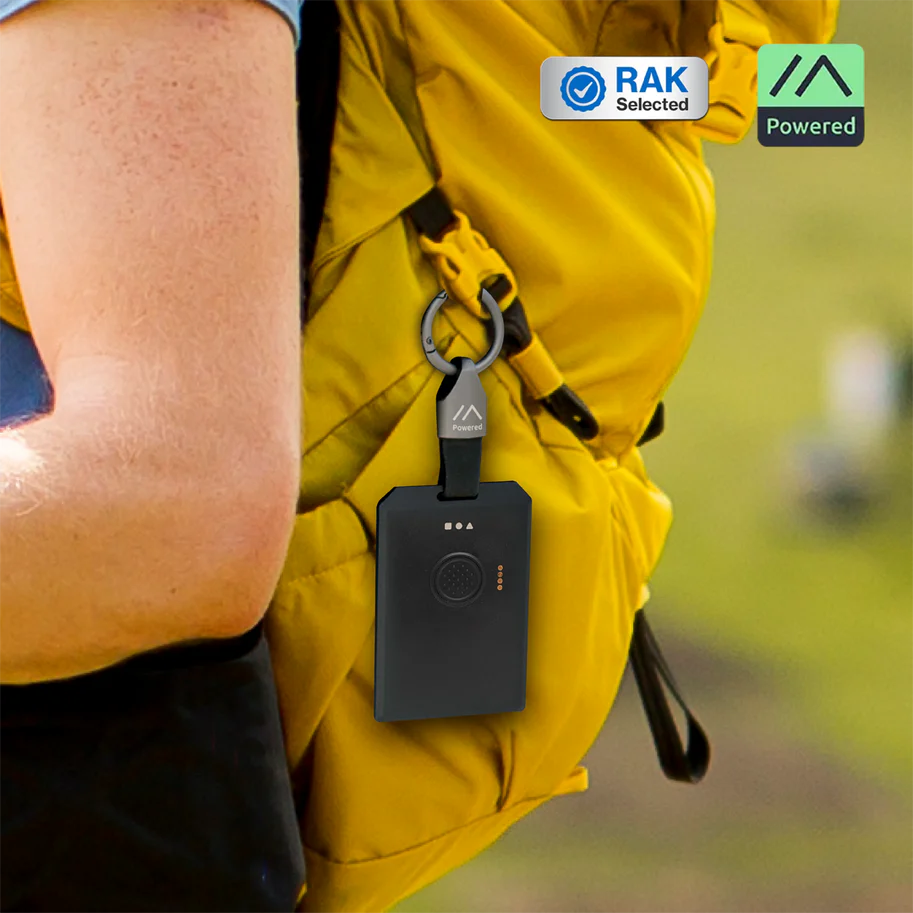
RAK WisMesh Tag
Buy links may be affiliate or referral links to Rokland, Seeed Studio and other vendors. If you buy through one, NodakMesh may earn a small commission at no extra cost to you.
IMPORTANT: Attach Antenna Before Powering On!
Always connect an antenna to your device BEFORE plugging in USB or turning it on. Transmitting without an antenna can permanently damage the LoRa radio chip. Even a few seconds of transmission without an antenna can cause irreversible damage. This applies to flashing AND normal use.
Step 1: Enter DFU/Bootloader Mode
Method: Double-Tap Reset
- 1 Charges via magnetic pogo-pin port, not USB-C (cable included)
- 2 Quickly double-tap the reset button
- 3 Device will appear as USB drive
- 4 Flash via web flasher or drag UF2 file
Note: Usually configured via Bluetooth without flashing
Step 2: Install Drivers (if needed)
nRF52840 appears as USB mass storage
Windows
No driver required
macOS
No driver required
Linux
No driver required
Step 3: Flash Firmware
Open the web flasher for your chosen firmware in Chrome or Edge browser:
Step 4: Post-Flash Configuration
MeshCore Setup
- Pair via Bluetooth with MeshCore app
- Ultra-compact for tracking
- Built-in GPS antenna
- Rechargeable battery
Meshtastic Setup
- Connect via Bluetooth
- Configure region and identity
- Ideal for asset tracking
- No display - app only
US Users: Set frequency/region to 915 MHz (US). This ensures compatibility with the NodakMesh network and other US mesh networks!
Tips & Notes
- Smallest form factor tracker available
- Perfect for pets, keys, backpacks, vehicles
- Built-in GPS for location tracking
- No screen - all interaction via app
- Great value at $39