Getting Started with MeshCore
Follow this guide to get your MeshCore device set up and connected to the NodakMesh network. From unboxing to sending your first message, the whole process takes about 15 minutes.
MeshCore is a modern LoRa mesh protocol that enables off-grid messaging without cell service or internet. It works great across North Dakota's flat terrain, where line-of-sight distances between nodes can stretch 10+ miles with a basic setup. Whether you're on a farm outside Bismarck, hunting near the Badlands, or prepping for severe weather season, MeshCore keeps you connected.
Before You Start
Here's everything you need to get up and running. Most people already have everything except the LoRa device itself.
What You'll Need
- A LoRa-capable device ($20-100)
- USB data cable (not charge-only — this is a common gotcha)
- Smartphone (iOS or Android) for the companion app
- Chrome or Edge browser (for the web flasher — Firefox and Safari don't support WebSerial)
Quick Facts
Get a Compatible Device
MeshCore runs on LoRa-capable hardware. Here are our recommended devices for North Dakota, organized by budget:
Which device should I pick?
Budget ($20-30)
Heltec V3
The most popular starter device. Built-in OLED screen shows connection status, battery level, and message previews. Compact enough to carry in a pocket. Perfect for your first MeshCore node.
~$20-30 Best for: First-time users, portable everyday carryMid-Range ($30-50)
LilyGo T-Beam
Includes built-in GPS for location sharing and tracking. Great for outdoor activities where you want your position on the mesh map. Larger battery capacity than the Heltec.
~$35-45 Best for: Outdoor use, GPS trackingRAK WisBlock
Modular design lets you add sensors, solar charging, and GPS modules. Excellent power efficiency makes it ideal for solar-powered repeater builds.
~$30-50 Best for: Solar repeaters, custom buildsPremium ($80-100)
Station G2
Premium build quality with excellent range. Weatherproof enclosure and high-power radio make it the best choice for fixed installations and infrastructure nodes. Built-in Ethernet for MQTT gateway use.
~$80-100 Best for: Fixed installs, max range, infrastructureImportant for North America: Make sure to order the 915 MHz version of whichever device you choose. The 868 MHz versions are for Europe and won't work on the US/Canada ISM band.
Flash MeshCore Firmware
The MeshCore web flasher makes it easy to install firmware directly from your browser. No software to download — just plug in and click.
- a Visit the MeshCore Flasher in Chrome or Edge
- b Connect your device via USB to your computer (use a data cable, not charge-only)
- c Select your device type from the dropdown (e.g., "Heltec V3", "T-Beam")
- d Choose the Companion firmware variant (this is the right choice for most users)
- e Click "Flash" and wait 1-2 minutes for the process to complete
Tip: If the flasher doesn't detect your device, try a different USB cable. Many cables that come with chargers are power-only and don't carry data. You can also try pressing the boot button on your device while plugging it in. See our firmware troubleshooting guide for more help.
Understand MeshCore Roles
Unlike Meshtastic where every node rebroadcasts every message, MeshCore assigns specific roles to devices. This is what makes MeshCore networks more efficient — each device type has a job.
Companion
Your personal node. Pairs with your phone via Bluetooth for sending and receiving messages. Does not relay other people's messages — just yours.
Most users should pick thisRepeater
Relays messages between companions. Place at high points for maximum coverage. Doesn't need a phone connection — just power and an antenna.
For infrastructure buildersRoom Server
Stores messages for offline users. Like a community bulletin board — come back online and catch up on what you missed.
For community mesh networksStarting out? Flash Companion firmware. You can always re-flash as a Repeater or Room Server later if you decide to contribute infrastructure to the network. Check our Repeater Setup Guide or Room Server Guide when you're ready.
Configure Your Channel
Configure your device with the correct settings for the NodakMesh network:
NoDak-Mesh Hashtag Channel
Join the official NodakMesh hashtag channel to connect with the community:
Quick Setup with QR Code
Scan this QR code with your MeshCore app to join the #nodakmesh channel:
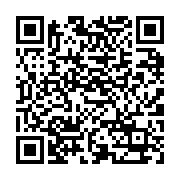
In the MeshCore app:
- Go to the Channels tab
- Tap the three-dot menu in the upper-right
- Select + Add Channel
- Choose Scan a QR Code
- Scan the QR code and accept the channel
Join Hashtag Channel Manually
If you prefer to add the channel manually:
- Open the MeshCore app
- Select Add Channel
- Choose Join a Hashtag Channel
- Enter
#nodakmeshexactly as shown - Tap Join
The #nodakmesh channel will be added to your channel list.
Connect & Test
Download the companion app and connect to your device:
What to Expect
Bluetooth Pairing
Open the MeshCore app, enable Bluetooth, and tap your device name when it appears. The app will connect and sync your device settings. This takes about 10-15 seconds.
Node Discovery
MeshCore discovers other nodes via periodic advertisements (called "adverts"). This means you won't see every nearby node instantly — it can take a few minutes for nodes to exchange adverts and appear on your device list. Be patient and keep the app open.
Send Your First Message
Once you see other nodes (or a room server), try sending a test message. If you get a delivery confirmation (checkmark), your node is working correctly. No nodes nearby? Check the MeshCore map to see where active nodes are in your area, or ask on Discord.
How to verify your node is working: Check the MeshCore map to see if your node appears. If you have GPS enabled, your position should show up within a few minutes. You can also ask on the NodakMesh Discord if anyone can see your node.
Join the Community!
You're all set! Join our Discord to connect with other NodakMesh members, get help, and share your experiences. We have active members across Fargo, Bismarck, Grand Forks, Minot, and rural areas throughout North Dakota.
Join DiscordCommon Mistakes to Avoid
Save yourself some troubleshooting time. Here are the most common issues new MeshCore users run into:
Wrong firmware variant
Flashing Repeater firmware when you wanted Companion (or vice versa). Double-check the variant in the flasher dropdown before clicking Flash. You can re-flash at any time if you pick the wrong one.
Transmitting without an antenna
Powering on the device without an antenna attached can damage the radio module. Always connect the antenna before turning on your device, even for initial testing.
Expecting instant node discovery
MeshCore uses periodic adverts to discover nodes. It can take 2-5 minutes to see nearby devices. This is normal — MeshCore prioritizes network efficiency over instant discovery.
Using the Meshtastic app
MeshCore firmware requires the MeshCore companion app, not the Meshtastic app. They are different protocols. If you flashed MeshCore firmware but opened the Meshtastic app, nothing will connect.
Setting up as a Repeater too early
A Repeater can't send or receive your personal messages — it only relays. Start with Companion so you can actually use the mesh. Set up a dedicated Repeater device later once you understand the network.
Charge-only USB cable
The flasher can't detect your device? It's probably a charge-only cable. Use a cable that came with a data-capable device (phone, camera) or buy a known data cable. This is the #1 support question.
Frequently Asked Questions
Can I switch back to Meshtastic?
Yes. Flashing is non-destructive — you can re-flash Meshtastic firmware at any time using the Meshtastic web flasher. The same hardware supports both protocols. You just can't run both simultaneously on the same device.
Will my settings survive a firmware update?
It depends on the update. Minor updates usually preserve settings. Major version jumps may reset to defaults. The flasher will warn you if a full erase is needed. It's good practice to note your channel settings before updating, just in case. Check the firmware guide for details.
Why don't I see any nodes?
A few possibilities: there may not be other MeshCore nodes in range yet (check the live map), your antenna may not be connected properly, or you may need to wait a few minutes for adverts to exchange. In rural North Dakota, you might be the first node in your area — which is a great reason to convince a friend to join!
How do I know my node is working?
If your device screen shows it's connected and the MeshCore app can pair via Bluetooth, your node is working. To confirm it's transmitting, check if it appears on the MeshCore map (requires GPS) or ask someone on Discord to check if they see your node.
What range can I expect in North Dakota?
North Dakota's flat terrain is ideal for LoRa. With stock antennas at ground level, expect 2-5 miles in town and 5-15+ miles in rural areas with clear line of sight. Mounting a node at elevation (rooftop, grain elevator, hill) dramatically increases range — some members have achieved 30+ mile links across the plains.
Can I use MeshCore without a smartphone?
Partially. Devices with screens (like the Heltec V3 or T-Deck) can display received messages and basic status without a phone. However, to send messages and manage channels, you'll need the companion app on a smartphone connected via Bluetooth. You can also use the MeshCore CLI from a computer.
Do I need a license to use MeshCore?
No. MeshCore operates on the 915 MHz ISM band, which is license-free in the US and Canada. No ham radio license, FCC registration, or permits are needed. Just buy a device, flash it, and start using it.
How does MeshCore handle cold weather?
The electronics work fine in cold weather, but lithium batteries lose capacity below 32°F and can be damaged below -4°F. For outdoor winter deployments in North Dakota (where -40°F is possible), use an insulated enclosure and consider a device with a larger battery. Wall-powered or solar setups with proper battery management handle ND winters best. See our repeater setup guide for cold-weather deployment tips.
Next Steps
Now that your first node is set up, here's how to go deeper with MeshCore:
Repeater Setup Guide
Build network infrastructure with a dedicated repeater. Covers hardware, solar power, and deployment tips for ND terrain.
Room Server Guide
Set up store-and-forward messaging for your community. Perfect for group coordination and offline message delivery.
Firmware Guide
Keep your device up to date. Learn about firmware variants, update methods, and troubleshooting failed flashes.
CLI Guide
Power-user commands for configuring and managing your MeshCore devices from the terminal.