Yeti Wurks Base Station Review: Solar Mesh Node Tested
Field review of the Yeti Wurks solar Meshtastic base station after a North Dakota winter. 5 miles of urban range, flawless cold-weather power.
The Yeti Wurks Meshtastic Base Station is a solar-powered LoRa mesh node built for long-term outdoor deployment. We’ve been running one through a North Dakota winter on both Meshtastic and MeshCore firmware. This is the writeup.
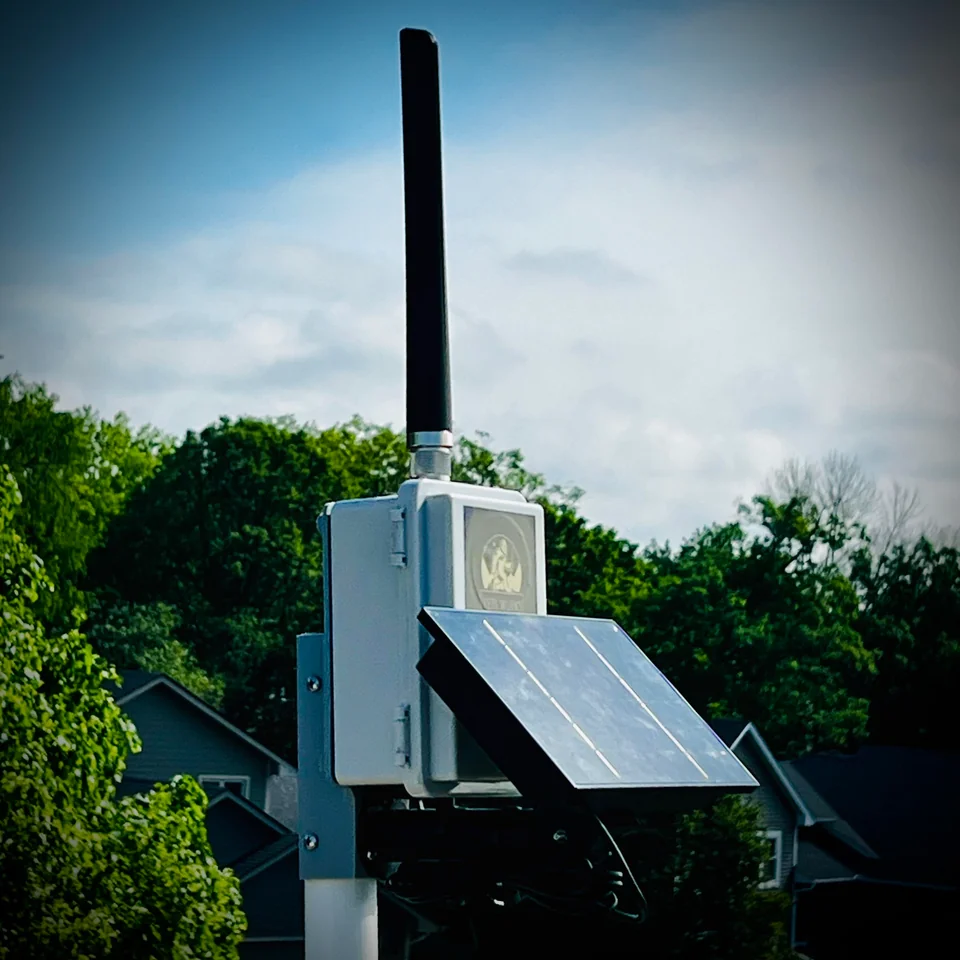
The short version: nearly 5 miles of urban range through Fargo, unbroken operation through -17°F nights, and no maintenance for months. It’s a permanent mesh relay that does its job and disappears from your to-do list.
This is a hands-on review. Months of field data, not a spec translation. Everything below is from our own deployment on our own mesh, paid for out of pocket.
What’s on the Board
The Yeti Wurks Meshtastic Base Station is a compact long-range mesh repeater built around a RAK19003 LoRa module housed in an IP65-rated outdoor enclosure.
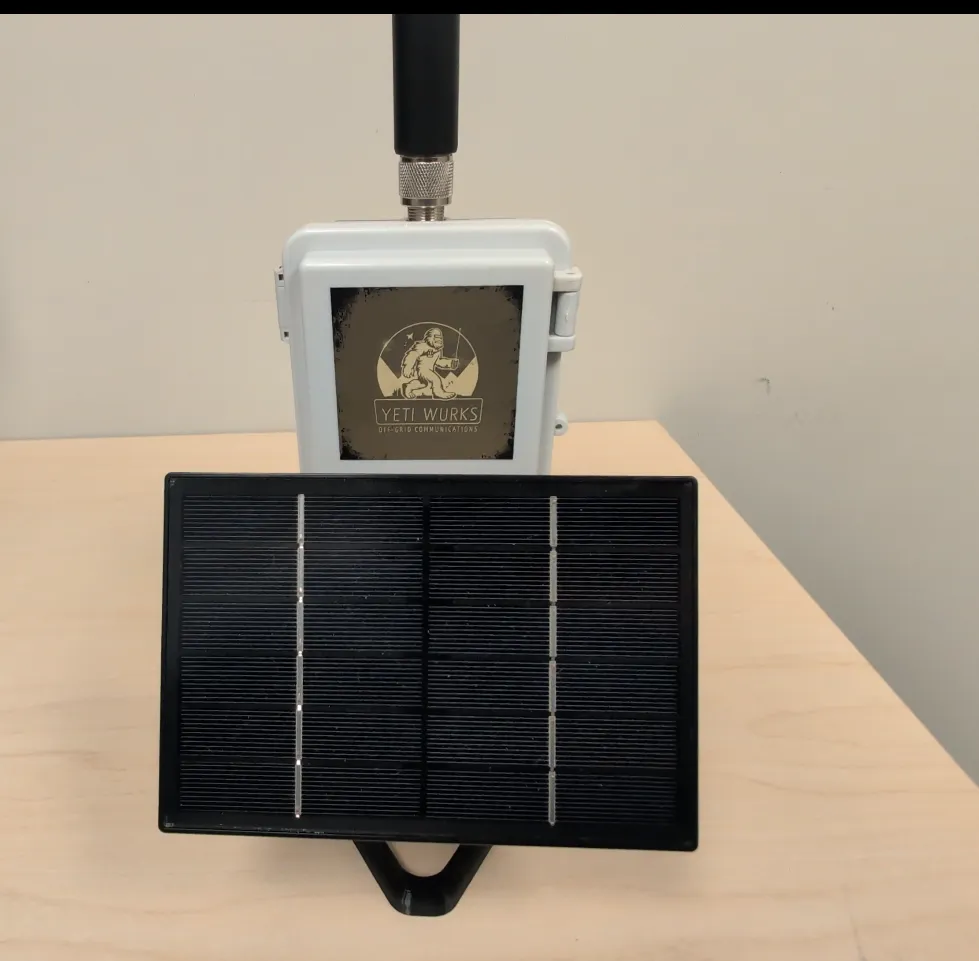
Frequency defaults to US915 but can be switched to EU868 via the Meshtastic app. A 3 dBi N-type dipole antenna is included. Power comes in over USB-C or a 5-24V DC input (5.5 × 2.1 mm jack), and the included 5.5W solar panel is what most outdoor deployments will use.
Battery backup runs on up to four 18650 cells (not included). At least one cell is required for solar operation. The unit ships pre-flashed with Meshtastic and is also MeshCore-compatible with a firmware swap.
Full Specs
| Spec | Detail |
|---|---|
| Radio Module | RAK19003 |
| Frequency | US915 MHz (EU868 configurable) |
| Antenna | 3 dBi N-type dipole (included) |
| Power Input | USB-C or 5-24V DC (5.5 × 2.1 mm jack) |
| Solar Panel | 5.5W (included) |
| Battery | Up to 4× 18650 cells (not included, 1-4 supported) |
| Enclosure | IP65-rated, ~4” × 6” × 2.75” |
| Firmware | Meshtastic (preloaded), MeshCore compatible |
| Connectivity | Bluetooth (no Wi-Fi), USB-C passthrough for flashing |
The unit ships pre-flashed and ready to deploy. Once powered, it automatically joins and extends a mesh network with minimal configuration.
Range and Network Performance
Range is where this base station separates itself from handheld nodes.
We mounted ours three stories up with good line-of-sight. In that configuration it outperformed every handheld Meshtastic device we’ve tested, both in coverage and reliability.
Repeatable performance from our deployment:
- Nearly 5 miles of direct contact
- East-to-west across Fargo, North Dakota
- Through a dense urban environment with buildings, trees, and city RF interference
This wasn’t a best-case fluke. It was repeatable.
Running Meshtastic, the node functioned as an always-on router, dramatically cutting dead zones and improving message delivery for every handheld on the mesh. Once it was up, overall network stability improved immediately.
We then flashed MeshCore onto the same hardware. The transition was clean. The device performed just as well as a MeshCore repeater, handling multi-hop routing without trouble. The hardware supports both firmware ecosystems without compromise.
The value here isn’t speed. It’s reliability. Latency and throughput behaved exactly as expected for LoRa: short delays measured in seconds, consistent delivery even at the edge of usable range.
Battery Life and Solar Performance
Power performance has been outstanding.
Running four 18650 cells and the 5.5W panel, the base station cruised through this North Dakota winter without a single power issue. Through extended overcast conditions and temperatures down to -17°F, battery charge never dropped below ~95%.
The combination of low draw from the RAK19003 module and steady solar input made power management a non-issue. Once installed, we didn’t touch it.
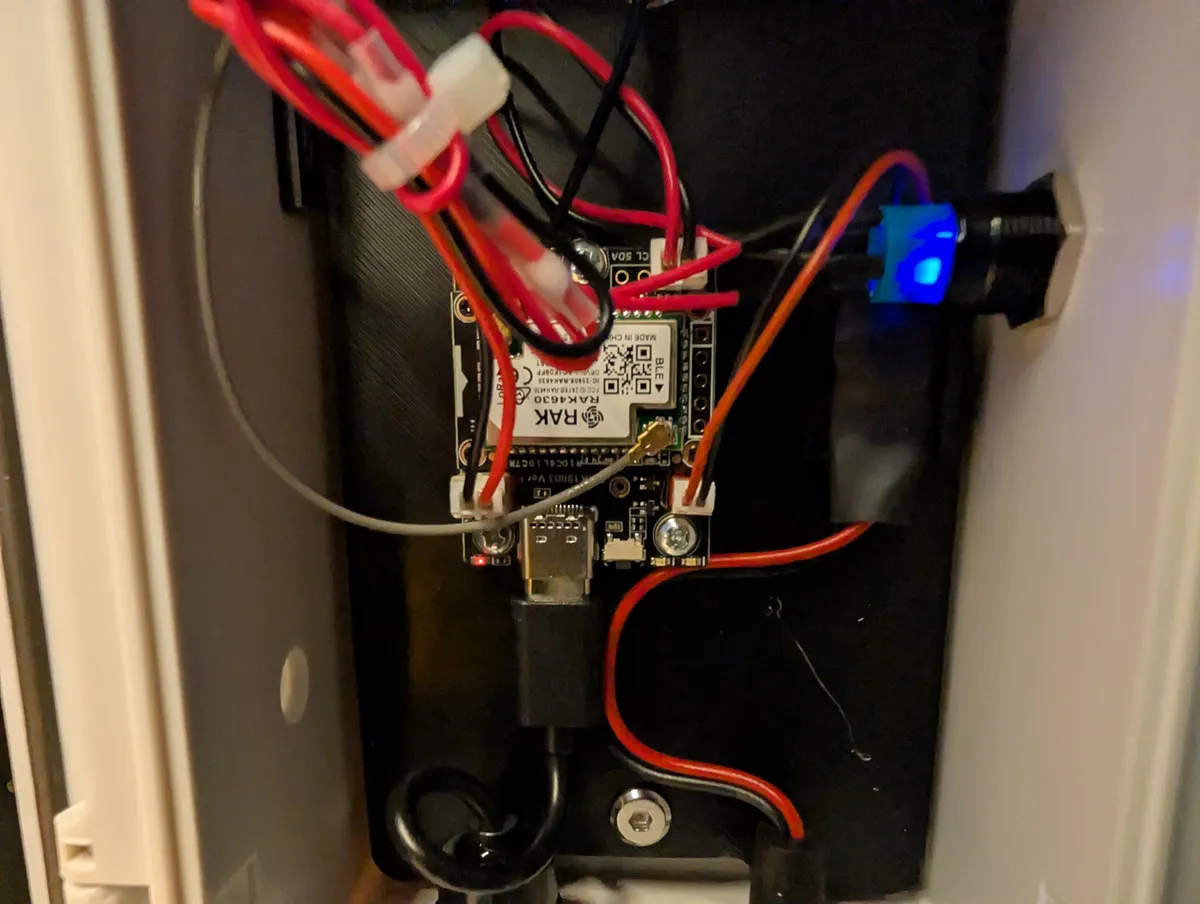
Power notes from our experience:
- Use high-quality protected 18650 cells, especially in cold climates
- The unit doesn’t include an internal battery management system, so cell quality matters
- Battery voltage is easily monitored via the Meshtastic app
- Under normal conditions, solar charging exceeds power consumption
This is a genuine deploy-and-forget power setup.
Durability and Weatherproofing
The base station is clearly built for permanent outdoor deployment.
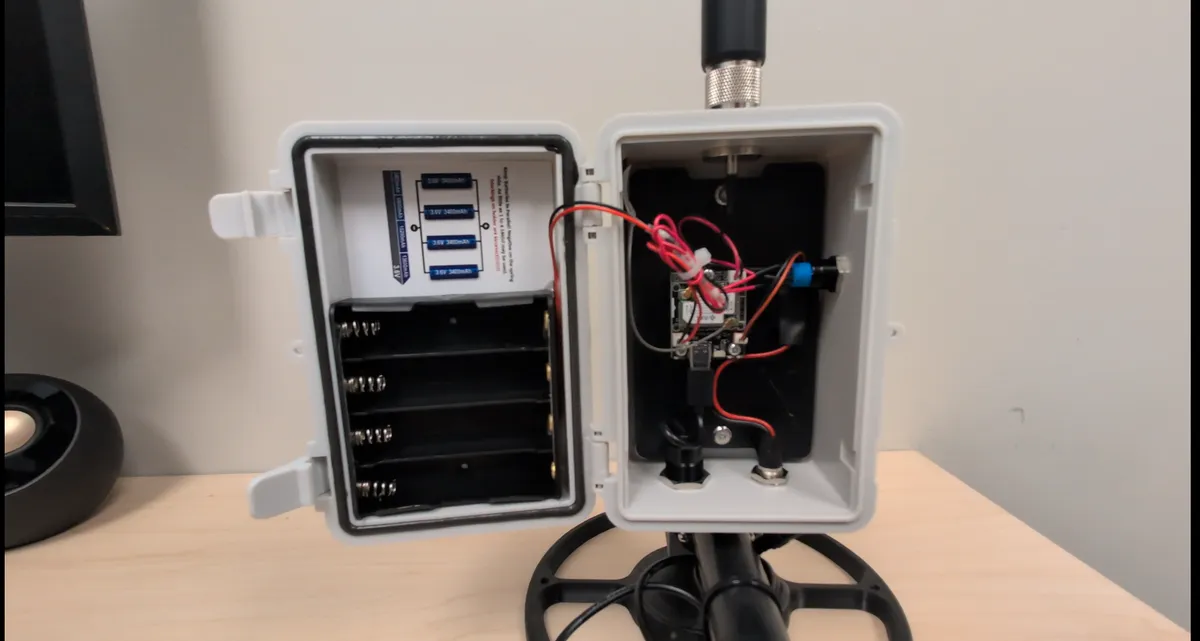
Over months of field use, our unit endured:
- Thunderstorms with heavy wind and rain
- Heavy snow and ice
- Sustained sub-zero temperatures
- Wind gusts approaching 70 mph
No water ingress. No condensation. No hardware failures.
The IP65-rated enclosure, sealed connectors, and hydrophobic vent all worked. Internal components stayed secure through vibration and high winds. Some parts are custom-fabricated but nothing feels flimsy or underbuilt.
The enclosure mounts using rear mounting holes. The included solar panel mount held up during our testing. In high-wind environments, we’d recommend reinforcing it.
Setup and Ease of Use
Setup is straightforward. One critical step before anything else.
Always connect the antenna before powering the unit on. Like any LoRa radio, powering the device without an antenna risks damaging the RF stage.
Once the antenna is on:
- Attach the antenna
- Insert one or more 18650 batteries
- Connect solar or USB power
- Turn the unit on
- Pair via Bluetooth using the Meshtastic app
The base station immediately begins broadcasting and joins the mesh with no additional configuration required.
For advanced users, the USB-C passthrough allows firmware updates or flashing MeshCore without opening the enclosure, preserving the weather seal. Switching between Meshtastic and MeshCore was clean and problem-free.
There’s no Wi-Fi on this device, so configuration is handled via Bluetooth or USB only. Finalize firmware and settings before mounting it in a hard-to-reach location.
Deployment Considerations
- Mount the unit as high as possible for best coverage
- Bring your own mounting solution (U-bolts worked well for us)
- Rear mounting holes make pole or flat-surface installs easy
- The unit is visible. Camouflage may be needed in some deployments
- Mount it out of reach to prevent tampering or theft
Placement and elevation matter far more than transmit power.
How It Compares to a DIY Solar Build
If you’re deciding between this and rolling your own, the fairest comparison is a DIY build like our Harbor Breeze solar node or a custom MeshCore solar repeater.
| Yeti Wurks Base Station | DIY Solar Build | |
|---|---|---|
| Enclosure | IP65, purpose-built, 4” × 6” × 2.75” | Repurposed yard light or project box |
| Solar Panel | 5.5W included | ~0.5-5W depending on parts |
| Battery | Up to 4× 18650 | Typically 1× 18650 |
| Assembly | None. Ships pre-flashed | Hours of soldering and enclosure work |
| Antenna | 3 dBi N-type included | Source separately |
| Cost | Full kit price from Mesh-Lab | Lower parts cost, your time |
| Time to deployment | Unbox, mount, done | Days of fabrication |
DIY wins on cost and customization. The Yeti Wurks wins on time-to-deployment and cold-weather durability. If you’re putting one node on a roofline and you want it there for years, the pre-built path is the right call. If you’re building ten and you enjoy the fabrication side, DIY makes more sense.
Who This Base Station Is For
Permanent mesh backbone. If you want a fixed always-on relay for a town, a rural property, or a community mesh, this is the kind of node that stays up.
Winter or high-wind climates. The enclosure and the charge budget held up through the worst our region throws at hardware. If you’re in similar conditions and you don’t want to troubleshoot a DIY build through February, this simplifies your life.
Both-firmware deployments. The ability to flash between Meshtastic and MeshCore over USB-C without opening the case is a real operational win.
Not for stealth deployments out of the box. It’s visible. If it needs to be hidden, expect to do camouflage work yourself. Same with specialty mounting. We’d love to see a wall base plate or a magnetic option ship with the kit.
After months of field use, the Yeti Wurks Meshtastic Base Station does what it claims. Nearly 5 miles of urban coverage across Fargo, flawless winter operation, and clean support for both Meshtastic and MeshCore. If you want a high-reliability mesh relay that lives outdoors year-round and keeps working, it’s an easy recommendation.
You can get the Yeti Wurks Meshtastic Base Station Kit directly from Mesh-Lab.com. Learn more at Mesh-Lab.com by Yeti Wurks.
If you’re just starting out, see our MeshCore getting started guide or the Meshtastic getting started guide.
Comments
Related Posts
SenseCAP MeshTracker X1 Review: Our New Daily Carry
A month of daily carry with the SenseCAP MeshTracker X1: 4.5 to 5 days per charge, the best reception of the three trackers we carry, and USB-C at last.
GAT562 30s Kit Long-Term Review: 30dBm, Both Firmwares
GAT562 30s Kit long-term review: 30dBm repeater on a convention center's 16th floor, a reliable carpeater across Fargo, MeshCore and Meshtastic.
SenseCAP Solar Node P1-Pro Review: Our Go-To Solar Repeater
SenseCAP Solar Node P1-Pro review: months on the roofline, a 19km link, and a battery that just works. One nitpick: RP-SMA.