Meshtastic 2.8: What's New and Should You Update?
Meshtastic 2.8 changes US presets, signs broadcasts, gives nodes new IDs and makes position sharing opt-in. What changes, what breaks, and when to update.
On this page
- Should You Update?
- Five Changes to Know Before You Update
- New US nodes start on LongTurbo
- Your node gets a new ID
- Position and telemetry sharing turn off
- Broadcasts are signed
- Long names get shorter
- The Rest of 2.8
- A rebuilt node database
- Ham Mode and new regions
- Smarter traffic handling
- Screens, GPS and settings
- Apps
- Our Take
Meshtastic 2.8 is the biggest firmware change in a long time, and it’s had a rocky start. The first 2.8.0 build was pulled for a radio startup bug, the second for a flaw in its new packet signing, and the current build, 2.8.1, is still an alpha. Most of the changes are good ones. Several of them also change defaults that people rely on, and a few can make it look like your node stopped working when it didn’t.
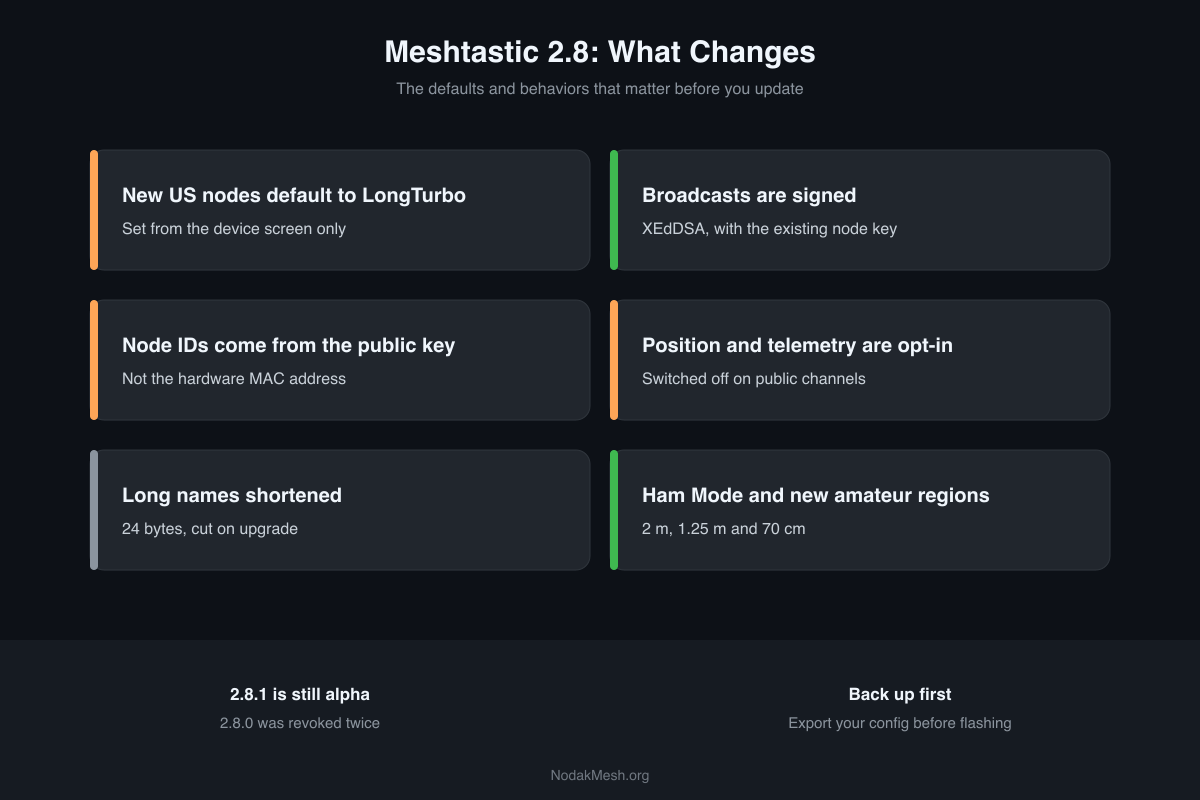
This is the overview: what changed, what to check, and whether to update now. Each of the big changes has its own deeper post, linked below.
Everything here comes from the 2.8.1 release notes, Meshtastic’s own 2.8 announcement, the pull requests behind each change, and the firmware source at the 2.8.1 tag.
Should You Update?
For most people, not yet. 2.8.1 is an alpha, the latest stable release is still 2.7.26 from June, and fixes for 2.8 are still landing. 2.7 and 2.8 nodes talk to each other, so there’s no rush to keep up with the rest of the mesh.
Update now if you have a device that needs it, like Seeed’s new Wio Tracker L2 Pro, which has no 2.7 build, or you want Ham Mode, or you like testing alphas.
If you do update:
- Export your config first. Meshtastic’s announcement says to expect to reconfigure, because the filesystem format changed.
- If the node bootloops or keeps crashing, do a full erase and flash, then restore your settings.
- Don’t stay on 2.8.0. It was revoked, and its signatures don’t work with 2.8.1.
- Read the five changes below so nothing surprises you.
Five Changes to Know Before You Update
New US nodes start on LongTurbo
A brand-new US node set up from its own screen now starts on the LongTurbo preset instead of LongFast, and the two can’t hear each other. Nodes set up from the app or CLI, and nodes you upgrade, keep LongFast. If a new node can’t see anyone, switch the preset to Long Fast. Full details and the fix: LongTurbo vs LongFast.
Your node gets a new ID
Node numbers used to come from the hardware’s MAC address. In 2.8 they’re derived from the node’s public key. That means upgrading gives your node a new number. Other nodes will see a new node and keep a “ghost” of the old one until it ages out. Update favorites, MQTT topics and dashboards that reference the old ID.
On a fresh device, the keys, and so the final node number, are only created after you set the LoRa region.
Position and telemetry sharing turn off
On public channels, 2.8 sets position sharing to off, and it does this on upgrade, not only on new nodes. It also switches off device, environment, air quality, power and health telemetry broadcasts. Even when you turn position back on, public channels are capped at a position precise to about 729 meters. If your node disappeared from a map, this is why: Why Your Node Disappeared From the Map.
Broadcasts are signed
2.8 nodes sign their broadcasts with the same key they use for DMs, so other 2.8 nodes can tell a real message from a forged one. By default unsigned packets are still accepted, so older nodes keep working. Signing proves who sent a message; it doesn’t make a public channel private. More in Packet Signing Explained.
Long names get shorter
Long names are now capped at 24 bytes, down from 40, and longer existing names are cut off silently on upgrade. It’s bytes, not characters: an emoji takes several bytes, and a character cut in half at the limit is replaced with a question mark. If your name is long, shorten it yourself before you update so you choose what gets cut.
The Rest of 2.8
A rebuilt node database
The node database was redesigned from the ground up. Each node record shrank from 166 bytes to 105, and positions and telemetry now live in separate tables. A new “warm” tier keeps just the essentials (ID, last heard and public key) for nodes that fall out of the main list, so you can still DM a node your radio hasn’t heard in a while. Favorites, ignored and verified nodes are never evicted.
| Board | Full records | Warm tier |
|---|---|---|
| nRF52840 | 120 | 100 |
| ESP32 | 120 | 100 |
| ESP32-S3 (16 MB flash, PSRAM) | 250 | 2,000 |
| RP2040 | 120 | 150 |
Ham Mode and new regions
Licensed hams get new amateur regions on 2 m, 1.25 m and 70 cm, with a Ham Mode prompt on the device screen. Licensed mode turns off encryption and won’t transmit until you set a real callsign. Details and the hardware catch: Meshtastic Ham Mode.
2.8 also adds new presets: MediumTurbo, two Lite presets at 125 kHz, two Narrow presets at 62.5 kHz, and TinyFast and TinySlow at 15.6 kHz. The Lite, Narrow and Tiny presets are for regions with narrow channel rules and the ham bands; the US region’s allowed presets don’t include them.
Smarter traffic handling
Hop limits now adjust automatically for your node’s own background broadcasts on busy channels, and routers skip repeating positions that haven’t changed. Your text messages keep your full hop limit. See Traffic Management and Automatic Hop Limits.
Screens, GPS and settings
- BaseUI supports color on TFT screens, shows which messages were signed, and has a hex input picker.
- InkHUD, the e-ink interface, gets offline map tiles with zoom, and full touch support on the LilyGO T5 E-Paper S3.
- GPS now resyncs the clock every 30 minutes, and stays off until a LoRa region is set, which saves battery on a node still in the box.
- LoRa changes apply live, with no reboot.
Apps
Update your phone app along with the firmware. Meshtastic for Android 2.8.3 needs firmware 2.5.14 or newer and caps long names at 24 bytes to match 2.8. Since 2.8.2 it shows signed and verified badges for 2.8 nodes in place of the old lock icons; our lock icons guide explains each one. The iPhone app shows signing status for 2.8 nodes too.
Our Take
2.8 fixes real problems. Signing closes a spoofing gap that’s existed since the beginning, opt-in location is the right default for a public mesh, and the traffic work should help busy meshes most. But it changes enough defaults at once that it will confuse people as it rolls out, and the two revoked builds say it needed more time.
We’ll update these posts as 2.8 moves toward a stable release, including any issues reported along the way. Until then, if you’re setting up a new node, start with our Meshtastic getting started guide, and if you’re choosing hardware, the Meshtastic device guide has the current boards.
Comments
Related Posts
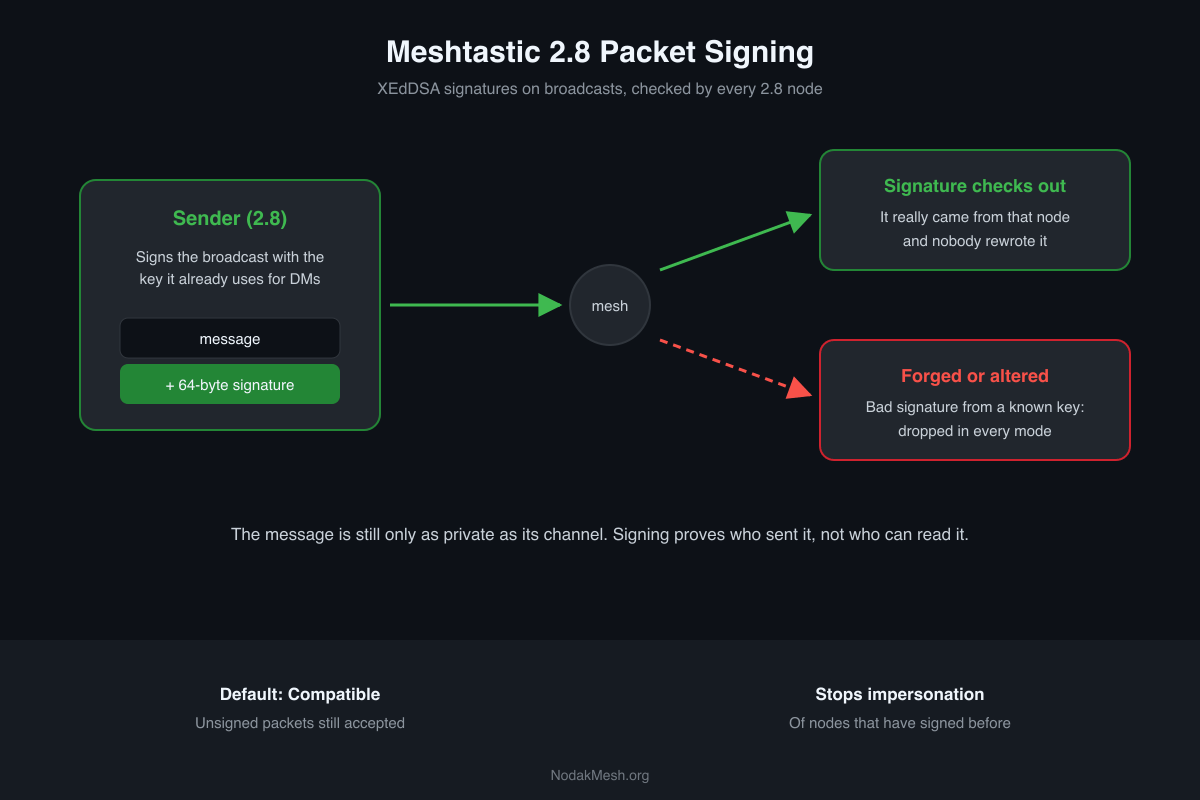
Meshtastic Packet Signing Explained: What 2.8 Protects
Meshtastic 2.8 signs broadcasts with XEdDSA. What a signature proves, what it doesn't, the three receive policies, and why 2.8.0 was pulled.

Meshtastic Firmware 2.7.18.fb3bf78 Alpha: What's New
Meshtastic alpha 2.7.18.fb3bf78 adds multi-message storage, API port config, Rak3112 support, and InkHUD joystick nav for the Wio Tracker L1.
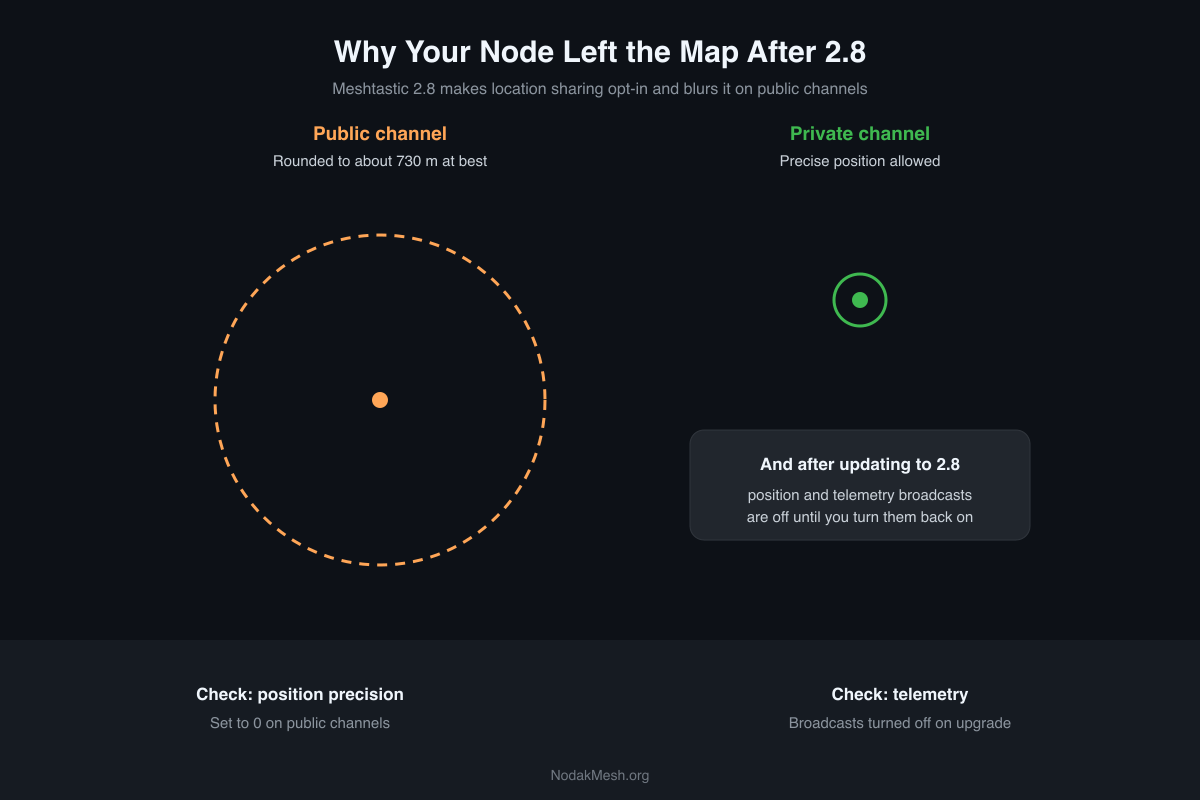
Meshtastic 2.8: Why Your Node Disappeared From the Map
Meshtastic 2.8 turns off position and telemetry sharing on public channels, even on upgrade. Why your node left the map and how to share again.