Meshtastic 2.8: Why Your Node Disappeared From the Map
Meshtastic 2.8 turns off position and telemetry sharing on public channels, even on upgrade. Why your node left the map and how to share again.
Updated a node to Meshtastic 2.8 and it vanished from the map? Nothing is broken. 2.8 stops sharing your location on public channels unless you turn it back on, and it does that on upgrade too, not just on new nodes. It also switches off telemetry broadcasts, so battery and sensor readings stop showing up for other people as well.
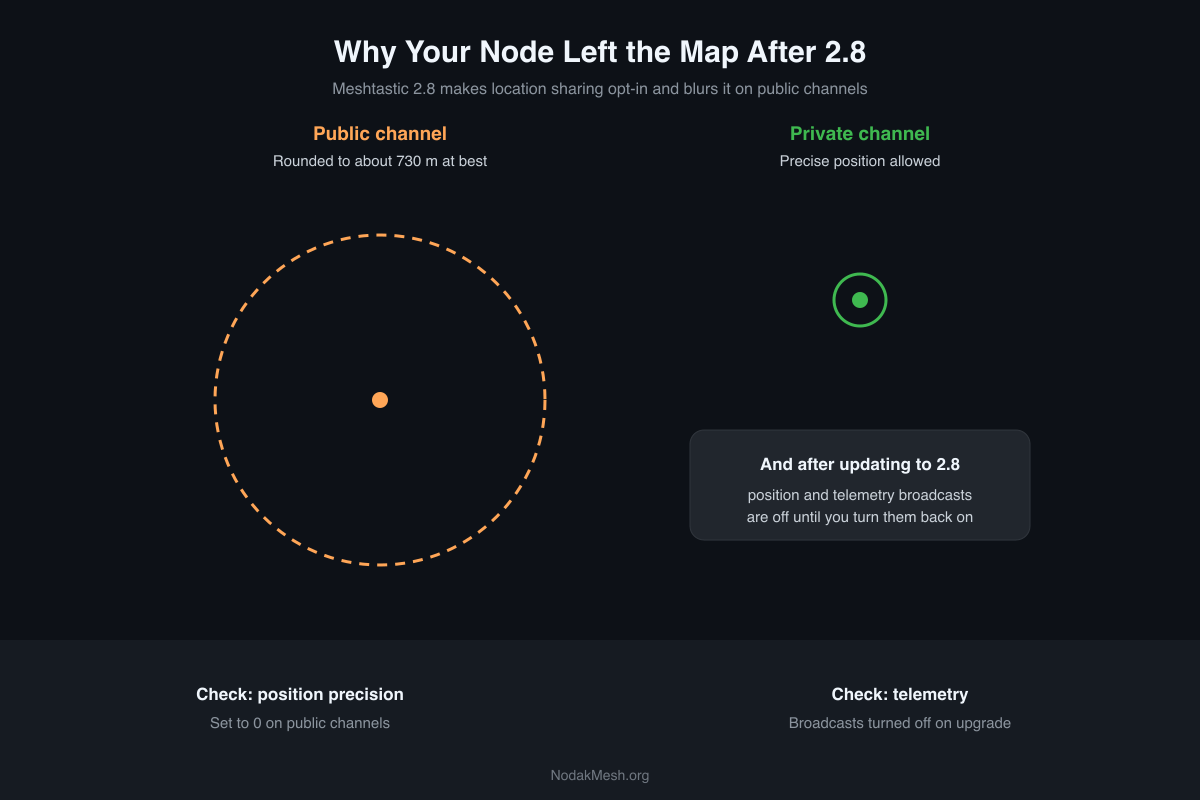
It’s a privacy change, and a reasonable one. But it surprises people who expected their node to keep showing up on the Meshtastic map exactly where it was.
2.8.1 is still an alpha. This comes from the 2.8.1 release notes, the pull requests behind each change, the firmware source at the 2.8.1 tag, and Meshtastic’s channel settings docs.
What 2.8 Turns Off
The change is called “position and telemetry are opt-in,” and it lands in two ways.
On a freshly flashed node, the default primary channel’s position precision is now 0, which means “don’t send position.” It used to be 13, a rough location, so a new node showed up on maps without anyone touching a setting.
On an upgraded node, 2.8 runs a one-time migration the first time it boots:
- position precision is set to 0 on every public channel (the default key, or no key)
- channels with a private key keep the precision you set
- device, environment, air quality, power and health telemetry broadcasts are switched off
- location in MQTT map reports is switched off. If you had map reporting on, it stays on, so your node can still report that it exists, just not where
The migration can’t tell a default setting from one you chose on purpose, so if you had turned telemetry on yourself, it’s off now too. It only runs once, though: turn something back on and it stays on.
Your phone still gets the node’s own telemetry over Bluetooth. What stops is the node broadcasting it to the rest of the mesh.
What Counts as a Public Channel
This decides how precise your position can ever be. 2.8 treats a channel as public if it uses:
- no encryption at all
- any single-byte key, which includes the default
AQ==key every Meshtastic node ships with - the full-length default key, even with its last byte changed
- a secondary channel with no key of its own, inheriting a public primary key
If you never changed your channel settings, you’re on a public channel. So is almost everyone on a default LongFast mesh.
Public Channels Can’t Share an Exact Position Anymore
Even after you opt back in, a public channel is capped at 15 bits of position precision. Meshtastic’s precision table puts 15 bits at about 729 meters, roughly a few blocks. Your node shows up in the right neighborhood, not on your roof.
The firmware source explains the number: it’s tied to the California privacy law’s definition of “precise geolocation,” and it matches the ceiling already used for public MQTT map reports. The change came out of a privacy audit, and the same release fixed a couple of real leaks:
- “Exchange positions” used to send your full-precision location even on a channel set to share a reduced one. 2.8 clamps every outgoing position packet, including direct replies.
- A primary channel with no position setting used to default to full precision. It now defaults to sharing nothing.
How to Get Back on the Map
Turn position sharing back on. Position precision is a per-channel setting. In the Android app it’s under Settings, then Channels; on iPhone it’s under Settings, Radio Configuration, then Channels. Raise the precision above 0. On a public channel, 15 is the most precise it will allow.
From the Meshtastic CLI, for the primary channel:
meshtastic --ch-set module_settings.position_precision 13 --ch-index 013 was the old default. Use 14 or 15 for a closer position on a public channel.
One quirk to know: the 2.8 pull request warns that some app versions may label 0 as “lowest precision” instead of “off.” If your app shows the lowest setting, assume nothing is being sent.
Turn telemetry back on if you want other people to see your battery or sensor readings: re-enable the telemetry types you use in the node’s telemetry module settings.
Turn map-report location back on if you rely on maps built from MQTT data, like the meshmap.net view on our map page. That’s the “report location” option in the MQTT module’s map report settings.
Sharing an Exact Position With People You Trust
If your group needs exact positions, for a search team, a hunting party or tracking a vehicle, set up a private channel with its own random key and set its precision as high as 32 (full precision). Everyone who should see exact positions needs that channel. Everyone else on the public channel still sees the rounded position, or nothing.
That’s the model 2.8 is pushing toward: rough location for the public mesh, exact location only for the people you choose. Our guide to Meshtastic channels and MQTT covers setting up a private channel.
While You’re in the Settings
2.8 changes more than location. New US nodes set up from the device screen start on a different preset (see LongTurbo vs LongFast), node IDs change on upgrade, and broadcasts are now signed. The full rundown is in our Meshtastic 2.8 overview.
Back on the map and still don’t see your node? Give it a few minutes to send a position, then check our Meshtastic map again.
Comments
Related Posts
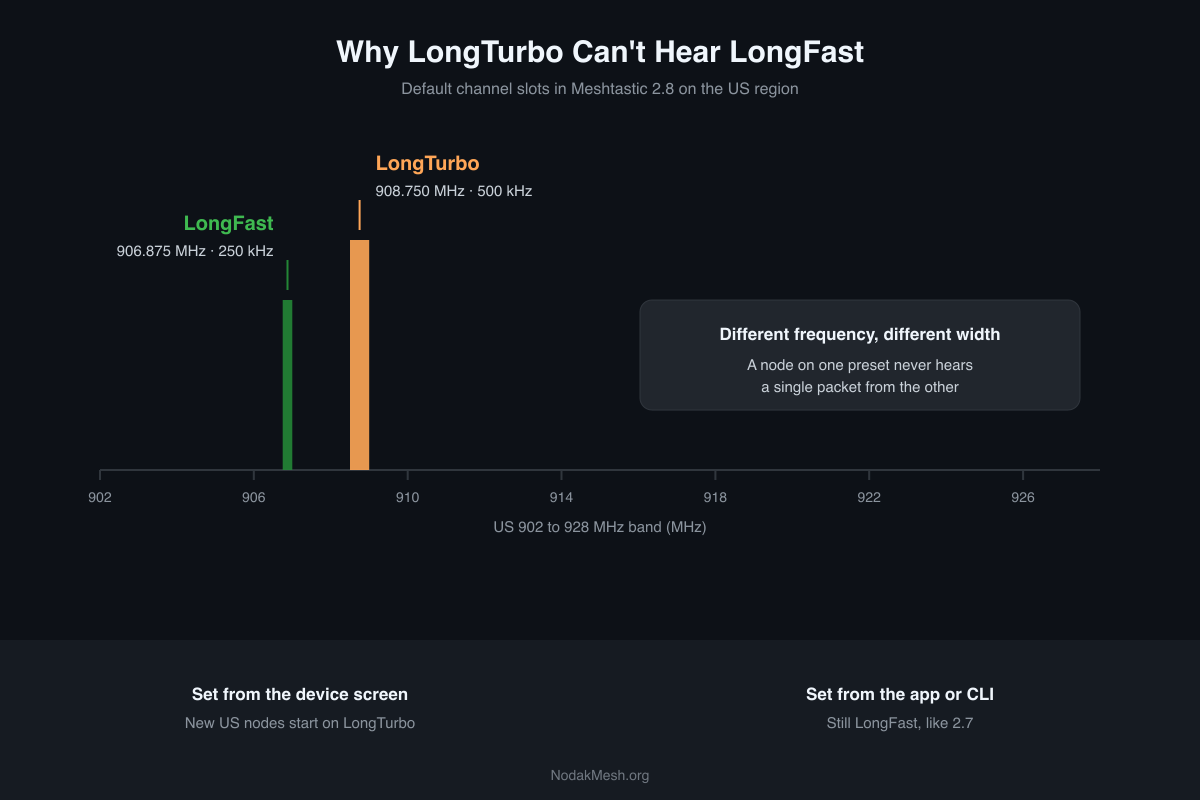
Meshtastic LongTurbo vs LongFast: Why New Nodes Hear Nothing
Meshtastic 2.8 starts new US nodes on LongTurbo, which can't hear LongFast meshes. Why it happens, how to check, and how to switch back.
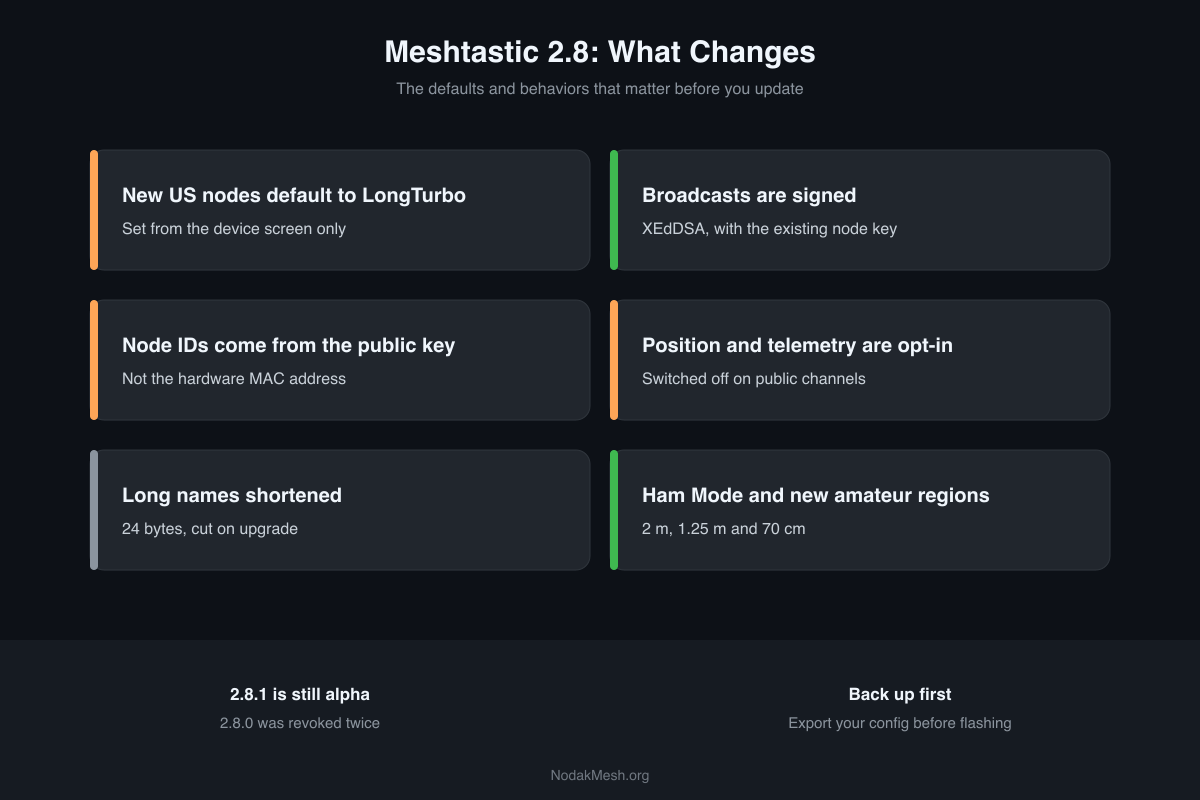
Meshtastic 2.8: What's New and Should You Update?
Meshtastic 2.8 changes US presets, signs broadcasts, gives nodes new IDs and makes position sharing opt-in. What changes, what breaks, and when to update.
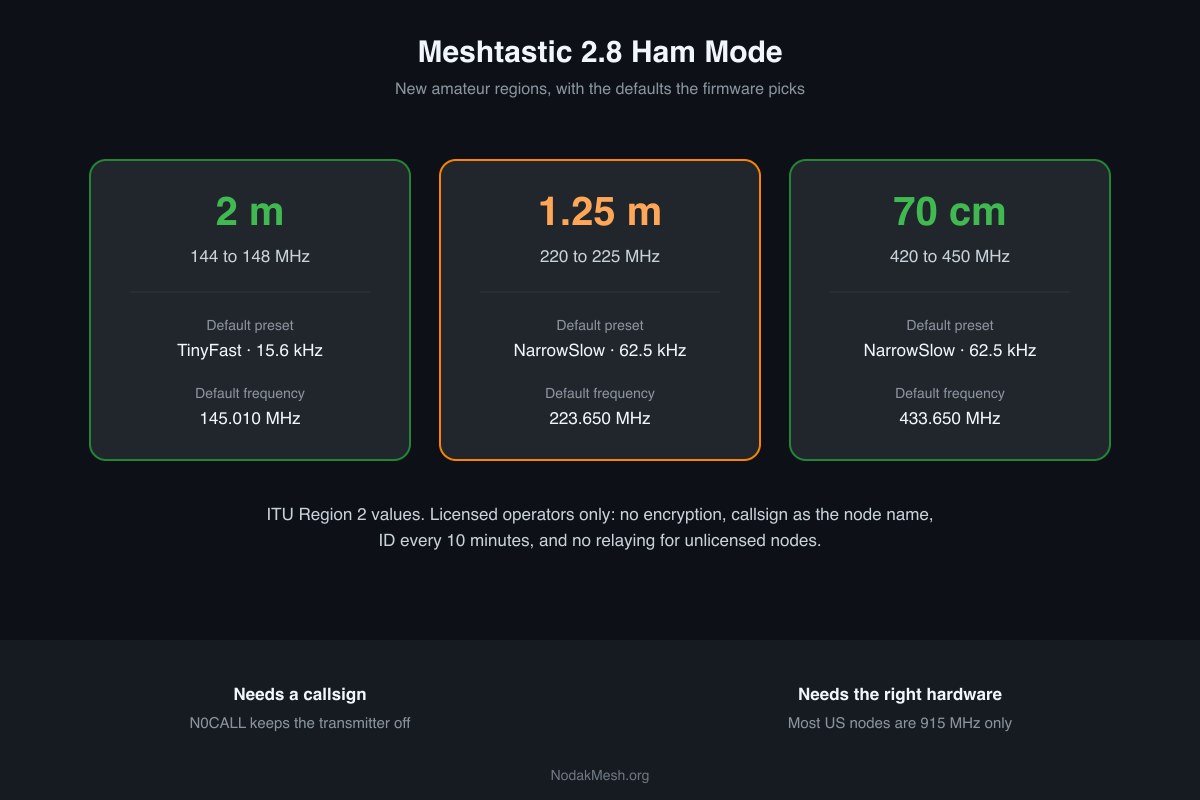
Meshtastic Ham Mode: New 2 m, 1.25 m and 70 cm Regions
Meshtastic 2.8 adds licensed Ham Mode and amateur regions on 2 m, 1.25 m and 70 cm. What it changes, the default frequencies, and the hardware you need.