Solar MeshCore Repeater Build Guide: Parts to Deployment
Full build guide for a solar MeshCore repeater. Parts list, wiring, firmware flashing, weatherproofing, and ND-winter solar sizing.
On this page
- Why Solar Repeaters Matter
- Parts List
- Core electronics
- Solar power system
- Enclosure and hardware
- Total cost
- Step-by-Step Build
- Step 1: Prepare the enclosure
- Step 2: Wire the solar charging circuit
- Step 3: Install the battery
- Step 4: Mount the LoRa board
- Step 5: Flash MeshCore repeater firmware
- Step 6: Configure via CLI
- Step 7: Bench test
- Weatherproofing
- Enclosure sealing
- Antenna weatherproofing
- Conformal coating
- Drainage
- Solar Power Sizing for Northern Climates
- Power budget calculation
- Panel angle
- Mounting Options
- Pole mount
- Tree mount
- Rooftop mount
- Building and structure mount
- Monitoring and Maintenance
- Remote monitoring
- Seasonal maintenance
- Battery replacement
- Firmware updates
- Performance Expectations and Range Testing
- Typical range
- Range testing
- Multi-hop performance
- Common Problems and Fixes
- Next Steps
- Quick Reference Card
A mesh network is only as useful as its coverage. You can have the best firmware and the most capable radios, but if there’s a dead zone between two nodes, packets don’t move. The fix is simple in theory: put a repeater in the gap. The hard part is powering it when there’s no outlet within miles.
Solar-powered MeshCore repeaters solve that problem. A small LoRa board, a modest solar panel, and a lithium battery give you an autonomous relay node that runs indefinitely without human intervention. Deploy it on a fence post, strap it to a tree, bolt it to a grain elevator catwalk. Wherever the mesh needs a bridge, a solar repeater fills the gap.
This guide walks through the entire build. Selecting parts, assembling the electronics, flashing MeshCore repeater firmware, configuring the node via CLI, weatherproofing the enclosure, sizing solar for harsh climates (including North Dakota winters), and deploying the finished unit. Total cost runs between $80 and $120 depending on your component choices.
We build and deploy these on our own network. The numbers below come from our parts bill, our deployment playbook, and lessons learned from previous repeaters that didn’t survive a winter. If you’re new to MeshCore, start with the getting started guide first. This build assumes basic familiarity with LoRa mesh concepts and comfortable soldering skills.
Why Solar Repeaters Matter
MeshCore separates nodes into roles. Companions connect to your phone. Room servers host channels. Repeaters form the backbone. They forward every packet through the network without needing a connected client device.
Dedicated repeaters are what turn a handful of isolated radios into an actual mesh. Without them, two nodes can only communicate if they’re within direct LoRa range of each other. With even a single well-placed repeater, that range can double or triple because packets hop through the relay.
The challenge is placement. The best repeater locations are high and remote. Hilltops, tall structures, rural crossroads. These are exactly the places where running an extension cord isn’t an option. Solar power makes remote deployment practical. A properly sized solar repeater in the Northern Great Plains can run year-round, including through December and January when daylight drops below nine hours and temperatures hit -30F.
Solar repeaters also simplify maintenance. Once deployed, a well-built unit needs nothing more than an occasional visual inspection and maybe an antenna check. No batteries to swap monthly. No generator to refuel. The sun handles it.
For NodakMesh specifically, solar repeaters are the backbone strategy. North Dakota is flat, sparsely populated, and has excellent LoRa propagation characteristics, but the distances between towns mean we need relay infrastructure in places where grid power doesn’t exist.
Parts List
Here’s everything you need for one solar MeshCore repeater. Prices are approximate as of early 2026 and based on common US suppliers.
Core electronics
| Component | Recommended Option | Approx. Cost |
|---|---|---|
| LoRa board | Heltec WiFi LoRa 32 V3 | ~$22 |
| LoRa board (alt) | RAK WisBlock (RAK4631 + RAK19007 base) | ~$35 |
| 915 MHz antenna | 5 dBi fiberglass omni, N-female | ~$12 to $20 |
| SMA pigtail | U.FL to SMA or N-type adapter cable | ~$3 to $5 |
The Heltec V3 is the budget pick. It has an ESP32-S3, SX1262 LoRa transceiver, onboard OLED display (useful during setup, irrelevant once deployed), and a battery charging circuit built in. At around $22, it’s hard to beat for repeater duty.
The RAK WisBlock system costs more but offers a modular design, lower deep-sleep current draw, and a proper solar charge input on the base board. If you’re building multiple repeaters or want the cleanest power management, RAK is worth the premium. See the MeshCore Devices page for a full comparison.
For the antenna, skip the stubby little whip antennas that ship with most LoRa dev boards. A 5 dBi fiberglass omni antenna makes a meaningful difference in range. Often the difference between a 3 km link and a 10 km link. The antenna is the single highest-impact upgrade on any repeater build. For tuning, a NanoVNA is worth the $50.
Solar power system
| Component | Recommended Option | Approx. Cost |
|---|---|---|
| Solar panel | 6W 6V monocrystalline panel | ~$15 to $20 |
| Battery | 18650 Li-ion cell, 3000 to 3500 mAh | ~$8 to $12 |
| Battery (alt) | 3.7V LiPo pouch cell, 3000 to 6000 mAh | ~$10 to $15 |
| Charge controller | TP4056 module with DW01 protection | ~$2 to $3 |
| Charge controller (alt) | CN3791 MPPT module (6V input) | ~$3 to $5 |
A 6W panel is deliberately oversized for a LoRa board that draws 50 to 80 mA while transmitting and 15 to 30 mA while idling. The oversizing is intentional. It accounts for cloud cover, panel angle losses, dust accumulation, and the brutal short days of a northern winter. More on solar sizing math below.
For the battery, a single high-quality 18650 cell (Samsung 30Q, LG MJ1, or Molicel P28A) provides 3000 to 3500 mAh at 3.7V nominal. That’s roughly 11 to 13 Wh, enough to run a LoRa repeater through 40+ hours of darkness even without any solar input. If you want more margin, use two 18650 cells in parallel or a larger LiPo pouch cell.
The TP4056 charge controller is the simplest option. It’s a linear charger that takes the solar panel voltage and charges the lithium cell with basic overcurrent, overdischarge, and overcharge protection (when paired with the DW01 protection IC, which most TP4056 modules include). The downside is efficiency. Linear charging wastes energy as heat when the panel voltage is well above the battery voltage.
The CN3791 module is a step up. It’s a quasi-MPPT controller that tracks the panel’s optimal voltage more efficiently. For a few dollars more, you get meaningfully better charging performance in partial shade and low-light conditions. Worth it if you’re deploying in a location with inconsistent sun.
Enclosure and hardware
| Component | Description | Approx. Cost |
|---|---|---|
| Enclosure | IP65/IP67 weatherproof junction box, ~150×110×70 mm | ~$10 to $15 |
| Cable glands | PG7 or PG9 waterproof glands (pack of 5 to 10) | ~$3 to $5 |
| Mounting hardware | U-bolts, hose clamps, or pole mount bracket | ~$5 to $8 |
| Misc | Silicone sealant, zip ties, heat shrink, wire | ~$5 |
Printing your own box or pole mount instead? Print the box in PCTG (white keeps the battery cooler) and the mount in glass-fiber PCTG. Our filament guide has a pick for each part.
Total cost
| Tier | Configuration | Approx. Total |
|---|---|---|
| Budget | Heltec V3 + TP4056 + single 18650 | ~$80 to $95 |
| Mid-range | Heltec V3 + CN3791 + dual 18650 | ~$95 to $110 |
| Premium | RAK WisBlock + CN3791 + LiPo pouch | ~$110 to $130 |
All three tiers will produce a functional solar repeater. The differences are in charging efficiency, battery runtime margin, and modularity. Pick the tier that matches your budget and deployment environment.
Step-by-Step Build
Step 1: Prepare the enclosure
Start with the junction box. You need three penetrations.
Antenna hole. Drill or punch a hole sized for your antenna’s bulkhead connector (typically 16 mm for N-type, 6 mm for SMA). Place this on the top or side of the box, depending on your mounting orientation. The antenna should point vertically when deployed.
Solar panel cable entry. Use a PG7 cable gland on the bottom or side of the box for the solar panel wires. Bottom entry is preferred because water runs down and away from the penetration rather than pooling around it.
Ventilation (optional). In hot climates, a small Gore-Tex vent patch on the underside of the box prevents condensation buildup while keeping water out. For northern deployments where summer temps rarely exceed 95F, this is optional.
Deburr all drilled holes and dry-fit the cable glands before proceeding. Apply a thin bead of silicone sealant around each gland when you do the final assembly.
Step 2: Wire the solar charging circuit
The wiring depends on which charge controller you’re using.
TP4056 wiring:
- Solder the solar panel positive (+) wire to the IN+ pad on the TP4056 module
- Solder the solar panel negative (-) wire to the IN- pad
- Solder the battery positive to BAT+ and battery negative to BAT-
- Solder the output OUT+ and OUT- to your LoRa board’s power input
If your TP4056 module has the DW01 protection circuit (most do. Look for the six-pin IC near the battery pads), the OUT+ and OUT- pads provide protected output that will cut off if the battery voltage drops too low. Always use the OUT pads, not the BAT pads, to power your board.
CN3791 wiring:
The CN3791 module typically has clearly labeled pads for solar input, battery, and load output. Follow the same logic: solar panel to input, battery to battery pads, load output to the LoRa board. The CN3791 modules usually accept 4.5 to 6V input directly from a 6V panel.
RAK WisBlock shortcut:
If you’re using the RAK19007 base board, you can skip the separate charge controller entirely. The base board has a JST-ZH solar input connector that accepts 5 to 6V and handles charging internally. Just solder a JST-ZH connector to your solar panel leads and plug it in. Connect a 3.7V LiPo to the JST-PH battery connector. Done.
Step 3: Install the battery
For 18650 cells. Use a spring-loaded 18650 battery holder. Hot-glue or double-sided tape the holder to the inside bottom of the enclosure. Solder wires from the holder to the charge controller. If using two cells in parallel, solder them positive-to-positive and negative-to-negative (never series, because you want 3.7V, not 7.4V).
For LiPo pouch cells. Secure the cell to the enclosure bottom with double-sided foam tape. Make sure there’s no mechanical stress on the cell. LiPo pouches don’t tolerate bending or puncture. Route wires neatly away from any sharp edges.
Important. Always include a fuse or polyfuse between the battery and the load. A 1A polyfuse inline with the battery positive wire prevents damage if something shorts. This costs pennies and saves you from a potential fire in a sealed box mounted on a pole.
Step 4: Mount the LoRa board
Secure the Heltec V3 or RAK WisBlock to the enclosure using M2.5 standoffs and screws, or use adhesive PCB standoffs if you don’t want to drill into the enclosure. Position the board so the U.FL antenna connector faces toward your antenna bulkhead penetration.
Connect the U.FL-to-SMA pigtail cable from the board’s antenna port to the bulkhead connector on the enclosure wall. Keep the pigtail cable as short as practical. Every inch of coax at 915 MHz costs you signal.
Wire the power input:
- Heltec V3. Connect the charge controller output to the 3.7V battery input. You can solder directly to the JST-PH battery connector pads on the board, or use a JST-PH pigtail connector for a clean removable connection. The Heltec V3 has an onboard boost converter that regulates from battery voltage to 3.3V for the MCU.
- RAK WisBlock. If using the base board’s built-in solar charging, plug in the battery and solar connectors. If using an external charge controller, connect its output to the RAK base board’s battery input.
Step 5: Flash MeshCore repeater firmware
Before sealing the enclosure, flash the firmware and verify everything works on the bench.
- Connect the board to your computer via USB-C
- Download the latest MeshCore repeater firmware from the Firmware page
- Flash using the MeshCore web flasher or esptool
Using esptool (Heltec V3):
esptool.py --chip esp32s3 --port /dev/ttyUSB0 --baud 921600 \
  write_flash 0x0 meshcore-repeater-heltec-v3.bin
Using esptool (RAK4631):
RAK4631 uses the nRF52840, so you’ll flash via adafruit-nrfutil or UF2 bootloader instead:
adafruit-nrfutil dfu serial --package meshcore-repeater-rak4631.zip \
  --port /dev/ttyACM0 -b 115200
After flashing, the board should boot into repeater mode. On the Heltec V3, the OLED will show the node name, frequency, and repeater status. Verify you see “Repeater” or “RPT” on the display.
For detailed flashing instructions and troubleshooting, see the MeshCore Firmware guide.
Step 6: Configure via CLI
MeshCore repeaters are configured through the serial CLI. Connect to the board’s serial port and open a terminal at 115200 baud.
screen /dev/ttyUSB0 115200Or use PuTTY, minicom, or the MeshCore web serial console. Whatever you prefer.
Set the node name:
set name NODAK-RPT-01Use a naming convention that identifies the node’s location or purpose. For NodakMesh, we use NODAK-RPT- followed by a location code or sequence number.
Set the frequency and parameters:
set freq 906.875
set bw 250
set sf 11
set cr 5
These should match your mesh network’s settings. For NodakMesh and most US MeshCore deployments, the default frequency plan works out of the box. Only change these if you’re coordinating with a specific regional mesh that uses different parameters.
Set transmit power:
set tx_power 22The Heltec V3 and RAK4631 both support up to 22 dBm output. For a repeater, use max power. There’s no battery life concern that outweighs the range benefit when you have solar keeping the battery topped up.
Set the repeater’s hop limit:
set max_hops 3This controls how many additional times a packet will be forwarded after this repeater handles it. The default of 3 is reasonable for most deployments. Lower it if you have a dense mesh and want to reduce airtime congestion. Raise it only if you have a sparse, linear mesh where packets need to traverse many hops.
Verify configuration:
get configThis prints the full configuration. Double-check frequency, bandwidth, spreading factor, TX power, and node name before sealing the enclosure.
Save and reboot:
save
reboot
For the full CLI reference, see the MeshCore CLI Guide.
Step 7: Bench test
Before you seal the box, do a functional test.
- Power the board from the solar charge circuit (disconnect USB)
- Verify the board boots and enters repeater mode
- Use a second MeshCore device (companion or another repeater) to send a ping and confirm the repeater forwards it
- Check solar charging. Put the panel in sunlight or under a bright lamp and verify the charge controller LED indicates charging
- Measure current draw with a multimeter in series with the battery positive wire. A MeshCore repeater should draw approximately:
- Idle/listening. 15 to 30 mA (varies by board)
- Transmitting. 50 to 120 mA (varies by TX power and board)
- Average with typical traffic. 20 to 40 mA
If everything checks out, proceed to weatherproofing.
Weatherproofing
A solar repeater that dies to moisture in month two isn’t a repeater. It’s litter. Take weatherproofing seriously.
Enclosure sealing
- Apply silicone sealant around every cable gland, the antenna bulkhead connector, and any screw penetrations through the enclosure wall
- Use cable glands with rubber gaskets on all wire entries. Don’t just pass wires through a drilled hole
- If your enclosure has a gasket on the lid, inspect it before final assembly. Replace it if it’s compressed, cracked, or missing sections
- After sealing, let the silicone cure for 24 hours before deployment
Antenna weatherproofing
The antenna-to-cable junction is the most common failure point on outdoor nodes. Water wicks into SMA and N-type connectors through capillary action.
- Wrap the antenna connector joint with self-amalgamating silicone tape (also called self-fusing rubber tape). Two to three overlapping layers, stretched to 50% while wrapping
- Alternatively, apply a generous blob of dielectric grease inside the connector before threading it on, then wrap with electrical tape
- For N-type bulkhead connectors, the rubber O-ring that ships with the connector usually provides adequate sealing if installed correctly
Conformal coating
For extra insurance, apply a thin coat of silicone conformal coating spray (MG Chemicals 422B or similar) to the PCB before installing it in the enclosure. This protects against condensation that can form inside the box during temperature swings. Mask the USB port, antenna connector, and any headers you might need later before spraying.
Drainage
Even with perfect sealing, condensation happens. Position the enclosure so cable gland entries face downward. If condensation drips, it collects at the bottom and can eventually weep out through the glands rather than pooling on the electronics.
Solar Power Sizing for Northern Climates
Solar works differently at latitude 47N than it does in Texas. North Dakota gets about 4.5 to 5.0 peak sun hours per day averaged annually, but that average hides brutal seasonal variation.
- June. ~7.5 peak sun hours/day
- December. ~2.5 peak sun hours/day
- Annual average. ~4.7 peak sun hours/day
A “peak sun hour” means one hour of 1000 W/m² irradiance. A 6W panel in 2.5 peak sun hours produces roughly 15 Wh per day in December. Let’s see if that’s enough.
Power budget calculation
Daily energy consumption:
A MeshCore repeater draws approximately 25 mA average at 3.7V.
25 mA × 3.7V = 0.0925 W
0.0925 W × 24 hours = 2.22 Wh per day
Worst-case solar production (December in ND):
6W panel × 2.5 peak sun hours = 15 Wh raw
15 Wh × 0.7 (system losses: angle, dust, charge efficiency) = 10.5 Wh usable
Even in the worst month, a 6W panel produces roughly 4.7x the energy the repeater consumes. That’s a healthy margin that accounts for multi-day cloud cover, snow on the panel, and battery degradation.
Battery sizing for darkness:
The longest stretch of minimal solar in North Dakota is typically 2 to 3 consecutive overcast days in winter. At 2.22 Wh/day, you need about 6.7 Wh of battery capacity to survive three days with zero solar input.
A single 3500 mAh 18650 cell holds:
3.5 Ah × 3.7V = 12.95 WhThat’s nearly three full days beyond the three-day target. A single high-quality 18650 cell is sufficient for North Dakota deployments. Two cells in parallel give you even more margin for extreme conditions.
Panel angle
For year-round deployment in ND (latitude ~47N), mount the solar panel at roughly 55 to 60 degrees from horizontal (steeper than the latitude angle). This optimizes for winter production when the sun is low, and the steep angle helps snow slide off rather than accumulating.
If you can only do one fixed angle, 55 degrees is a good compromise. If you’re building a seasonal summer-only deployment, 35 to 40 degrees captures more energy during the high-sun months.
Mounting Options
Pole mount
The most common deployment method. Use a 1.5” to 2” galvanized pipe or EMT conduit, 8 to 10 feet above ground.
- Attach the enclosure to the pole with stainless steel hose clamps or U-bolts through the enclosure’s mounting tabs
- Mount the solar panel above the enclosure, angled south (in the northern hemisphere)
- Mount the antenna at the top of the pole, above the solar panel, with a clear view in all directions
- Use a short run of LMR-195 or RG-58 coax from the enclosure’s bulkhead connector to the antenna. Keep it under 3 feet to minimize loss at 915 MHz
For temporary deployments, a 10-foot portable mast (telescoping fiberglass or aluminum) with a drive-in ground stake works well. For permanent installations, set the pole in concrete or bolt it to an existing structure.
Tree mount
Sometimes a tree is the only tall thing around.
- Strap the enclosure to the trunk or a major limb using ratchet straps or heavy zip ties (UV-rated)
- Position the enclosure on the south side of the trunk so the solar panel gets direct sun
- Mount the antenna above the canopy if possible. LoRa signals attenuate significantly through dense foliage
- Avoid mounting directly under the drip line of branches, where rain and snowmelt concentrate
Tree mounts work best on evergreens where you can position above the lower canopy. Deciduous trees provide better sun access in winter (no leaves) but terrible antenna clearance in summer.
Rooftop mount
If you have permission, rooftops are ideal for repeater placement.
- Use a non-penetrating roof mount (weighted tripod base) to avoid drilling into the roof
- Keep the enclosure and antenna at least 3 feet above the roof surface to reduce signal reflection off the roof material
- Route the solar panel at the appropriate angle using an adjustable tilt mount
- Secure everything against wind. North Dakota routinely sees 40+ mph gusts, and a poorly secured antenna becomes a projectile
Building and structure mount
Grain elevators, water towers, cell tower fences, highway signs. Any tall structure is a candidate if you have access and permission.
- Use stainless steel band clamps for attaching to round structures
- Use L-brackets and lag bolts for flat surfaces
- Consider lightning risk on tall metal structures. A simple ground wire from the antenna mount to the structure’s ground system provides basic protection
Monitoring and Maintenance
Remote monitoring
MeshCore repeaters report their status through the mesh. Other nodes can see the repeater’s:
- Battery voltage. Declining voltage over time indicates a solar or battery problem
- Last seen timestamp. If a repeater drops off the mesh, it’s either dead or has a connectivity issue
- Packet counters. How many packets the repeater has forwarded
Monitor these values from any MeshCore companion device or room server on the network. Set up a regular check schedule. Weekly during the first month of deployment, then monthly once you’ve confirmed the unit is stable.
Seasonal maintenance
Spring:
- Inspect the enclosure for winter damage (cracked seals, water intrusion)
- Clean the solar panel. Winter grime and bird droppings reduce output
- Check all cable connections for corrosion
- Verify antenna connections are tight and waterproof tape is intact
Fall:
- Clear any debris around the base that could shade the panel in winter
- Verify battery voltage is healthy before the low-sun months
- Refresh weatherproofing tape on the antenna connector
- Trim any vegetation that has grown into the antenna’s line of sight
Battery replacement
Quality 18650 cells last 3 to 5 years in solar cycling applications before capacity drops below useful levels. LiPo pouch cells have similar lifespans. Plan to replace the battery every 3 to 4 years as preventive maintenance.
Signs the battery needs replacement:
- Battery voltage drops below 3.0V overnight even after a sunny day
- The node reboots or goes offline during the night
- Battery feels physically swollen (LiPo). Replace immediately. This is a safety issue.
Firmware updates
MeshCore firmware evolves regularly. Check the Firmware page periodically for updates. Updating a deployed repeater requires physical access. Bring a laptop, USB cable, and the new firmware binary.
For remote locations where physical access is expensive, hold firmware updates for batches and combine them with seasonal maintenance visits.
Performance Expectations and Range Testing
Typical range
A solar MeshCore repeater with a 5 dBi antenna mounted at 10 feet above ground in flat, open terrain (like most of North Dakota) can reliably achieve:
- Line-of-sight. 10 to 25 km (6 to 15 miles) depending on terrain and antenna height at both ends
- Light vegetation/rural. 5 to 15 km (3 to 9 miles)
- Suburban/light urban. 2 to 5 km (1 to 3 miles)
- Dense urban. 0.5 to 2 km (0.3 to 1.2 miles)
These numbers assume both ends have decent antennas. If the other end is a handheld companion device with a stubby whip antenna, cut the range in half.
Height dominates range in flat terrain. Getting the repeater antenna from 10 feet to 30 feet can nearly double your coverage radius thanks to Fresnel zone clearance. If you have access to a taller mounting point, use it.
Range testing
After deploying a repeater, do a range test to verify coverage.
- Deploy the repeater and let it settle for a few minutes
- Take a companion device and drive (or walk) away from the repeater in each cardinal direction
- Send pings at regular intervals (every 0.5 km / 0.3 miles)
- Note the distance where you lose reliable bidirectional communication
- Mark the results on a map
MeshCore reports signal strength (RSSI) and signal-to-noise ratio (SNR) for received packets. A link is reliable when:
- RSSI is above -120 dBm (higher / less negative is better)
- SNR is above -5 dB (higher is better)
When RSSI drops below -130 dBm or SNR drops below -10 dB, the link becomes unreliable and you’re at the edge of coverage.
Multi-hop performance
Each hop through a repeater adds latency (typically 100 to 500 ms per hop depending on airtime) and reduces effective throughput. MeshCore handles multi-hop routing efficiently, but keep some practical limits in mind.
- 2 to 3 hops is the sweet spot for most mesh deployments. Messages arrive within a second or two.
- 4 to 5 hops works but latency becomes noticeable. Fine for text messaging, less ideal for real-time tracking.
- 6+ hops is technically possible but pushes the limits. Packet loss increases and round-trip times can exceed 10 seconds.
Plan your repeater placement to keep most node-to-node paths at 3 hops or fewer. For NodakMesh, this means roughly one repeater every 10 to 15 km along coverage corridors.
Common Problems and Fixes
Node boots but doesn’t appear on the mesh:
- Check antenna connection. A disconnected or poorly seated U.FL connector is the most common cause
- Verify frequency settings match the rest of the network
- Confirm the firmware is the repeater variant, not the companion variant
Battery drains overnight despite sunny days:
- Check solar panel output voltage with a multimeter. It should read 5.5 to 6.5V in direct sun. Below 4V indicates a damaged panel or wrong panel spec.
- Check charge controller. The charging LED should light in direct sun. If not, the controller may be dead.
- Measure current draw. If the board pulls more than 50 mA continuously, something is wrong. Possibly a stuck transmit state or firmware bug. Reflash the firmware.
Water inside the enclosure:
- Identify the entry point (often the antenna bulkhead or a cable gland that wasn’t tightened)
- Dry the enclosure thoroughly before resealing
- Check the PCB for corrosion. Clean with isopropyl alcohol if needed.
- Re-weatherproof with fresh sealant and tape
Intermittent connectivity:
- Check for loose antenna connections. Thermal cycling (hot days, cold nights) can loosen SMA connectors over time
- Check for vegetation growth that may be blocking the signal path
- Run a range test to see if coverage has degraded. If so, the antenna or coax may be damaged.
Next Steps
Once your solar repeater is deployed and verified:
- Add it to the network map so other mesh users know it exists and can plan their coverage accordingly
- Deploy more repeaters to extend coverage. Two or three well-placed solar repeaters can cover an entire county in flat terrain
- Set up a room server at a powered location to provide store-and-forward messaging for the mesh. See the Repeater Setup guide for the differences between repeaters and room servers
- Share your build with the NodakMesh community. Post your parts list, deployment photos, and range test results
Solar MeshCore repeaters are the most cost-effective way to build wide-area mesh coverage without any recurring costs. An $80 to $120 investment and an afternoon of assembly gives you a node that runs autonomously for years. Build one, test it, then build five more. That’s how a mesh grows.
Quick Reference Card
Power:
- 6W 6V solar panel
- 3500 mAh 18650 or equivalent LiPo
- TP4056 or CN3791 charge controller
Radio:
- 915 MHz (US ISM band)
- 5 dBi omni antenna
- 22 dBm TX power
Firmware:
- MeshCore repeater variant
- Flash via USB before deployment
- Configure via serial CLI at 115200 baud
Key CLI commands:
set name NODAK-RPT-01
set freq 906.875
set bw 250
set sf 11
set cr 5
set tx_power 22
set max_hops 3
save
reboot
Deployment checklist:
- Firmware flashed and configured
- Bench test passed (powers on, forwards packets)
- Solar charging verified
- Enclosure sealed (cable glands, antenna, lid gasket)
- Antenna weatherproofed (silicone tape or dielectric grease)
- Mounted with antenna vertical and clear sightlines
- Solar panel angled 55 to 60 degrees, facing south
- Range test completed and coverage documented
Comments
Related Posts
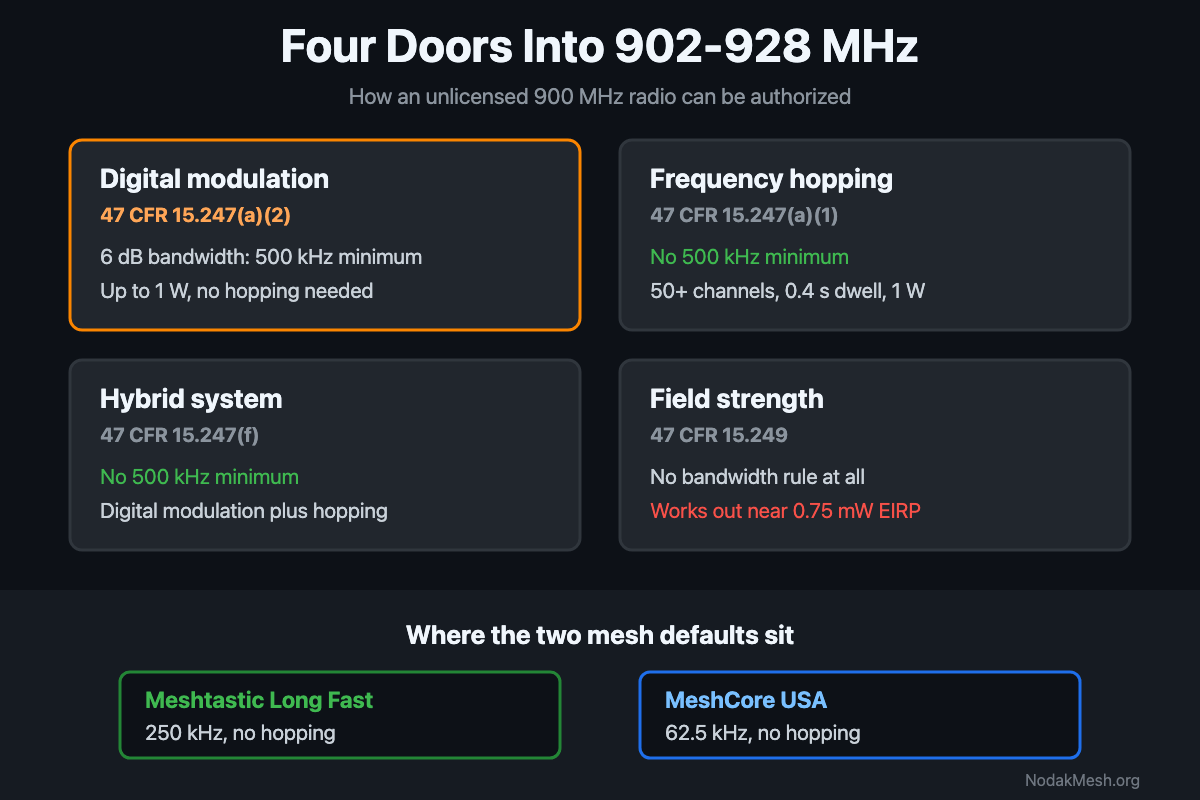
FCC Part 15.247: The 500 kHz Minimum and LoRa Mesh
Part 15.247 sets a 500 kHz minimum 6 dB bandwidth for digital modulation at 900 MHz. What the rule says, and where Meshtastic and MeshCore presets land.
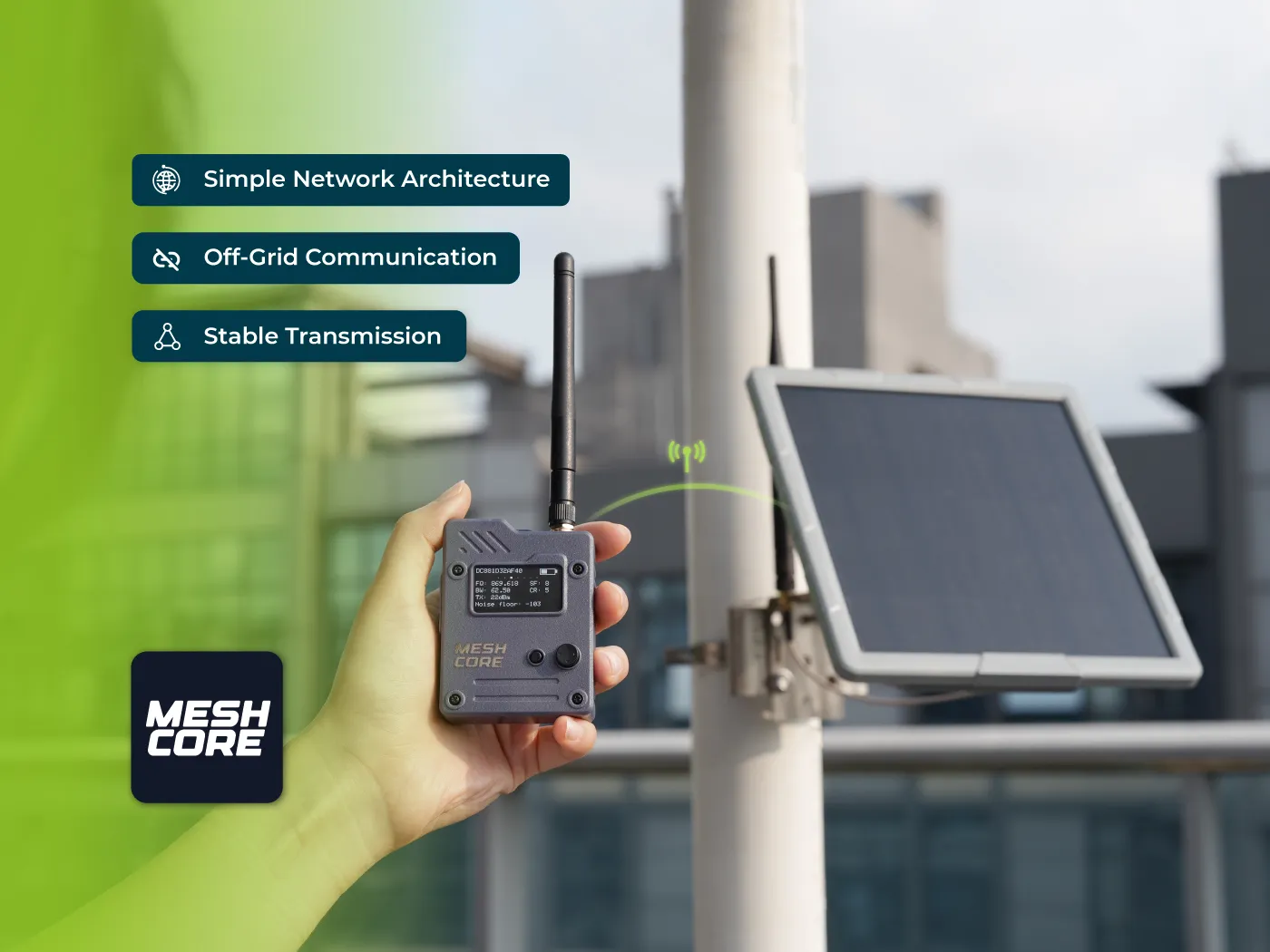
Seeed MeshCore Starter Kit: Solar Repeater + Client Bundle
Seeed's MeshCore Starter Kit bundles a solar repeater and Wio Tracker L1 Pro into one off-grid mesh. Antenna picks, setup tips, and who it's for.

MeshCore Path Hash Modes Explained: 1, 2, and 3 Byte
How MeshCore's 1, 2, and 3 byte path hashes work, why 1-byte collides at scale, and when to switch. Guide to path.hash.mode for growing meshes.