MeshCore Repeater Not Showing Up or Not Repeating? Fixes
Why a MeshCore repeater doesn't show up in the app or on the map, stops relaying, or won't log in, and the CLI commands that fix each one in 1.18.
On this page
- First: Is It on the Same Radio Settings?
- It Doesn’t Show Up in Anyone’s App
- Check the clock
- It’s Not on the Map
- The radio map (the app’s Map tab)
- The online map (map.meshcore.io)
- It’s Not Repeating
- It Hears Nothing, or Very Little
- It Won’t Let Me Log In
- It Works in the Day and Stops at Night
- Useful Commands for Troubleshooting
You flashed a MeshCore repeater, put it up high, and nothing happens. It isn’t in anyone’s contact list, it’s not on the map, or messages that should go through it don’t. Almost every case comes down to one of a few settings, and the most common one isn’t a fault at all: a new repeater takes about two days to announce itself across the mesh unless you tell it to.
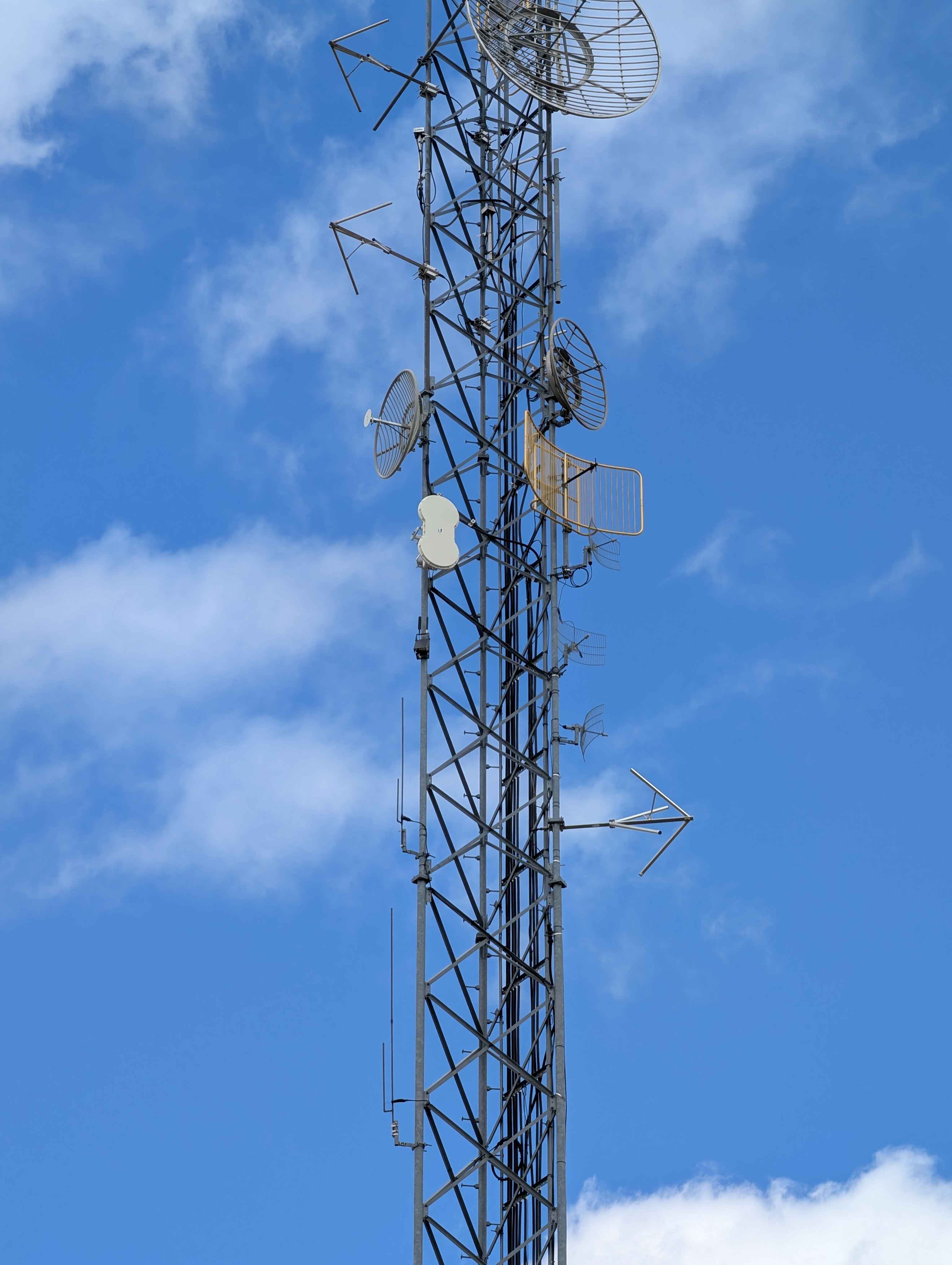
Our Atlavox Beacon repeater on a tower, from our tower repeater review.
This guide goes symptom by symptom, with the command that checks or fixes each one. It’s based on repeater firmware 1.18.0, the current release, and the MeshCore CLI reference and FAQ. Where the docs and the 1.18 code disagree, we’ve gone with the code.
You can run every command here over USB from the web flasher’s console, or remotely from the MeshCore app after logging in as admin. A few commands, noted below, only work over USB.
First: Is It on the Same Radio Settings?
A repeater only hears nodes using the same frequency, bandwidth and spreading factor. Check it with:
get radioIt prints frequency, bandwidth, spreading factor and coding rate, in that order. In the US that’s usually 910.525,62.5,7,5. Set all four at once and reboot, since radio changes don’t apply until a restart:
set radio 910.525,62.5,7,5
reboot
Freshly flashed firmware starts on the European default (869.618,62.5,8,5), so a US repeater that was never set will hear nothing. Keep the coding rate the same as your mesh too; it’s the easiest way to rule it out.
It Doesn’t Show Up in Anyone’s App
This is the most common complaint, and usually the repeater is fine.
Other nodes learn about a repeater from its advert. When a repeater boots, it only sends a zero-hop advert, which reaches nodes that hear it directly. Its first flood advert, the one repeaters pass across the mesh, waits one full interval, and the default flood interval is 47 hours. So a new repeater on a hilltop can sit unknown to most of the mesh for nearly two days.
The fix is to send one yourself:
advertThat sends a flood advert right away. (advert.zerohop sends just the zero-hop kind.) Two related settings:
set flood.advert.interval <hours>sets how often it floods an advert, from 3 to 168 hours, or 0 to stop. The 47-hour default keeps adverts from crowding a busy mesh, so leave it unless you have a reason.set advert.interval <minutes>sets the zero-hop advert, from 60 to 240 minutes.
If both intervals are 0, firmware 1.18 treats it as a hidden repeater: it also stops answering discovery requests. That’s useful on purpose and confusing by accident.
Flood adverts also stop after 8 hops (flood.max.advert), so nodes farther away than that won’t see it from the advert alone.
Check the clock
Apps ignore an advert unless its timestamp is newer than the last one they stored from that node. If a repeater’s clock went backwards, for example after losing power on a board with no clock battery, its new adverts look old and get dropped. Check it with:
clockIf it’s wrong, time <epoch-seconds> sets it, and clock sync sets it from the time of the device sending the command. Neither will move the clock backwards. Firmware 1.18 keeps the time across reboots, which makes this less common than it used to be.
It’s Not on the Map
The MeshCore app has two maps. The main Map tab is built from what your own radio hears. The online map, which the app also opens from Internet Map in its menu, is secondary and only shows what people upload. Both plot the location inside the repeater’s advert, which comes from:
set lat 46.8772
set lon -96.7898
The default is 0,0, a point in the Atlantic Ocean, so set both first, then send an advert so the new location goes out.
The radio map (the app’s Map tab)
This is the map most people mean. It shows contacts your own node has heard over the radio. Nothing is uploaded, and it only knows what your companion has received. For a repeater to appear there:
- your companion has to have heard its advert (see the advert timing above, and send
advertto skip the wait) - the advert has to include a location, so
set latandset lonneed to be set
If it shows up in Contacts but not on the map, the location is the problem. If it isn’t in Contacts at all, go back to the advert section.
The online map (map.meshcore.io)
map.meshcore.io doesn’t listen to the radio. A repeater only appears when someone uploads its advert, in one of two ways:
- From the app: open the repeater in Contacts, tap Share, then Upload to Internet Map.
- Automatically: someone nearby runs the MeshCore Map Auto Uploader on a computer with a USB or Wi-Fi companion. It uploads repeater adverts it hears, at most once an hour per node.
Map markers fade with age: green if heard in the last 5 days, yellow under 10, red under 20, and black means the node will be removed soon. A repeater on the 47-hour flood interval that nobody uploads will drift from green to black on its own. Our MeshCore map page shows the live map.
It’s Not Repeating
Repeating is on by default. Check it:
get repeatIf it says off, set repeat on turns it back on. If repeating is on but traffic still isn’t getting through, three other settings can stop a flood packet:
- Hop limits.
flood.max(default 64) caps how many hops a flood packet can have taken before this repeater drops it, andflood.max.unscopeddoes the same for packets with no region.set flood.max 0blocks all flood traffic, so check these if someone has been experimenting. - Region scopes. A sender can tag a flood packet with a region name. A repeater only forwards a tagged packet if that region is allowed on it, and a misspelled region counts as a different one. Untagged packets go through unless an admin ran
region denyf *. Direct (already routed) packets aren’t filtered by region. If your mesh uses regions, compare the repeater’s setup with a working one. There’s an open bug where malformed region commands can lock out remote admin, so make region changes over USB. - Direct messages still work when floods don’t, because direct packets follow a known path. If direct traffic gets through and channel messages don’t, look at the flood settings above.
It Hears Nothing, or Very Little
A repeater can transmit fine and still be nearly deaf.
- Receive gain:
set radio.rxgain on. It has been on by default since 1.15, but a repeater upgraded to 1.14.1 without erasing may still have it off. - Boards with a front-end module (Heltec V4 and T096, Tracker V2, Station G3, Wio Tracker L1 1W) have a separate
radio.fem.rxgain. Firmware 1.17.0 didn’t save it properly; after updating to 1.17.1 or newer, check both gain settings. - AGC reset: the FAQ suggests
set agc.reset.interval 4for a repeater that goes deaf over time. The default is 0 (off). - Noise:
stats-radioshows the noise floor and the signal of the last packet heard. It only works over USB. A high noise floor points at local interference or a bad antenna location.
It Won’t Let Me Log In
- The default admin password is
password. Change it on any repeater you put up. - The guest password is blank by default, so logging in with no password gives guest access. Guests can see status and telemetry but can’t run commands; the CLI needs admin.
- A wrong clock on your companion also fails the login. The repeater rejects a login that isn’t newer than the last one it saw from you, as protection against replayed packets.
- Far-away repeaters: long-press Login in the app to choose flood instead of direct. If a direct login keeps failing, Reset Path on the contact and try again.
Our MeshCore app guide shows the login and remote management screens.
It Works in the Day and Stops at Night
That points to power. On a solar repeater, check why it last started:
get pwrmgt.bootreasonIt shows whether the node shut down from low voltage. Some nRF52 boards running 1.12 to 1.17 wouldn’t restart below 3.3 V until the voltage recovered; 1.18 turned that off on most boards, because it caused problems with LiFePO4 and LTO cells. powersaving on (off by default, nRF52 and ESP32 only) cuts idle power on a repeater that runs on a small panel. Our solar repeater build covers sizing the panel and battery.
Useful Commands for Troubleshooting
| Command | Shows |
|---|---|
ver / board | Firmware version and board |
get radio | Frequency, bandwidth, spreading factor, coding rate |
get repeat | Whether it’s repeating |
clock | The repeater’s time |
neighbors | The last 8 repeaters it heard directly, with signal |
discover.neighbors | Asks nearby repeaters to answer, for 60 seconds |
stats-radio | Noise floor, last signal, airtime (USB only) |
stats-packets | Packets sent and received (USB only) |
power | Battery voltage, and whether USB, solar or a charger is supplying power |
For the first-time setup, see our MeshCore repeater setup guide, and check you’re on current firmware with the release tracker.
Comments
Related Posts
MeshCore App Guide: Setup, Contacts, Channels and Repeaters
How to use the official MeshCore app: pairing, radio presets, adverts, contacts, channels, direct messages, repeater login, backups and common fixes.
FCC Part 15.247: The 500 kHz Minimum and LoRa Mesh
Part 15.247 sets a 500 kHz minimum 6 dB bandwidth for digital modulation at 900 MHz. What the rule says, and where Meshtastic and MeshCore presets land.

MeshCore Path Hash Modes Explained: 1, 2, and 3 Byte
How MeshCore's 1, 2, and 3 byte path hashes work, why 1-byte collides at scale, and when to switch. Guide to path.hash.mode for growing meshes.