BTECH UV-25X2 Gen 2 First Look: 25 W Dual-Band Mobile
BTECH UV-25X2 Gen 2 first look: 25 W on 2 m, 20 W on 70 cm, RJ45 audio I/O and VOX. What Gen 2 changed, Quad Watch, programming and full specs.
Twenty-five watts on 2 meters, twenty on 70 centimeters, in a radio BTECH’s manual lists at 4 x 1.85 x 5 inches. The BTECH UV-25X2 (Second Generation) is a dual-band FM mobile with 200 memory channels, a color display, Quad Watch, and the one change that defines Gen 2: an RJ45 front jack that carries audio in and out. It’s $124.89 from BTECH at the time of this post.
This is a first look at the hardware. BTECH sent us the radio and set no conditions on what we wrote. We bought the Nagoya antenna and mount it’s running on ourselves. It’s installed in our car. Nothing here is a lab measurement. It’s what BTECH’s paperwork says, plus how the radio has been in our hands so far. Links to BTECH’s store are NodakMesh affiliate links.
The technical detail below comes from BTECH’s second-generation manual, the first-generation manual it replaced, the product page, the FCC record, and the CHIRP driver source. First, what it’s been like to use.
First Impressions
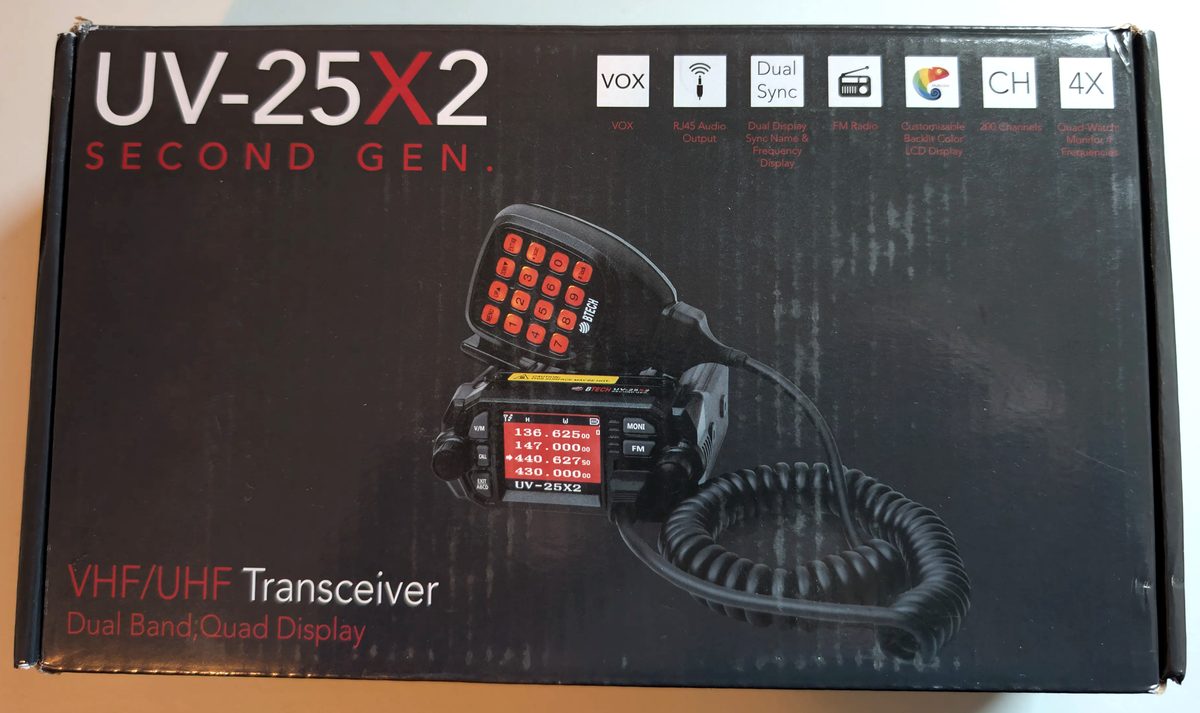
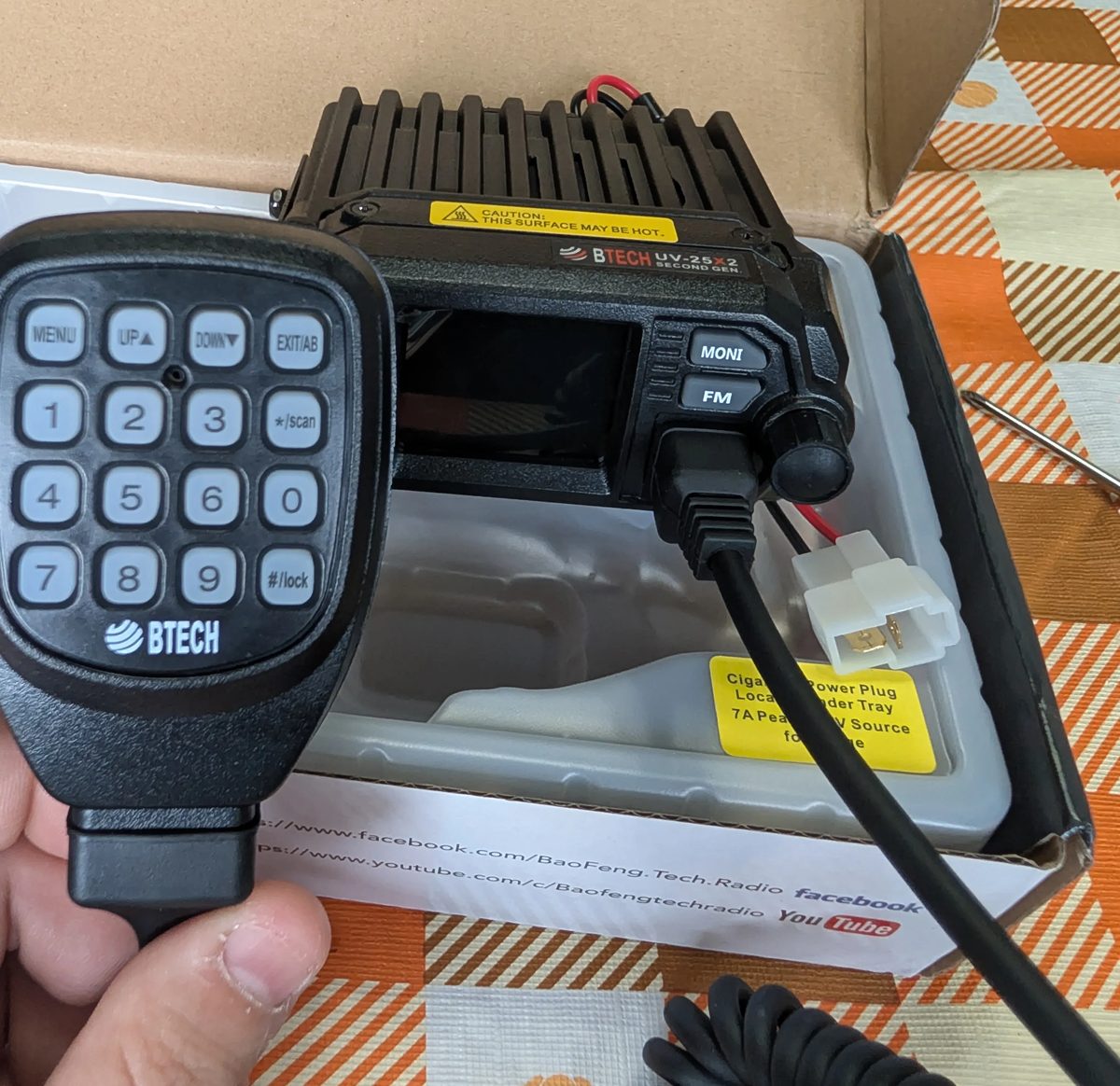
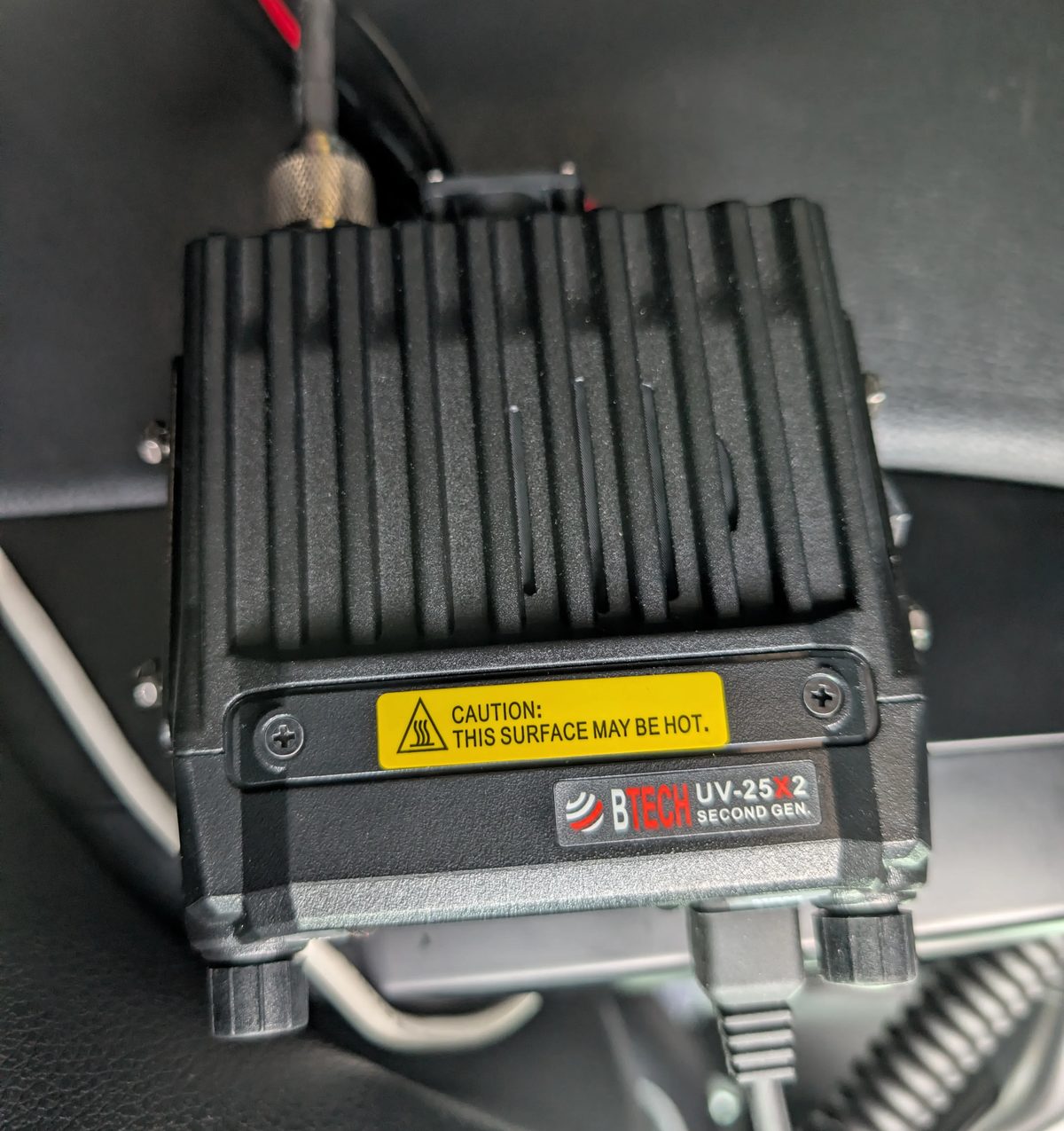
It says Gen 2 right on the front. The faceplate reads UV-25X2 SECOND GEN next to the BTECH logo, and a caution label on the finned heatsink reminds you it can get hot. Power comes in on a short red and black lead with a two-pin plug, which the included cable connects to.
The install was smooth. We started on the included lighter-plug cable to get on the air, then wired it straight to the car battery.
The screen is clear day and night. We set the colors to our own taste: Menus 33 to 40 cover the text and background of the main display, the menus, the status bar and the signal bar.
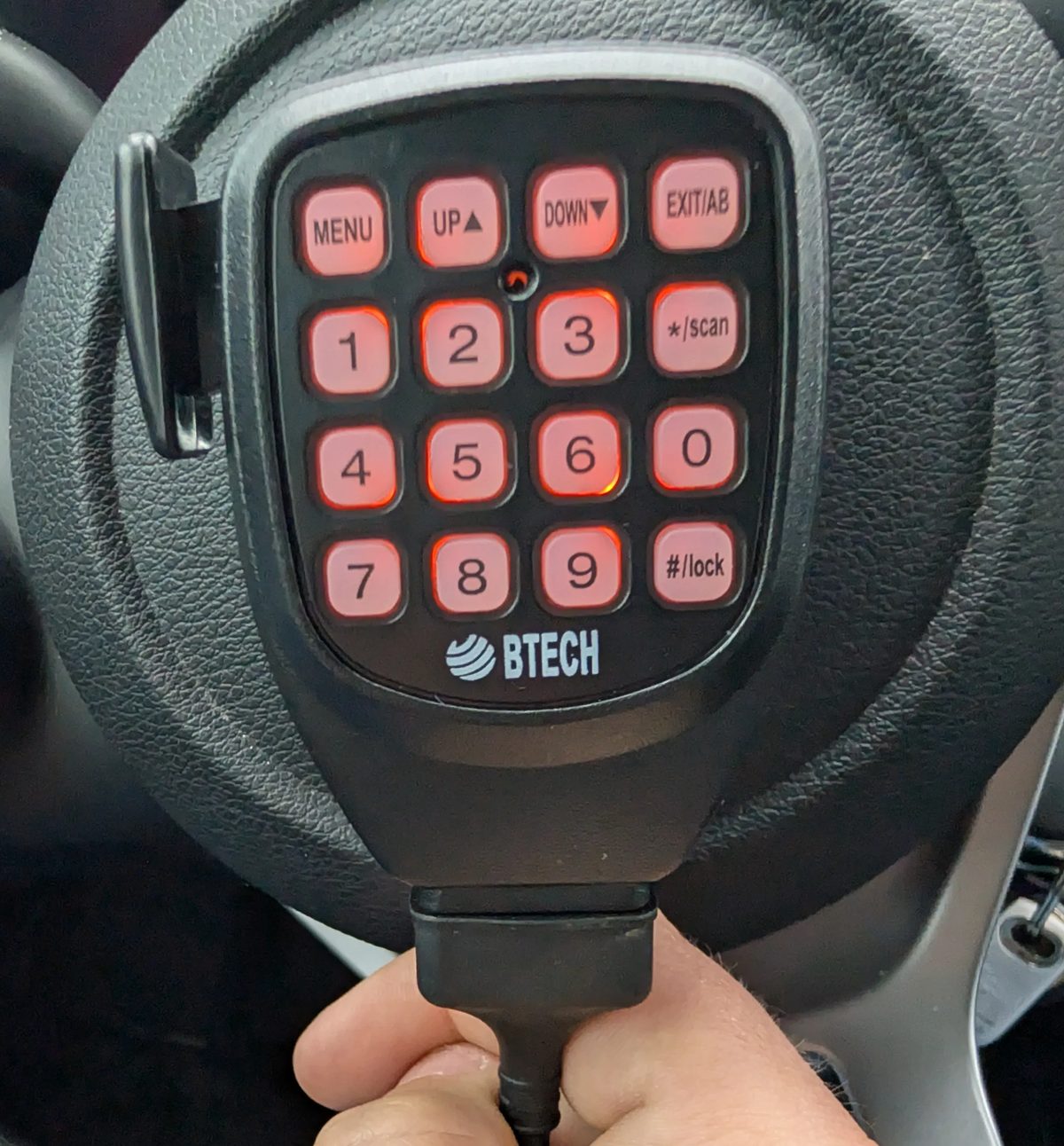
The mic feels good in the hand and is intuitive to use. The keypad is backlit, and the keys you reach for most, UP, DOWN and MENU, sit across the top.
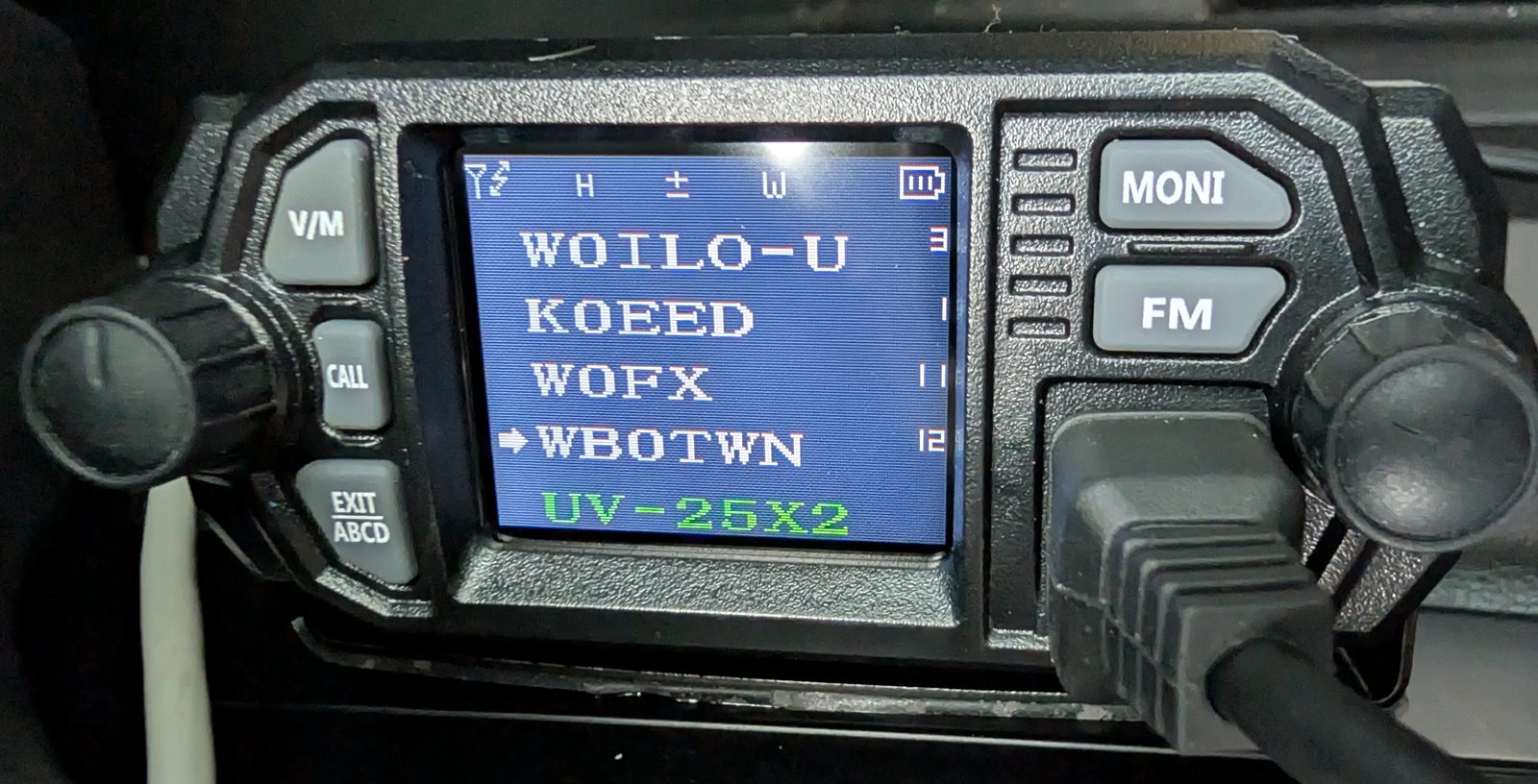
It sounds good on the air. We programmed our first repeaters by hand from the front panel as a test, then loaded the rest with CHIRP, which was easy. From the car we’ve reached three of the four repeaters on the screen in our photo: W0ILO-U, K0EED and W0FX. The fourth, WB0TWN, is on the other side of the state.
One thing to add to your cart: a programming cable isn’t in the box. CHIRP and BTECH’s own software both use the PC04, below.
What “Second Generation” Actually Means
The UV-25X2 name goes back to 2017. BTECH announced the second generation in April 2023, and CHIRP added it as a separate model the same week. Here’s what the documents say changed.
RJ45 audio in and out. Both generations use an RJ45 jack on the front for the mic. Gen 2 routes radio audio through it as well, controlled by a new Menu 61 (EARPHO): audio through the radio only, through the RJ45 jack only, or through both. An RJ45 to K1 adapter comes in the box, and BTECH says, replying to a reader under its launch post, that the adapter needs the second-generation chipset. It won’t do the same job on a Gen 1 radio.
VOX. Menu 31 was a language setting on Gen 1 (English or Chinese). On Gen 2 it’s voice-operated transmit, sensitivity 1 to 10 or off. CHIRP’s driver stores the Gen 2 VOX value in the same memory location the Gen 1 language setting used, so it’s a straight swap, not a new block.
A different identity to programming software. The radio reports itself differently over the cable, and CHIRP treats it as its own model, BTECH UV-25X2_G2. Pick the Gen 1 entry by mistake and CHIRP stops with “Radio identification failed.”
Same spec sheet. The technical specifications appendix is identical in both manuals, line for line: same bands, same power, same receiver numbers. Every change in Gen 2 is in what you can plug into it.
Two quick ways to tell the generations apart on the bench: open Menu 31 (VOX on Gen 2, language on Gen 1), and look for the RJ45 to K1 adapter in the box. Ours reads VOX, and the faceplate says SECOND GEN, which is the easiest check of all.
The Front Panel
The manual numbers nine things on the UV-25X2’s face: two knobs, five buttons, the display and the mic jack. The left knob is power (press) and volume. The right knob is the main selector, which also confirms a setting when you press it. The mic jack sits under MONI and FM, on the right. The buttons:
- V/M switches between channel mode and frequency (VFO) mode.
- CALL sends your caller ID (ANI) in the selected signaling mode while the radio’s idle, and sends signaling while you transmit.
- EXIT / ABCD steps between the A, B, C and D lines, backs out of menus, and handles the alarm.
- MONI opens the squelch so you can hear a weak or quiet channel. Press it again to close it.
- FM turns the broadcast FM receiver on and off.
What isn’t on the front is a power-level button. On the UV-25X2 that job belongs to the mic’s #/LOCK key. The UV-50X2, which shares the manual, has a front-panel button for it.
Four rows on the display means Quad Watch is on (Menu 0), as it is on ours: the main channel, marked with an arrow, plus the three it’s watching. Menus 27 to 30 pick whether each row shows a frequency, a channel number or a channel name. Ours shows names. The top line shows the selected channel’s settings as icons: in our photo, high power (H), offset enabled (±) and wide bandwidth (W).
Two details from the manual’s display page are handy in a car. At power-on, the screen shows a boot message you can set in software and the voltage the radio sees from its supply, a quick check on a radio wired to the battery. And the meter does double duty: signal strength on receive, and on transmit a bar for the power setting next to a number for your mic’s audio level.
The Jacks, Pin by Pin
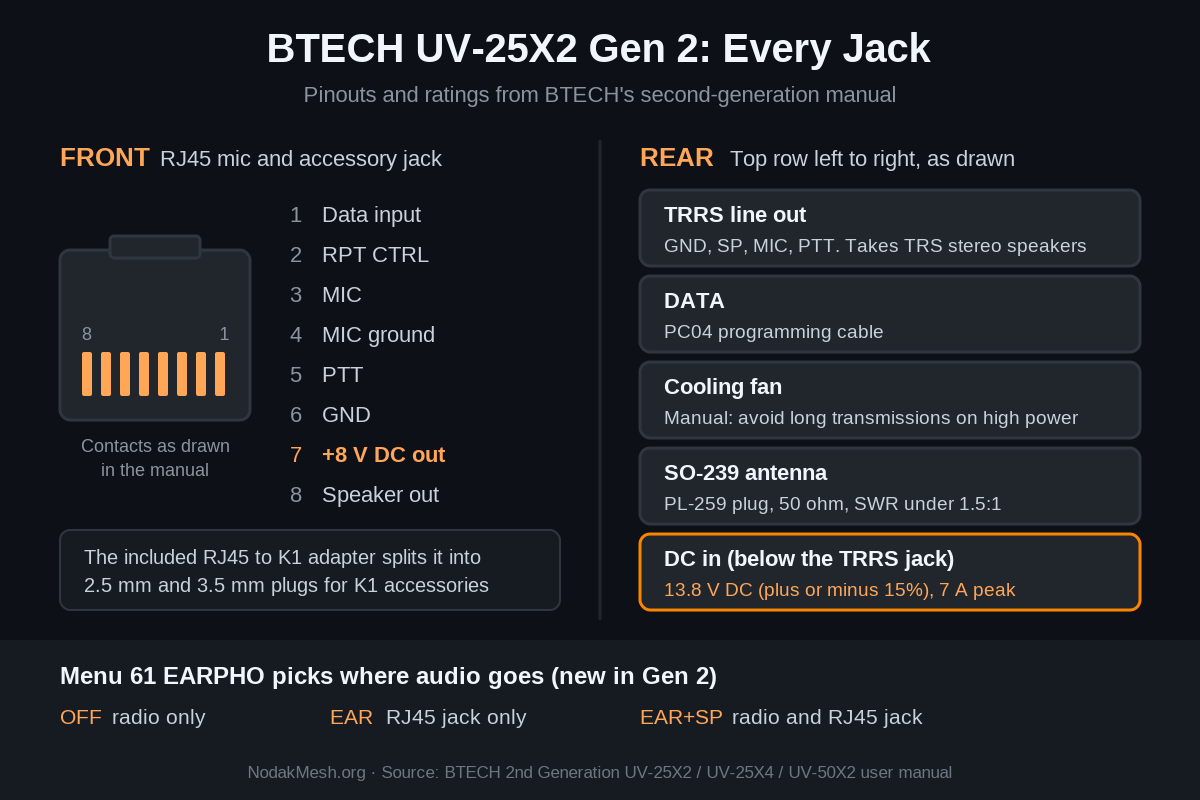
The front RJ45 is the busiest connector on the radio, and BTECH publishes its pinout:
| Pin | Signal |
|---|---|
| 1 | Data input |
| 2 | RPT CTRL |
| 3 | MIC |
| 4 | MIC ground |
| 5 | PTT |
| 6 | GND |
| 7 | +8 V DC out |
| 8 | Speaker out |
Pin 7 puts out 8 V DC. The jack uses an RJ45 shell, but it’s a mic and accessory jack, so keep network cables and Ethernet gear out of it.
The included adapter breaks that jack out to a K1 plug, the two-pin 2.5 mm and 3.5 mm layout used by BTECH’s handhelds and plenty of others. That opens it up to speaker mics, headsets and audio interfaces, and with them APRS: BTECH’s launch post suggests a cable like its APRS-K1 for these radios, and it now sells the APRS-K1 PRO ($34.49 at the time of this post), with a phone app doing the packet work.
The microphone is what lives in that jack day to day. Ours has a 16-key keypad with a red backlight and a hanger clip on the back. A few keys do more than their labels say. Per the manual, #/LOCK switches between high and low power with a press and locks the keypad with a long press, and the lock covers the radio’s own buttons too, except PTT, MONI and power. A long press on MENU switches between VFO and memory mode, and a long press on EXIT sets off the alarm.
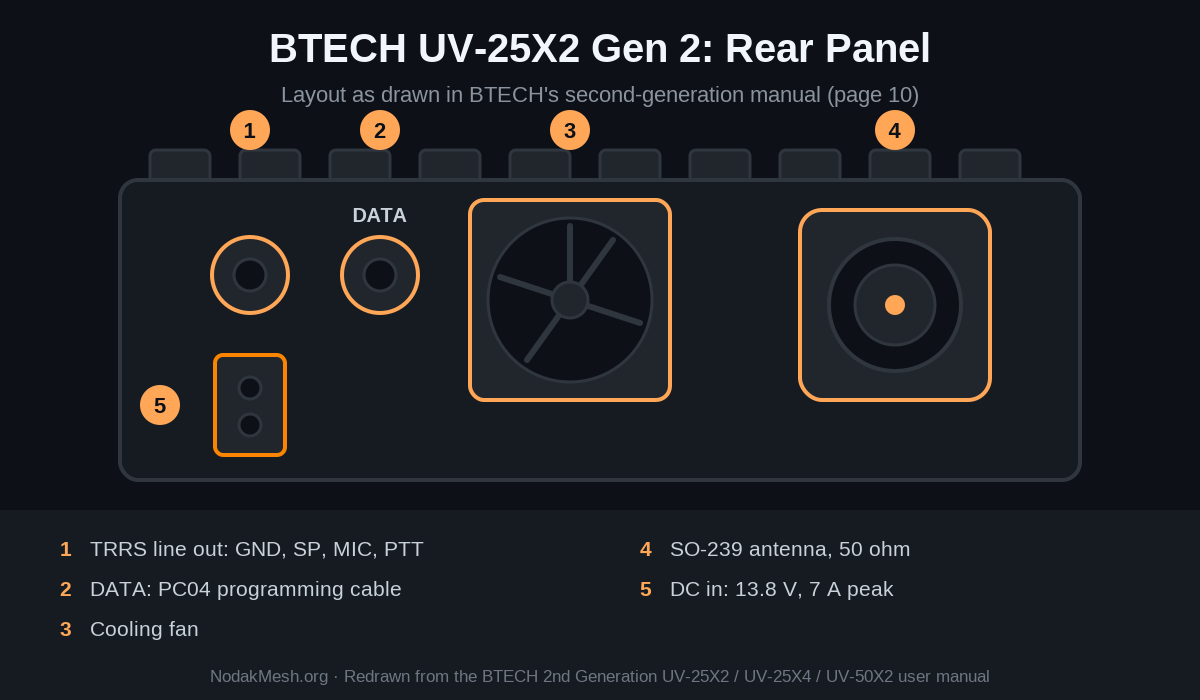
Around back, along the top, left to right:
- TRRS line out. Ground, speaker, mic and PTT, so it’s an interface point too, not just a speaker jack. BTECH notes it takes TRS stereo speakers.
- DATA. The programming port, for BTECH’s PC04 cable ($22.49 at the time of this post).
- Cooling fan.
- SO-239 antenna connector, for a PL-259 plug.
The DC input, 13.8 V at up to 7 A peak, sits below the TRRS jack on the left.
How Quad Watch Works
Quad Watch lets the radio keep an ear on up to four channels at once. Per the manual, it moves between two and four frequencies at fixed intervals, with the option to lock transmit to one of them. It’s one receiver checking A, B, C and D in turn, so while it’s parked on a busy channel, the other three wait their turn.
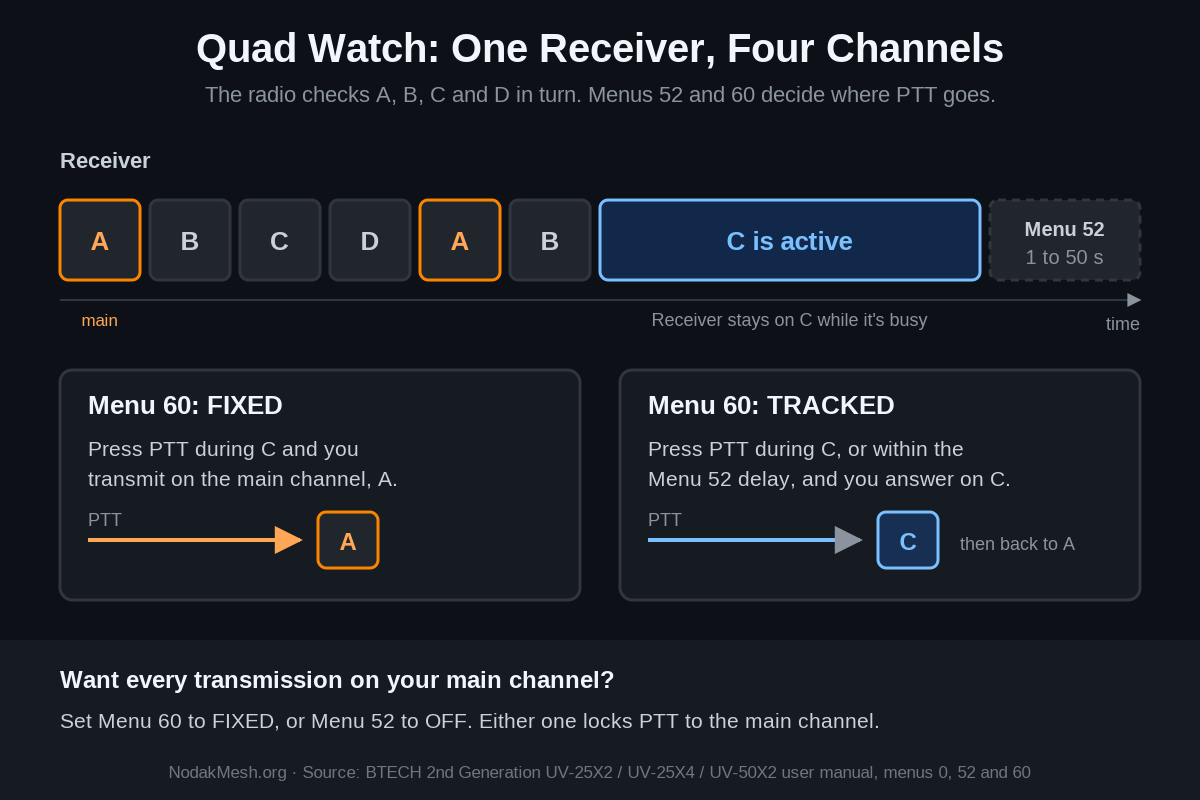
The setting worth knowing first is where the radio transmits. Per the manual, when one of the watched channels goes active, the radio defaults to transmitting on that channel for the delay set in Menu 52, adjustable from 1 to 50 seconds. Key up right after hearing someone on C and you answer on C, which is often what you want. Key up meaning to call on your main channel, and you might not be on it.
Menu 60 (TMR-TX) makes it explicit. FIXED always transmits on the main channel. TRACKED answers on the active channel until the Menu 52 delay runs out. To lock every transmission to the main channel, set Menu 60 to FIXED, or Menu 52 to OFF.
Which channels get watched is Menu 0 (TMR). The main band can be 2 m or 70 cm, and the radio will also watch VHF-VHF or UHF-UHF if that’s all you need.
Cross-Band Repeat Takes Two Radios
The menu lists a repeater forwarding mode (Menu 51, REP-M), and it’s easy to assume that means one radio can cross-band repeat on its own. It can’t. The manual’s menu table calls it an X-band repeater with two BTECH mobiles connected together, forwarding on a carrier, a matching CTCSS or DCS tone, a 2Tone or 5Tone sequence, or a DTMF code. Cross-band repeat with the UV-25X2 is a two-radio project.
Power, Heat and the Antenna
| High | Low | |
|---|---|---|
| 2 m (VHF) | 25 W | 10 W |
| 70 cm (UHF) | 20 W | 7 W |
Those are the manual’s figures. The product page also lists average output, 20 W on VHF and 15 W on UHF.
On the FCC side, BTECH’s grant for its 25X-series mobiles, FCC ID 2AGND25XX from May 2017, is a Part 15 certification as a scanning receiver, covering 136 to 174 MHz and 400 to 520 MHz among others. The FCC doesn’t generally require certification for amateur transmitters, so for a ham-only radio, it’s the receiver that goes through the FCC.
The transmitter is limited to the US ham bands: 144 to 148 MHz and 420 to 450 MHz. The wider 136 to 174 and 400 to 520 MHz ranges are receive. The manual is direct about FRS, GMRS and MURS: rules on those services make this radio illegal to use there. For GMRS, look at a GMRS radio instead.
Power wants 13.8 V DC, plus or minus 15%, so roughly 11.7 to 15.9 V, at up to 7 A. Ours came with the power cable the manual pictures, ending in a cigarette-lighter plug, along with a mounting bracket, the microphone and its hanger, and the RJ45 to K1 adapter. A lighter socket is the quickest way onto the air in a vehicle. At 7 A peak, check what your vehicle’s socket is fused for.
No antenna comes in the box. The manual asks for 50 ohm coax, an SWR of 1.5:1 or less on the frequencies you use, and a proper ground plane: mag mounts need a metal surface under them. It also says transmitting without an antenna or into a high SWR can damage the radio and void warranty support.
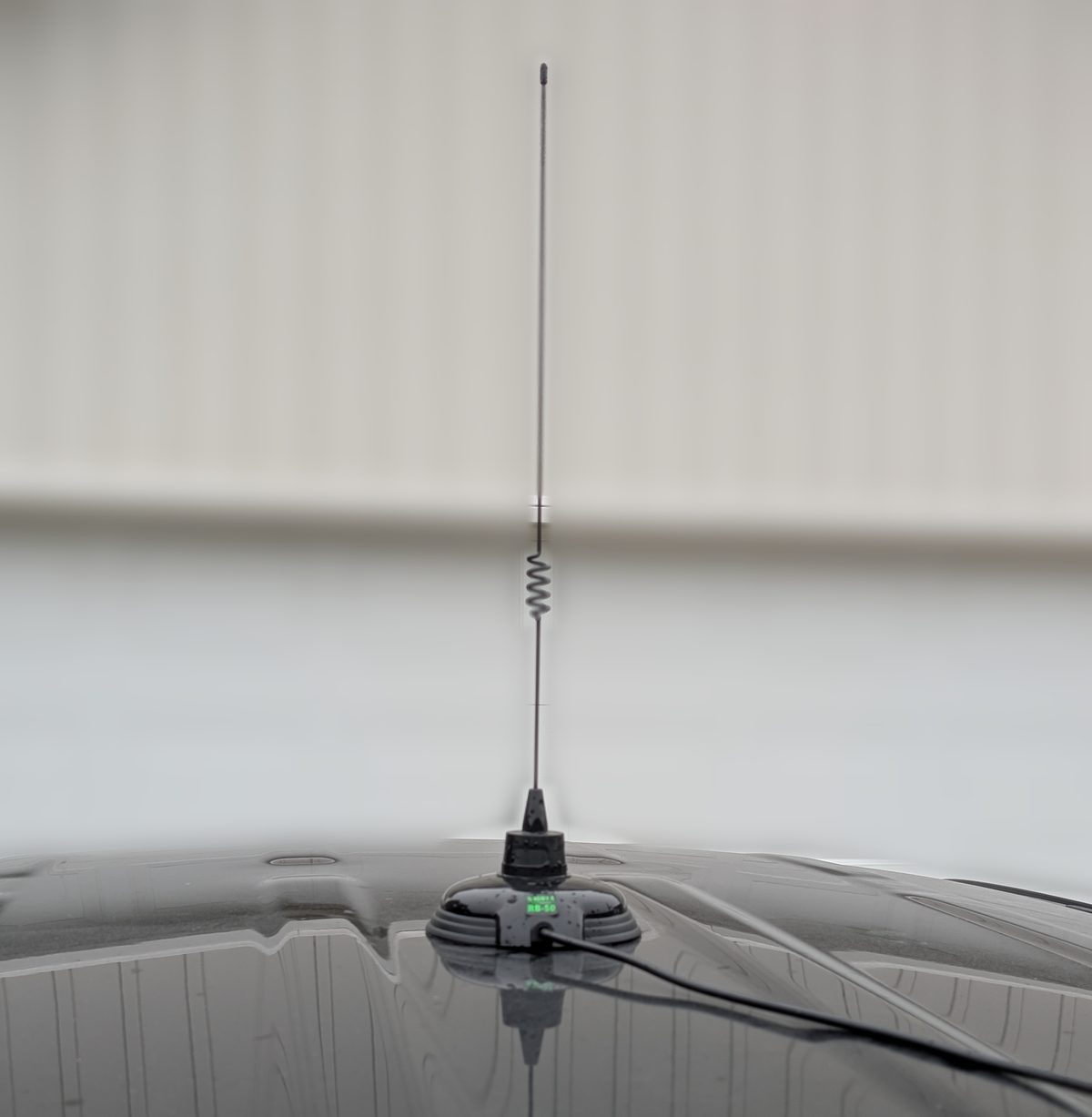
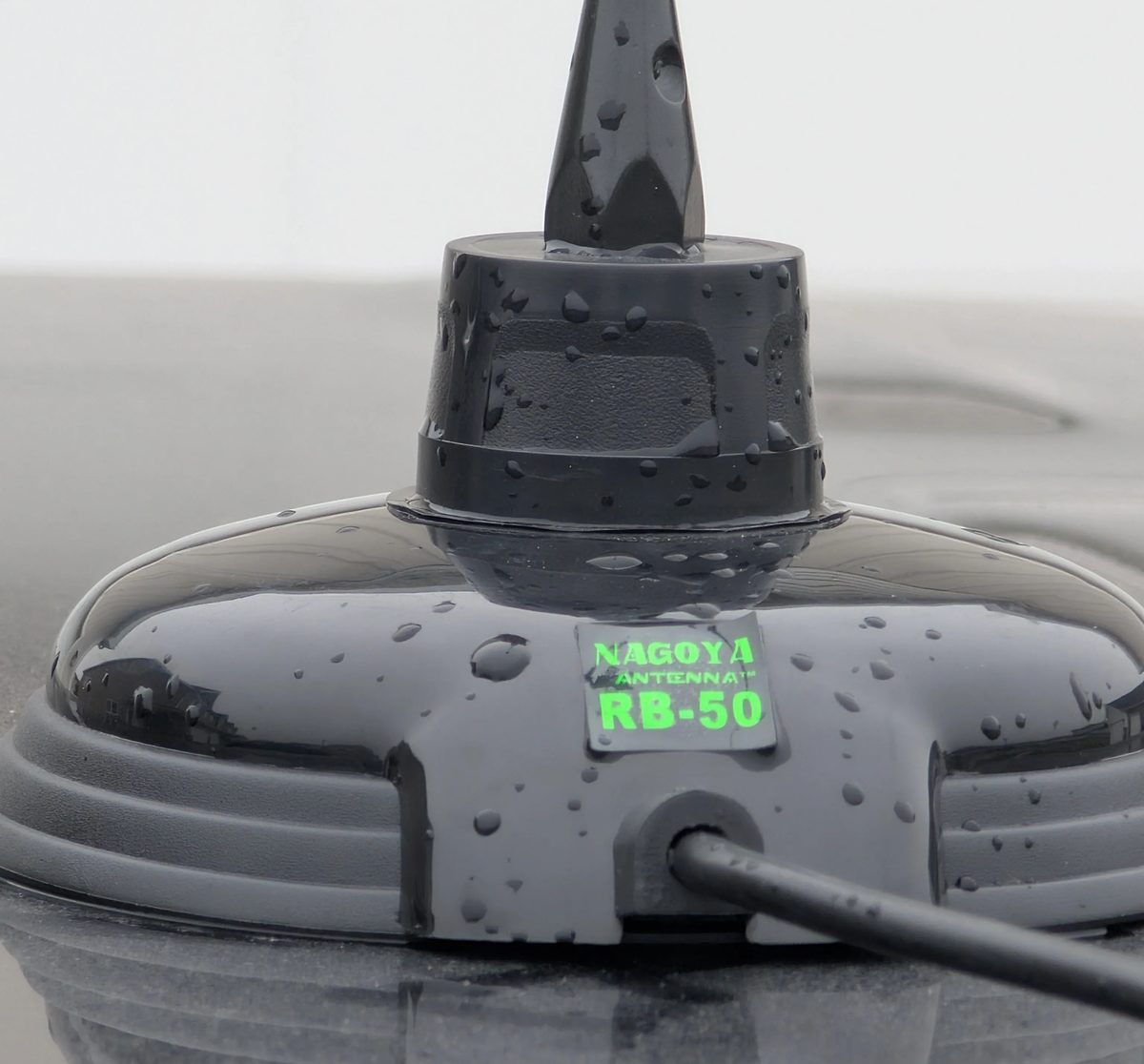
Our antenna is on our car: a genuine Nagoya NMO-72 antenna on a Nagoya RB-50 magnet mount, $33.98 each at the time of this post. The car’s body is the metal surface the manual asks for. BTECH lists the NMO-72’s best transmit range as 140 to 150 MHz and 420 to 450 MHz, which takes in both of this radio’s bands, with a VSWR of 1.5 or less and a 100 W rating, four times what the radio puts out. It’s about 19 inches tall and needs an NMO mount, which is what the RB-50 is: a 1.5 lb magnet base with 18 feet of RG-58A/U coax ending in a PL-259. That screws straight onto the radio’s SO-239, no adapter needed. The mount is rated for 200 W and antennas up to 50 inches.
Programming It
BTECH’s software page gives two routes for Gen 2: its current Windows CPS, or BTECH UV-25X2_G2 in CHIRP-next. The cable is the PC04 into the rear DATA jack, and BTECH sells it with a genuine FTDI chip. It’s sold separately, so order it with the radio if you’ll program from a computer. CHIRP is how we loaded ours, and it was easy.
CHIRP support has had real work done on it this year. In January, a Gen 2 download could fail with “Short read of the block 0x0000.” Some Gen 2 units send their memory more slowly than the older BTECH mobiles, and CHIRP’s timeout was too short to catch a full block. A fix went in on January 14, 2026, and three days later CHIRP raised its default timeout for these radios again. In August, Jim Unroe (KC9HI), whose work BTECH credits in its own manual, rewrote the BTECH clone protocol from serial traces of the OEM software, tested across 21 radio models from five vendors. Use a current CHIRP-next build, not an old download.
We programmed our first repeaters from the front panel, and a few things are worth knowing before you do:
- Channels are built in VFO mode. Enter the frequency in VFO, then store it to a channel with Menu 44. Repeater offsets don’t carry into memory: a channel stores its receive and transmit frequencies directly, so a +600 kHz repeater on 145.000 becomes a 145.600 transmit frequency.
- Wide or narrow is set once. Bandwidth (Menu 7) is per channel and has to be set before you store it. To change it later, delete the channel and program it again. Tones, squelch and power, by contrast, can be changed on a saved channel.
- Names are short. CHIRP’s driver allows eight characters per channel name.
The Rest of the Menu
The UV-25X2 carries a lot of signaling for a $125 radio, much of it from the commercial side of two-way:
- CTCSS from 67.0 to 254.1 Hz and DCS codes D023 to D754, normal and inverted, with tone scanning that detects a repeater’s tone from a live signal.
- 2Tone, 5Tone and full DTMF, including the A to D codes, plus tone burst at 1000, 1450, 1750 and 2100 Hz for repeaters that want it.
- DTMF remote stun, kill and revive, set up in software with a master ID. Fleet features, mostly.
- SKIPTX (Menu 58), which spreads your transmissions across the four watched channels, for use with another mobile set to the same four. It can move after every exchange or step to the next channel on every PTT press.
- Four scan-resume settings (Menu 59), including one that resumes scanning after a power cycle and one that starts scanning at every power-on. That’s handy for a radio wired to the ignition.
- Auto power off from 30 to 300 minutes, mic gain from 0 to 127, squelch from 0 to 9, and color choices for nearly every part of the display.
For NOAA weather, the frequencies from 162.400 to 162.550 MHz sit inside the receive range, so they store as ordinary channels next to your repeaters.
Full Specs
| Spec | UV-25X2 Gen 2 |
|---|---|
| Transmit | 144 to 148 MHz, 420 to 450 MHz |
| Receive | 136 to 174 MHz, 400 to 520 MHz, FM broadcast 87.5 to 108 MHz (product page) |
| Output power | 25 W / 10 W VHF, 20 W / 7 W UHF |
| Memory channels | 200 (000 to 199) |
| Modulation | FM, 16K F3E wide, 11K F3E narrow |
| Steps | 2.5, 5, 6.25, 10, 12.5 and 25 kHz |
| Frequency stability | 2.5 ppm (about 365 Hz at 146 MHz) |
| Sensitivity | 0.25 µV or better wide, 0.35 µV narrow |
| Audio output | 2 W or more at 10% distortion |
| Selective calling | CTCSS, DCS, 2Tone, 5Tone, DTMF, tone burst |
| Multi-watch | Dual, tri and quad watch (one receiver, scanned) |
| Antenna | SO-239, 50 ohm |
| Audio and data | Front RJ45 with audio I/O, rear TRRS, rear DATA |
| Power | 13.8 V DC plus or minus 15%, 7 A peak |
| Operating temp | -20 to +60 °C |
| Size | 4 x 1.85 x 5 in |
| Weight | 1 lb |
| In the box | Radio, microphone and mic hanger, RJ45 to K1 adapter, power cable with lighter plug, mounting bracket (antenna and programming cable sold separately) |
| Programming | BTECH Windows CPS, CHIRP-next (UV-25X2_G2), PC04 cable |
| FCC record | 2AGND25XX, BTECH’s 25X-series Part 15 receiver grant (May 2017) |
| Price | $124.89 at the time of this post |
Spec numbers are the manual’s unless noted.
UV-25X2 or UV-25X4?
The closest alternative comes from BTECH itself. The UV-25X4 Gen 2 is the same radio with a third band, shares the same manual, and costs the same.
| UV-25X2 Gen 2 | UV-25X4 Gen 2 | |
|---|---|---|
| Transmit bands | 2 m, 70 cm | 2 m, 1.25 m, 70 cm |
| 1.25 m transmit | None | 222 to 225 MHz |
| Output | 25 W VHF, 20 W UHF | Same, plus 20 W on 1.25 m (product page) |
| Channels | 200 | 200 |
| Size and weight | 4 x 1.85 x 5 in, 1 lb | Same |
| Power draw | 7 A peak | 7 A peak |
| CHIRP model | UV-25X2_G2 | UV-25X4_G2 |
| Price | $124.89 | $124.89 |
At the same price, the question is whether you’ll use 1.25 m. It’s an Americas-only band with far fewer repeaters than 2 m or 70 cm. If there’s 220 activity where you live, or you want the band for experiments, the X4 costs nothing extra. If your repeaters are all on 2 m and 70 cm, the X2 is the simpler radio.
What We’re Watching
As the radio racks up miles, here’s what we’re paying attention to.
Heat. How warm it gets on a long transmission, and how the fan behaves. A mobile tucked under a dash doesn’t get much airflow.
Quad Watch in real use. Which Menu 0, 52 and 60 settings work best in a car, and how it feels to monitor a repeater, a simplex channel and a weather channel at once.
Living with it. How it holds up day to day in the car, through a North Dakota winter.
Who It’s For
It’s built for Technician licensees buying a first mobile or base radio. It covers the two bands where most repeaters live, it’s small enough to hide in a vehicle, and with a 13.8 V supply it’s a base station. The Gen 2 RJ45 audio path is the reason to pick this generation over a used Gen 1: it takes K1 accessories through the adapter in the box.
It isn’t a GMRS radio, it doesn’t cross-band repeat on its own, and if you want 1.25 m, the UV-25X4 costs the same.
So far it’s been easy to install, easy to program and good on the air. A winter in the car will tell the rest. You can find the UV-25X2 Gen 2 on the BTECH store, and the rest of the field in our mobile radio guide.
Prices mentioned here are from the time this post was written or last updated, and they change often. Check the store for today's price.
Comments
Related Posts
Meshtastic Ham Mode: New 2 m, 1.25 m and 70 cm Regions
Meshtastic 2.8 adds licensed Ham Mode and amateur regions on 2 m, 1.25 m and 70 cm. What it changes, the default frequencies, and the hardware you need.
BTECH BF-F8HP PRO Review: The UV-5R, All Grown Up
BF-F8HP PRO review: a 10 W tri-band ham handheld with a color screen, GPS, NOAA, airband and USB-C charging. What's good, what owners report, and price.
Meshtastic LNA Auto Mode Explained for Heltec V4 and T096
Meshtastic's new FEM LNA Auto mode checks your noise floor to decide if the Heltec V4.3 or T096 receive amp helps, and fixes RSSI reading 23 dB high.