Atlavox M1 Review: A Built-to-Order Mesh Handheld
Atlavox M1 review after time on Meshtastic and MeshCore. A built-to-order handheld with GPS and sensors, up to 10 days of battery, and no screen.
Most mesh handhelds are a board you bought, a case you printed, and a Saturday you’re not getting back. The Atlavox M1 skips all of that. You pick your options in a builder, somebody assembles it, flashes it, and ships it configured.
A RAK4630 WisBlock, a 2000 mAh cell, USB-C, and an SMA antenna you pick at checkout. 3D-printed case, no screen, no buttons. $76.99 to start.
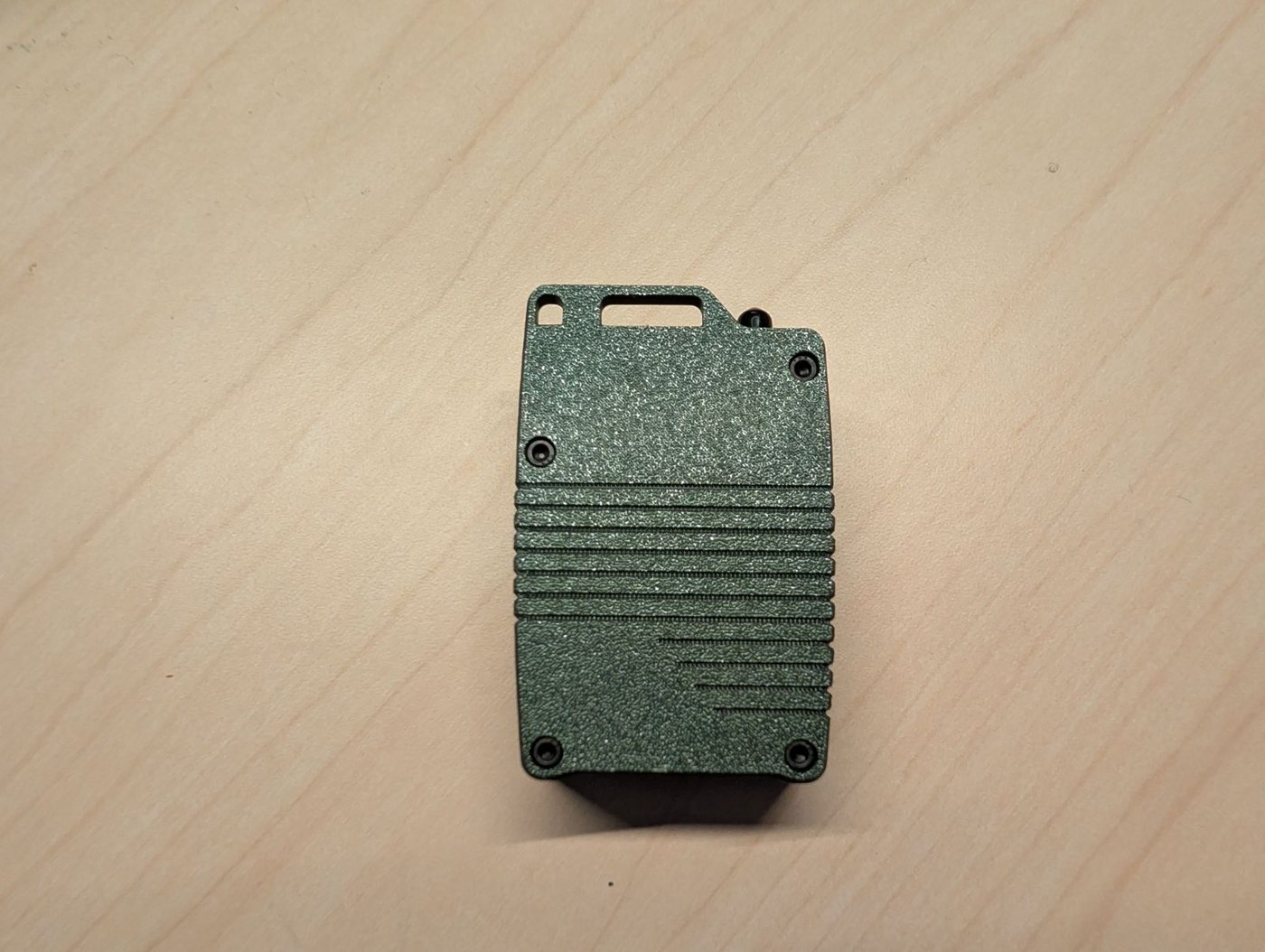
Atlavox gave us this one free for review, and had us order it through the builder like any customer would, so we’d see the buying process firsthand. They didn’t see the post before it went up and set no conditions on it. Product links below are affiliate links, checkout price is the same either way, and the partnership post lays that out. Their Beacon has been on a licensed tower since spring, so this is the second Atlavox box through here.
Ours came with the RAK12501 GPS and a RAK1901 temp and humidity sensor. It’s run on both Meshtastic and MeshCore.
Buying One Is the Feature
This is what separates the M1 from a parts list, so it goes first.
Pick a full radio, or a case-only kit if you’ve already got a WisBlock sitting in a drawer, and pick your band. Then the builder walks you through five steps.
Color. The top cover comes in green, yellow, orange, red or black, over a black bottom.
Antenna. Five 915 MHz options, from a $1.99 stubby up to a $12.97 whip. Ours came with the Gizont whip.
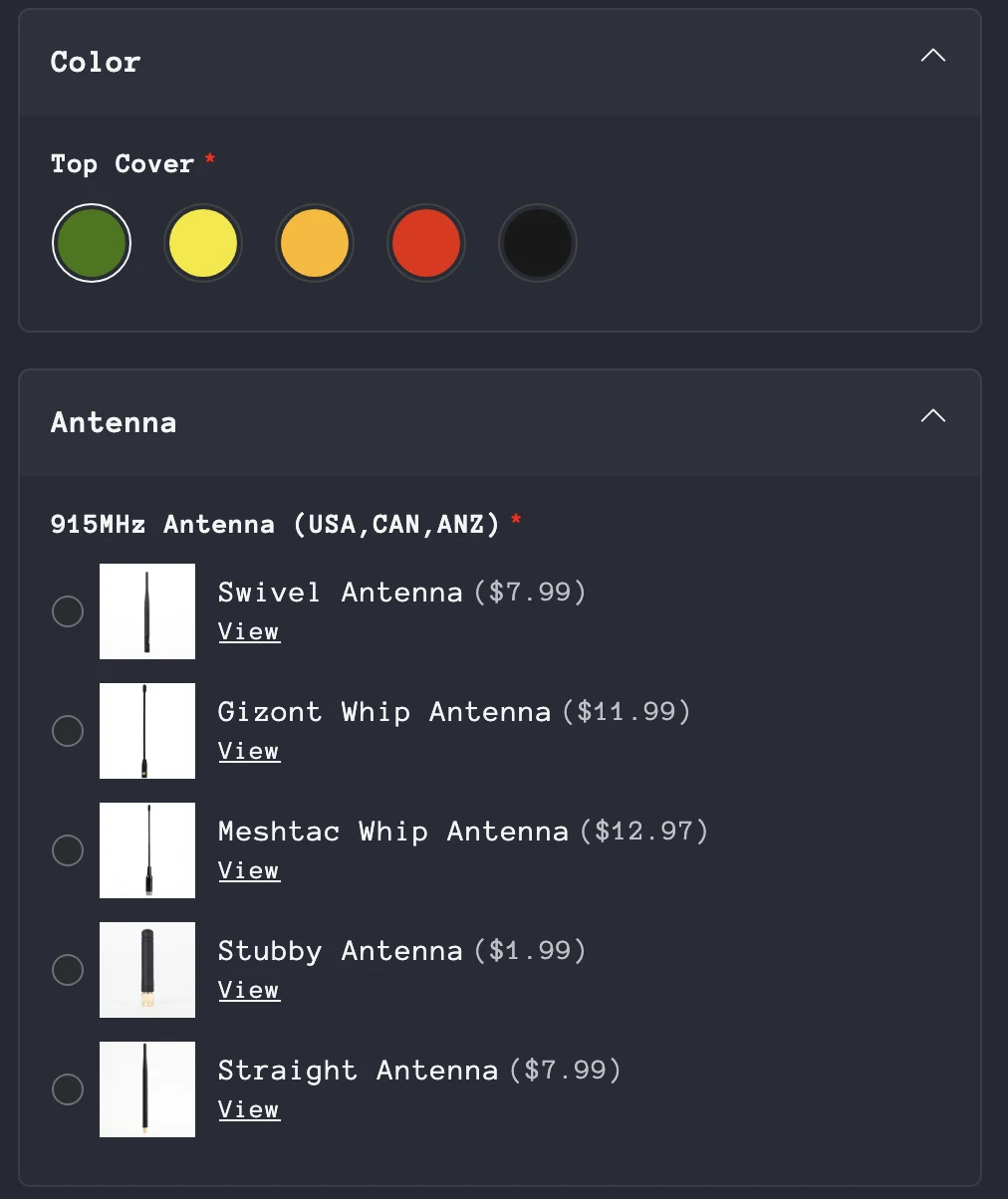 Screenshot from the Atlavox M1 builder.
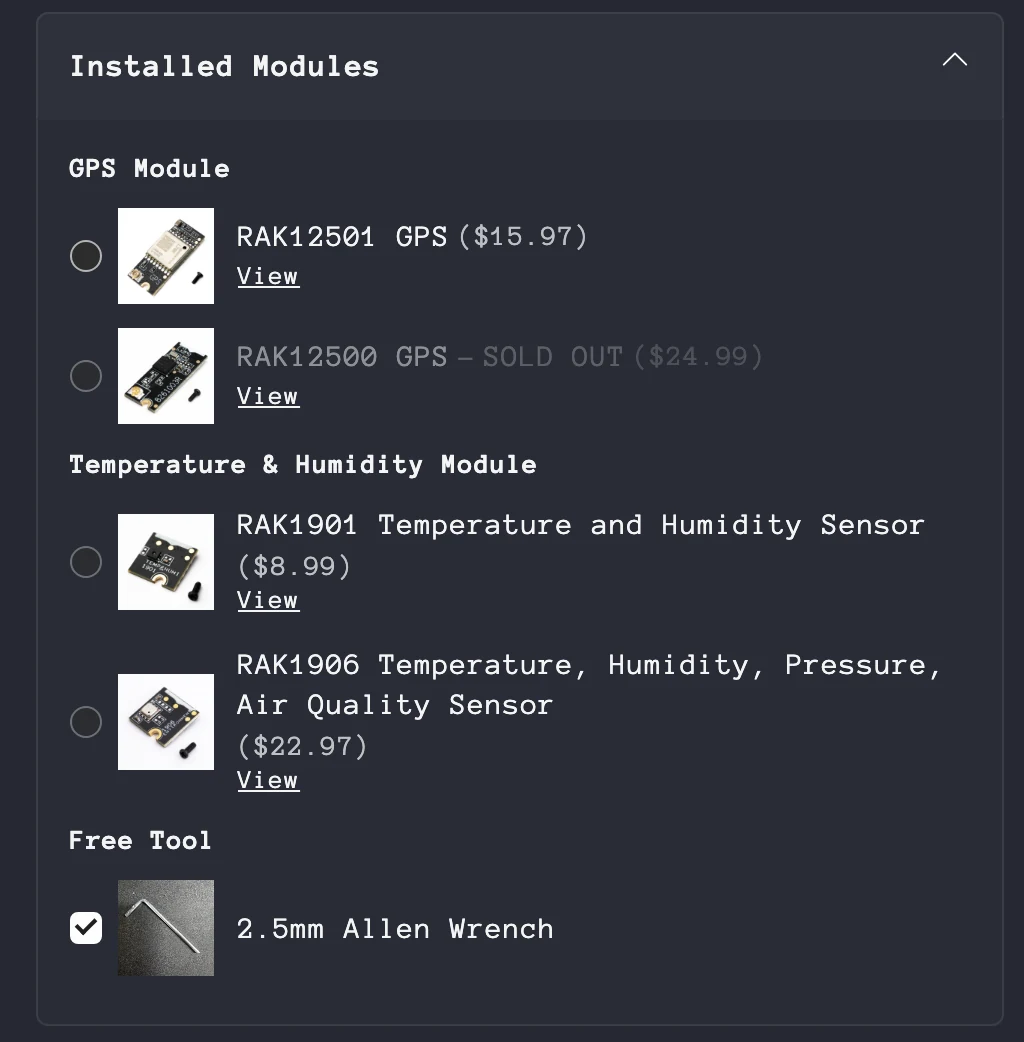
Installed modules. GPS is a RAK12501 ($15.97) or a RAK12500 ($24.99, sold out as I write this). Skip it if the radio will live paired to your phone, since the M1 can use your phone’s location instead. For sensors there’s the RAK1901 for temp and humidity ($8.99), or the RAK1906 ($22.97), which adds barometric pressure and air quality. A 2.5 mm Allen wrench rides along free.
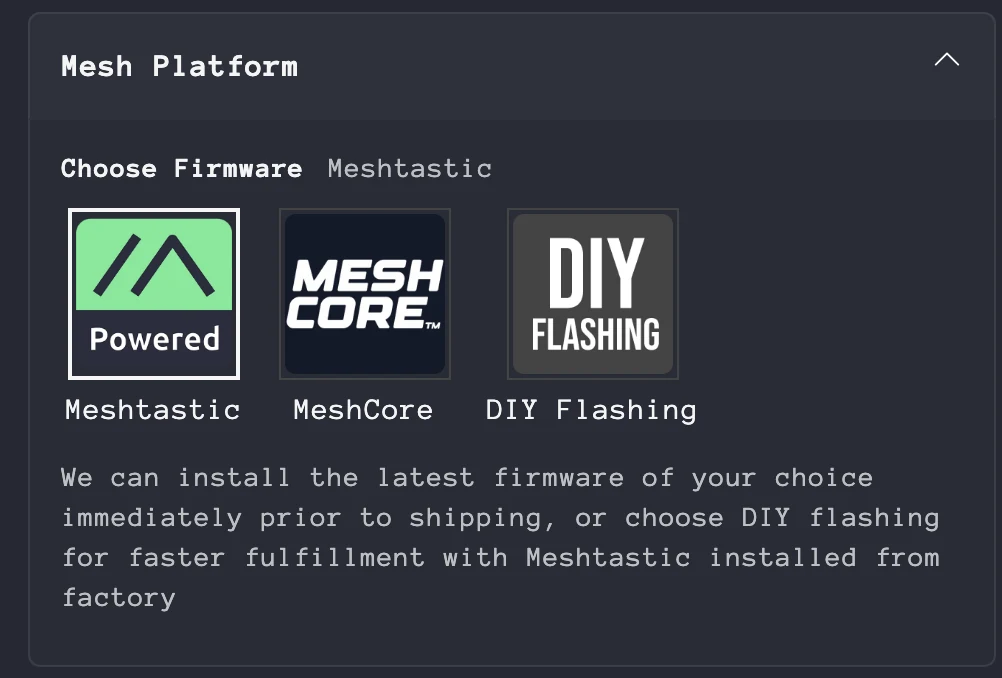
Mesh platform. This is the good part. You choose Meshtastic or MeshCore at checkout and it shows up flashed with the latest build of whichever you asked for. Flashed right before shipping, not whenever the batch got built. In a hurry? Pick DIY flashing instead and it ships sooner with the factory Meshtastic build on it, ready for you to flash yourself.
Ours shipped with a label on the inner box saying exactly what was on it: MeshCore Companion BLE v1.16.0, flashed and tested July 29, 2026.
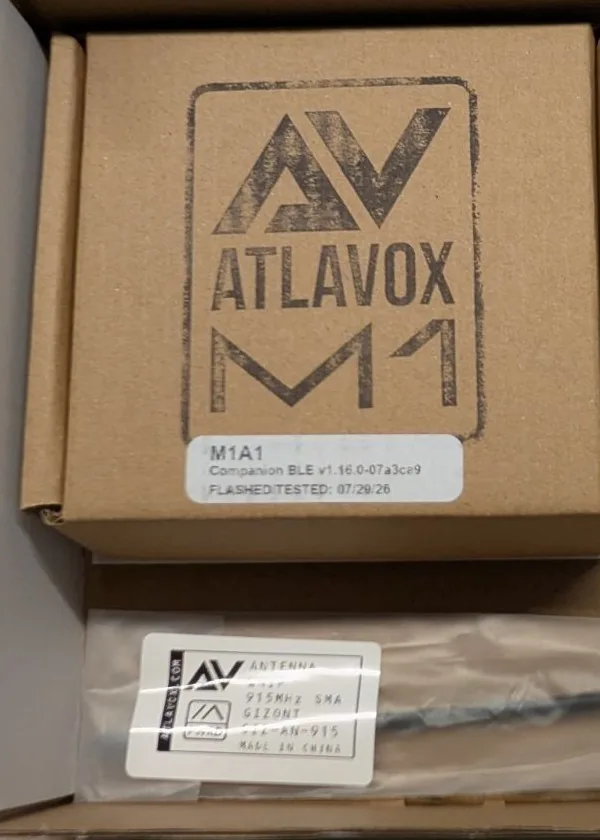 The box label lists the firmware build and the date it was flashed and tested.
Advanced Meshtastic options. Pick Meshtastic and you also set the device role before it’s built. CLIENT_MUTE is the recommended default, and it’s the right one for a handheld: it sends and receives like any client but doesn’t rebroadcast other people’s traffic, so a pocket full of these won’t clog a busy mesh. CLIENT, CLIENT_HIDDEN and CLIENT_BASE are there if you want them.
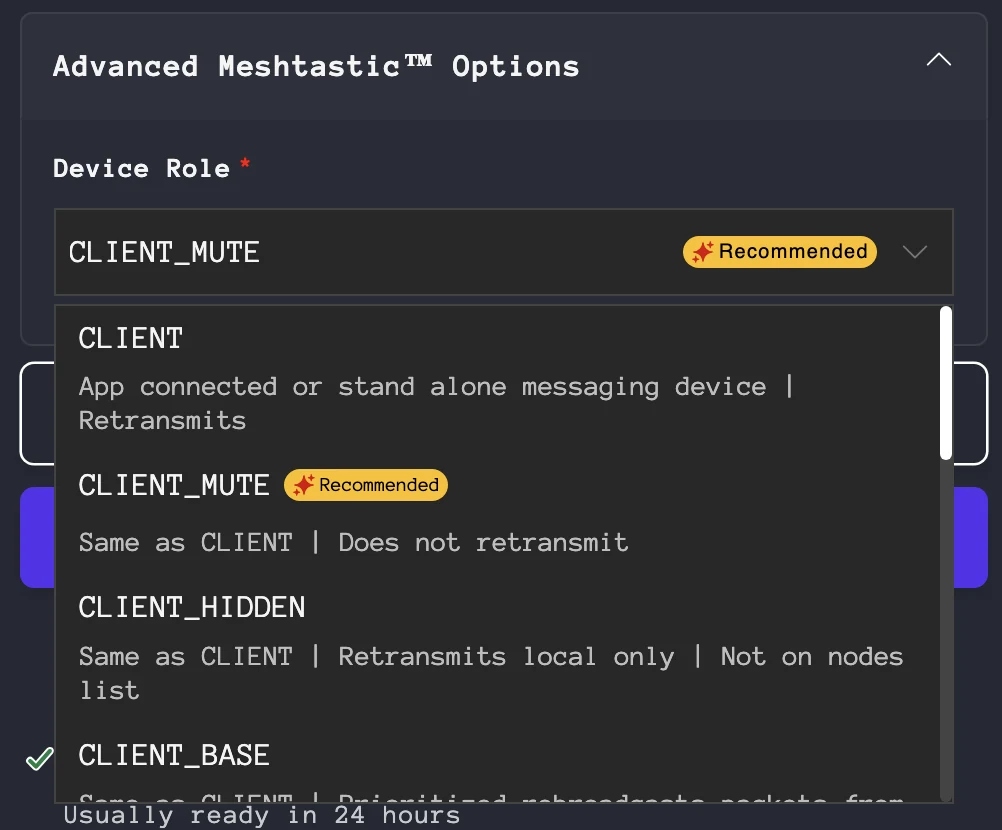
Neither firmware locks you in. Ours has been on both, and swapping is the same USB-C reflash as any other nRF52840 node. No idea which you want? Our protocols comparison makes the case, and you can change your mind later anyway.
So you’re not really buying a radio. You’re buying a radio somebody else specced, built, flashed, and configured, with the modules already in and the antenna pigtail already run. Some people will pay real money for that. Other people will look at it and see money spent on the fun part.
What’s Inside
A RAK4630 WisBlock on a RAK19007 base. That’s the same nRF52840 and SX1262 pairing found in half the decent mesh hardware out there, including Atlavox’s own Beacon. Nothing exotic, and that’s the point: it’s a known platform with first-class support in both firmwares.
Power is an EEMB 3.7 V 2000 mAh pack with protection for overcharge, overdischarge, overcurrent, short circuit, and temperature. Charging is USB-C. There’s a no-solder power switch on a little auxiliary cable, which is a tidy fix for a WisBlock that doesn’t come with one. It sits on top between a pair of rails, where the thumb holding the radio can reach it but a pocket can’t bump it. No battery? It runs straight off USB-C too.
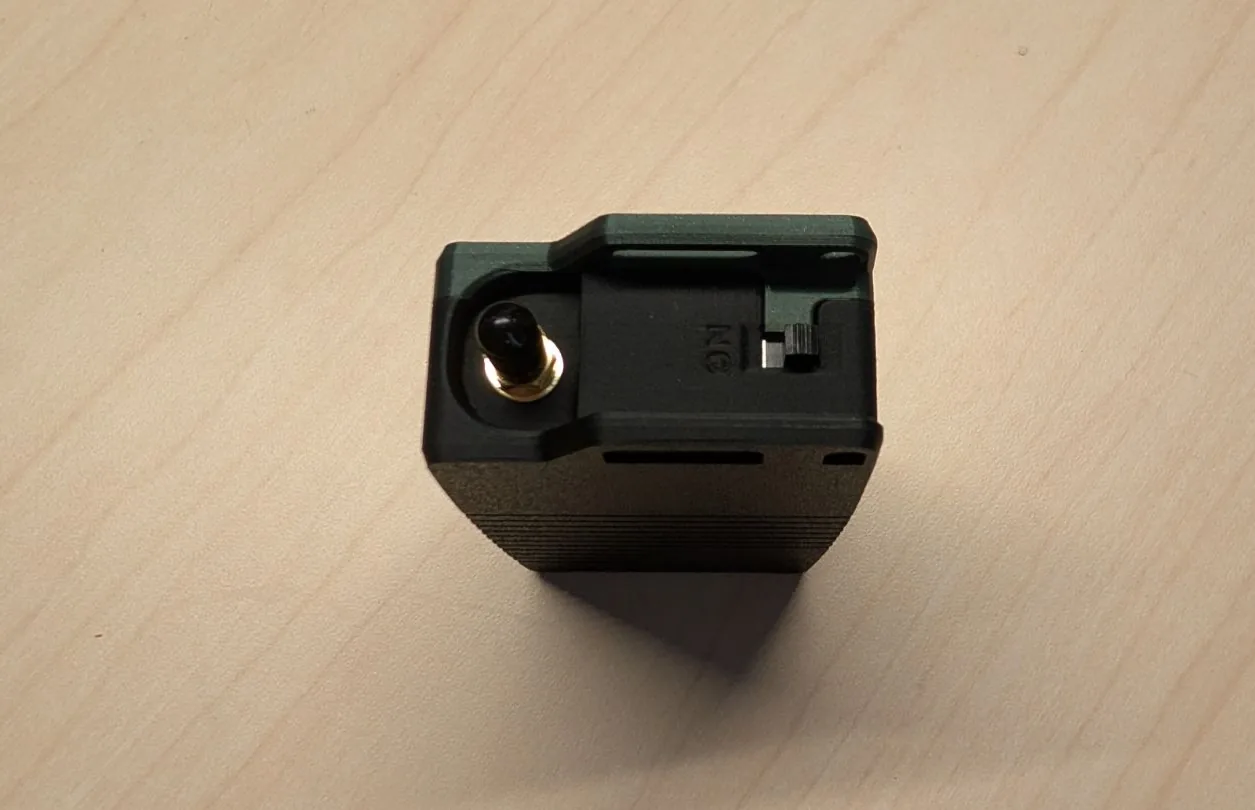 The SMA connector and the power switch, recessed between the rails on top.
The case is what you’ll actually notice. PETG top, HT-PLA bottom rated to 150 °C, textured finish. Thermal-set threaded inserts and four M3 bolts hold it together, and there’s an Allen wrench in the box so you’re not hunting for one. Everything mounts to the bottom half, so the top lifts off with nothing attached to it. No wires to snag when you open it up. Strap and MOLLE points, plus a hook-and-loop strap included.
Bluetooth runs off an internal antenna. LoRa goes out an iPEX-to-SMA pigtail to an SMA connector on the case, and that connector is a quiet advantage. Antenna choice is the cheapest range upgrade in mesh, and the M1 lets you make it at checkout or swap later.
Every unit gets a two-dice ID set into its side (ours is A1), out of 72 combinations. It’s a small touch that makes a fleet of them easy to keep straight.
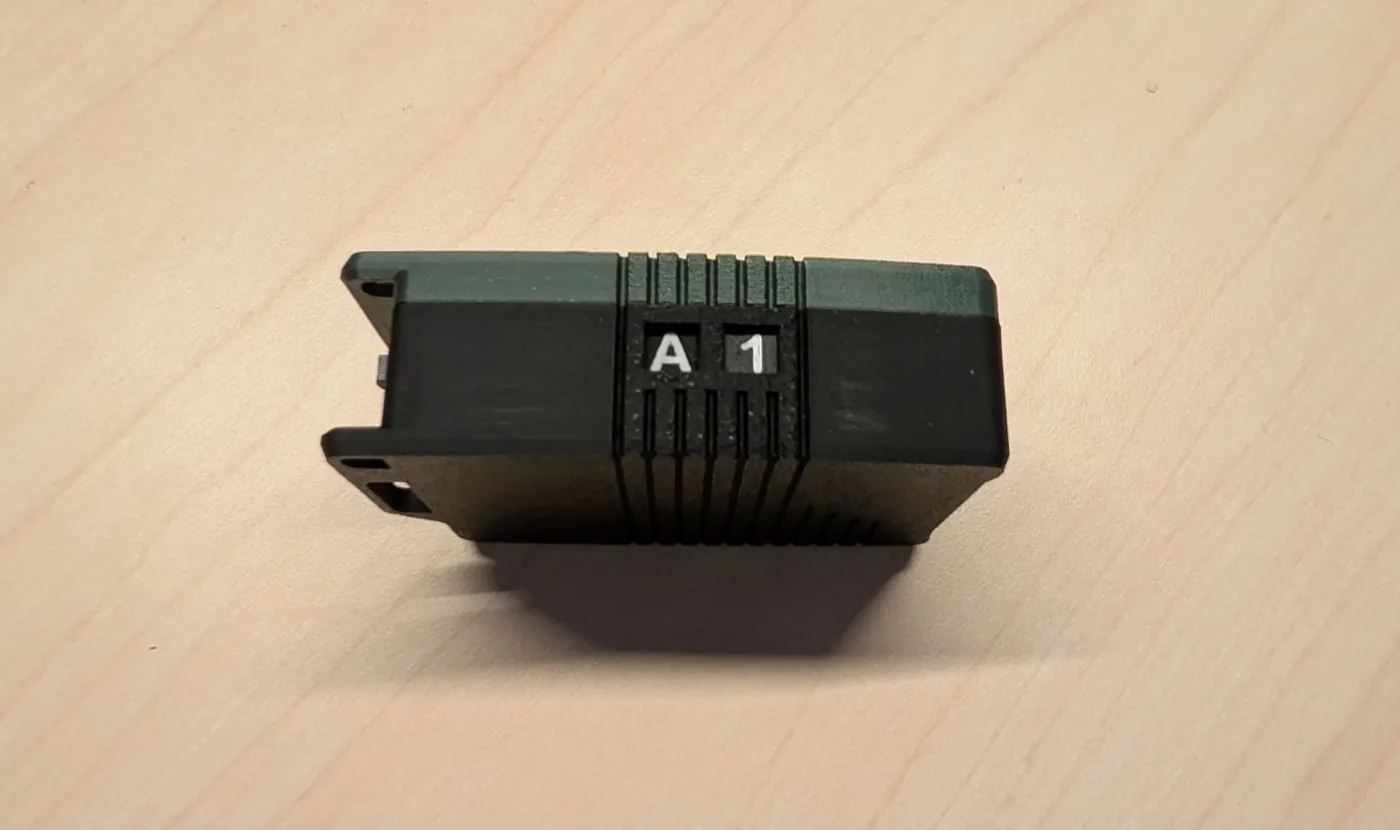 The A1 ID dice. Hand a team a box of these and everyone can tell theirs apart.
It’s a very good 3D print. The texture hides the layer lines, the seams line up, the inserts mean you can open and close it repeatedly without chewing the plastic, and it doesn’t creak when you squeeze it. Premium is a fair word for it. Heat hasn’t been a problem either: ours has sat in a hot car and come out fine, and the HT-PLA bottom is rated to 150 °C.
Living With It
No screen is the right call. After carrying it a while, the missing display feels deliberate. There’s nothing to wake and no menu to get lost in, and no OLED burning power to show you what your phone already shows better. You turn it on and it’s a radio.
Battery life is the headline, and the firmware decides it. Same 2000 mAh pack, same GPS fitted, three firmwares:
| Firmware | Days per charge |
|---|---|
| Meshtastic | About 5 |
| MeshCore (stock) | About 7 |
| MeshCore (EasySkyMesh PowerSaving 17.1) | About 10 |
The power-saving run was EasySkyMesh PowerSaving 17.1, a MeshCore build that sleeps the radio between receive windows. Our PowerSaving 17 post covers what it changes.
That’s the nRF52840 doing what it does. Even five days is far more than an ESP32 node gets from a pack this size. Meshtastic sends more on the air by default (position and telemetry broadcasts), which is likely where most of its gap comes from. Your broadcast interval will move these numbers more than anything else you touch.
Range was good. Our longest link was 8 miles, on the Gizont whip it shipped with. With clean line of sight we think it could go a good deal further. How far comes down to the antenna you pick and where you’re standing, not the box around the radio.
Both firmwares behave. It showed up flashed and configured on what we picked, joined the mesh without any fuss, and the reflash to the other side was a non-event. The RAK1901 reports temp and humidity as telemetry on both. That’s the payoff for a boring, well-supported WisBlock core.
It disappears. 92 by 58 by 29 mm, and the strap points mean it rides on a pack strap instead of eating a pocket. The antenna is the only part that reminds you it’s there.
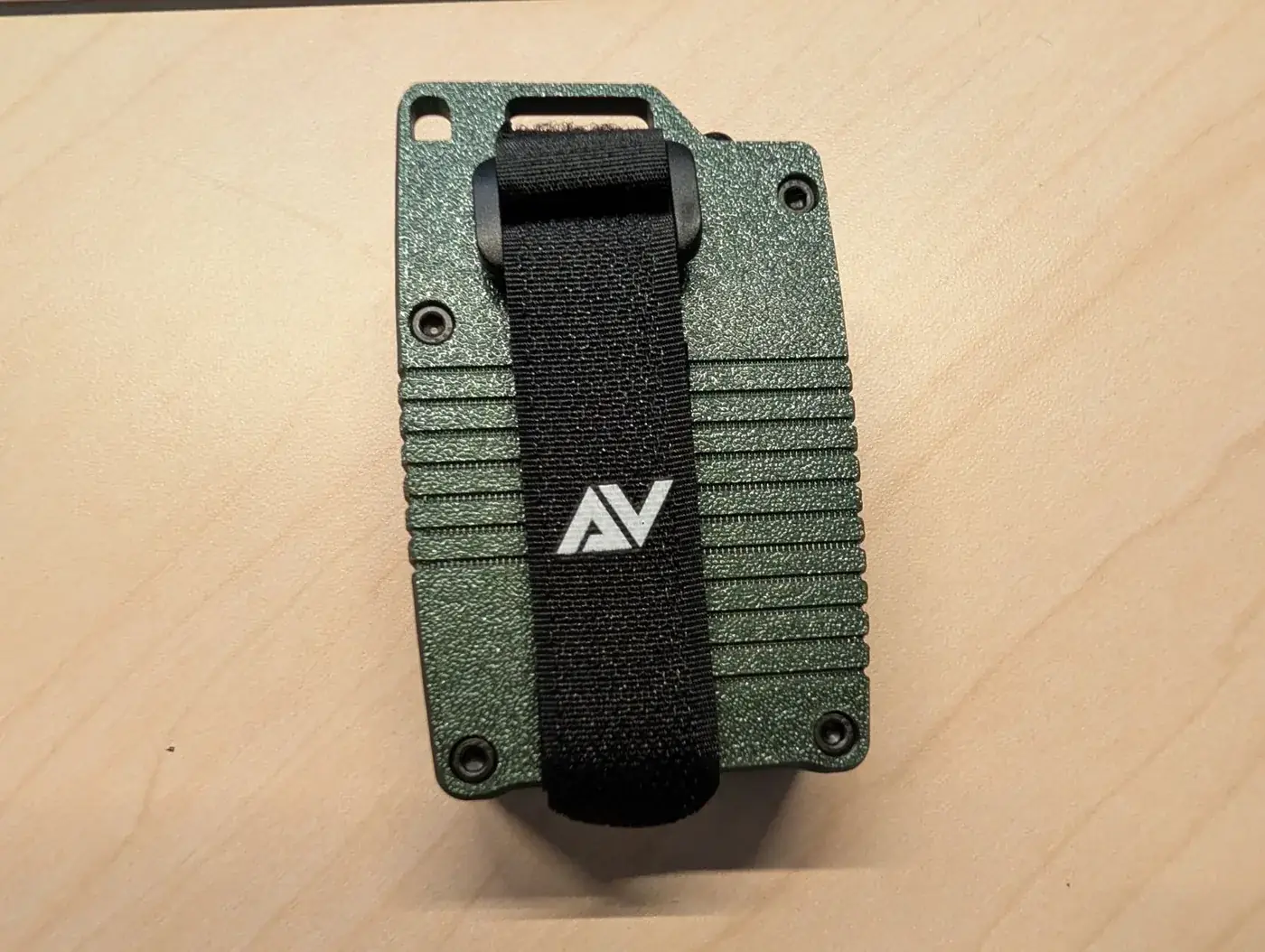 The included hook-and-loop strap threads through the top slot.
Full Specs
| Spec | Detail |
|---|---|
| Core | RAK4630 WisBlock (nRF52840 + SX1262) |
| Base board | RAK19007 |
| Frequency | 915 MHz US/CA or 868 MHz EU |
| Battery | EEMB 3.7 V 2000 mAh LiPo, protected |
| Charging | USB-C, power switch must be ON |
| GPS | Optional RAK12501 (ours) or RAK12500 |
| Sensor | Optional RAK1901 (ours: temp, humidity) or RAK1906 (adds pressure, air quality) |
| Display | None |
| Buttons | None |
| Bluetooth | Internal antenna, default PIN 123456 |
| LoRa antenna | iPEX to SMA, five antenna options at checkout |
| Case | PETG top in five colors, HT-PLA bottom rated 150 °C, textured |
| Fasteners | Thermal-set inserts, 4x M3x10, Allen wrench included |
| Mounting | Strap and MOLLE points, hook-and-loop strap included |
| Dimensions | 92 x 58 x 29 mm |
| Firmware | Meshtastic or MeshCore preflashed, or DIY flashing; reflashable |
| Price | $76.99 base, options priced in the builder |
Where It Falls Short
The power switch has to be ON to charge it. Atlavox documents this, and it’s the one we tripped over most. Put a node away switched off, plug it in, come back later and it’s exactly as dead as you left it. Atlavox’s workaround is to leave the switch on and shut the radio down from the app while it charges. That works, but you have to remember it, and forgetting is the kind of thing that costs somebody a deployment.
The missing button is a real limitation. We like the no-screen call and we’ll defend it. The button is harder to defend. On a stock Meshtastic node that button sends a position on demand, wakes things up, and gives you a physical way in when your phone’s in a pocket. On the M1 there’s no physical interaction at all. Phone dies, and the radio is a brick with a blinking light.
Some options sell out. The RAK12500 GPS is one of them right now. That’s what buying from a small maker that builds to order looks like, so check the builder before you set your heart on a specific module.
The price is the price. $76.99 before modules is several times a bare Heltec. The case, the assembly, the preflash, and the support are real work and worth paying for. Nobody should pretend it’s the cheap way onto a mesh. If building the thing yourself is the part you enjoy, you’ll resent paying someone to take it from you.
No IP rating. It’s a two-part 3D-printed case, and Atlavox doesn’t quote an IP rating anywhere, so treat it as weather-resistant rather than waterproof.
Who It’s For
Want a handheld that works the day it lands, with your modules already inside and your firmware already on it? This is about the best version of that going. If run time matters most, pick MeshCore at checkout. It got us two to five more days per charge than Meshtastic. The build quality holds up the price, and the buying experience beats every other mesh vendor we’ve dealt with.
Already own a WisBlock and a soldering iron? Buy the case kit and keep the difference. You’d be paying for assembly and configuration, and if that’s the part you like, don’t outsource it.
Need a screen, on-device menus, or a button you can hit without a phone? Wrong device, and no amount of build quality fixes that. Go find something with a display and eat the battery cost.
We’re going to keep carrying this one. The charge-switch quirk is the only thing that’s actually cost us anything, and it cost us once.
Atlavox M1, or the DIY case kit if you’re bringing your own WisBlock. Both affiliate links.
Comments
Related Posts
SenseCAP MeshTracker X1 Review: Our New Daily Carry
A month of daily carry with the SenseCAP MeshTracker X1: 4.5 to 5 days per charge, the best reception of the three trackers we carry, and USB-C at last.
GAT562 30s Kit Long-Term Review: 30dBm, Both Firmwares
GAT562 30s Kit long-term review: 30dBm repeater on a convention center's 16th floor, a reliable carpeater across Fargo, MeshCore and Meshtastic.
SenseCAP Solar Node P1-Pro Review: Our Go-To Solar Repeater
SenseCAP Solar Node P1-Pro review: months on the roofline, a 19km link, and a battery that just works. One nitpick: RP-SMA.