Atlavox Beacon Review: Tower-Ready Solar Mesh Repeater
Field review of the Atlavox Beacon solar repeater going up a licensed tower. Build quality, install notes, and what we'll watch through ND winter.
On this page
- Why This One Matters to Us
- Why a Tower Repeater Changes the Math
- What’s in the Box
- Full Specifications
- Build Quality
- The Standout Design Choice: Independent Angle Adjustment
- Inside the Enclosure
- How It Compares to the Beacon Preconfigured
- Field Notes for Installers
- Going Up the Tower
- Why We’re Recommending the Beacon
- What’s Next: The Long-Term Review
- Where to Find One
Atlavox sent us a Beacon to review. They didn’t see this post before publication and there were no editorial conditions on what we wrote. Affiliate links below.
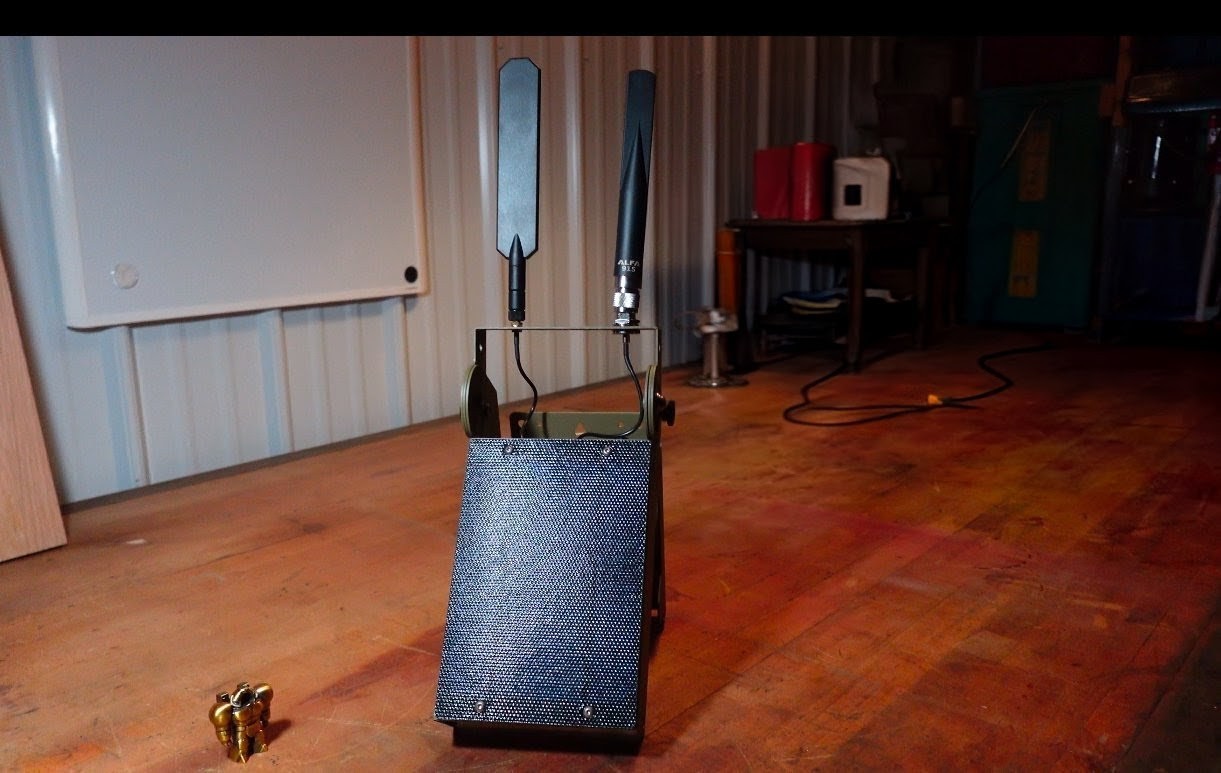
The Atlavox Beacon is a solar-powered mesh repeater built around a RAK 19007 WisBlock baseboard with a RAK4631 core radio, a 5000 mAh LiPo, a 5 W ETFE solar panel, an anodized aluminum enclosure, and a powder-coated aluminum frame. It ships preflashed with whichever firmware you choose, MeshCore or Meshtastic, and reflashes to the other anytime if your needs change. Base price is $235.99. This isn’t a benchtop demo for us. The unit is going up on a licensed tower this week.
Why This One Matters to Us
We’ve been running NodakMesh from buildings, houses, and mobile repeaters in vehicles for a while now. Adding our first tower-mounted repeater is a real coverage step-change. We’re putting this Beacon on a licensed tower with the help of a climber doing the install for us, and the difference between a rooftop node and tower elevation is the difference between covering a few square miles and lighting up real chunks of North Dakota.
Tower deployments raise the bar for the hardware. Once it’s up, you don’t get to swap it out on a whim. So we wanted a review where we evaluate the Beacon the way we’d actually evaluate it. As infrastructure that has to live outside, hold up to a climber’s expectations, and keep working when the next service trip is months away.
Why a Tower Repeater Changes the Math
ND terrain rewards elevation. Open ground, low population density, line-of-sight propagation that goes for tens of miles when you actually get up off the deck. Most of the gains in coverage we’ve seen on the network have come from putting nodes higher, not from tweaking the radio.
Towers don’t have AC up top. Solar plus battery is the only way to power something at altitude without trenching power or running fragile drop cables that will fail in the first ice storm. That makes the form factor decision easy. Sealed enclosure, integrated solar, real battery, no field wiring beyond the antenna and the mount.
Which is also why ruggedization and serviceability matter so much for what comes next.
What’s in the Box
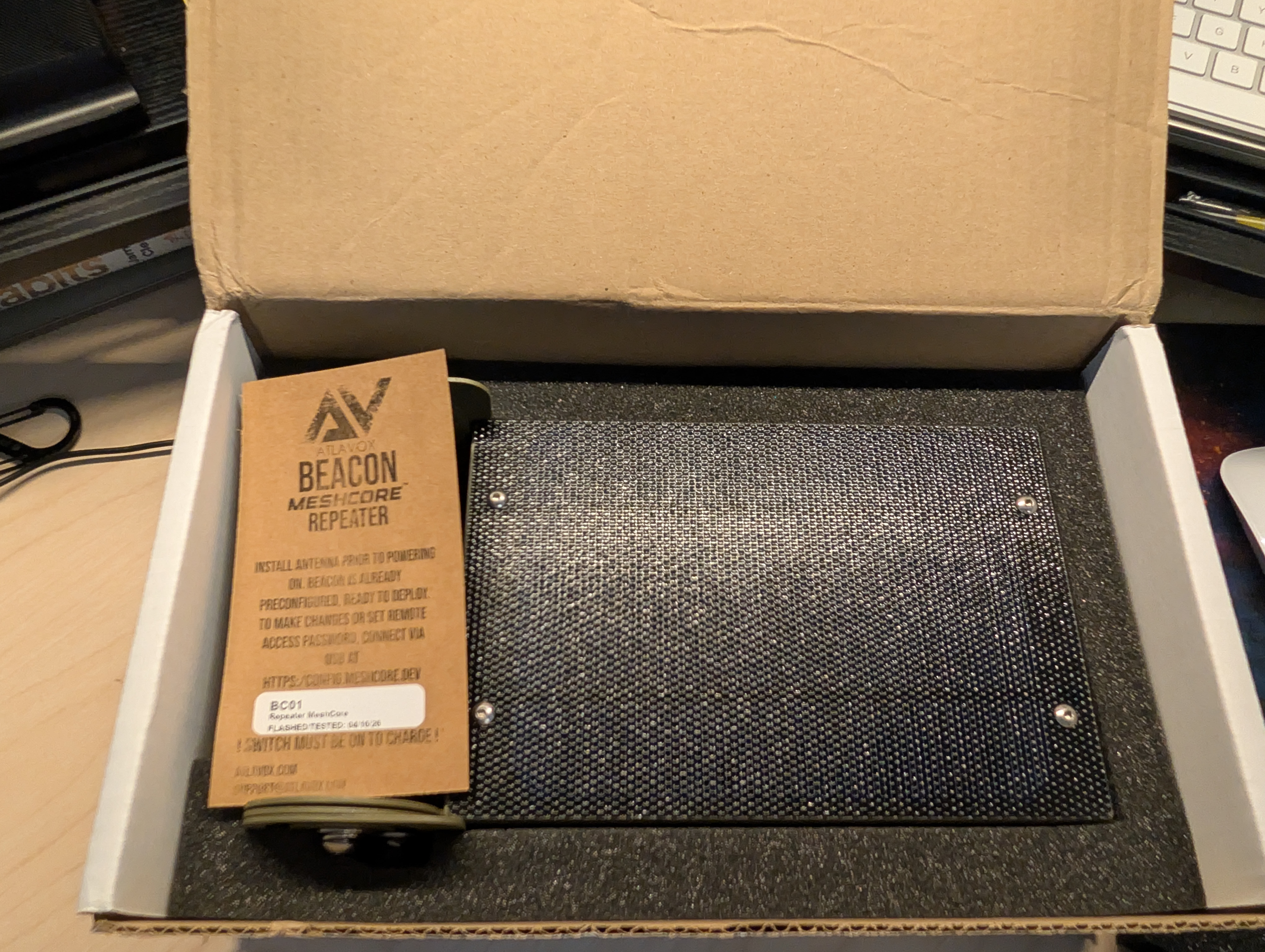
Atlavox includes an instruction tag on the unit itself. The tag spells out the order of operations (install antenna before powering on, flip the power switch on, connect the solar). Worth reading even if you’ve built nodes before, because a couple of the steps are specific to this enclosure and the power switch behavior.
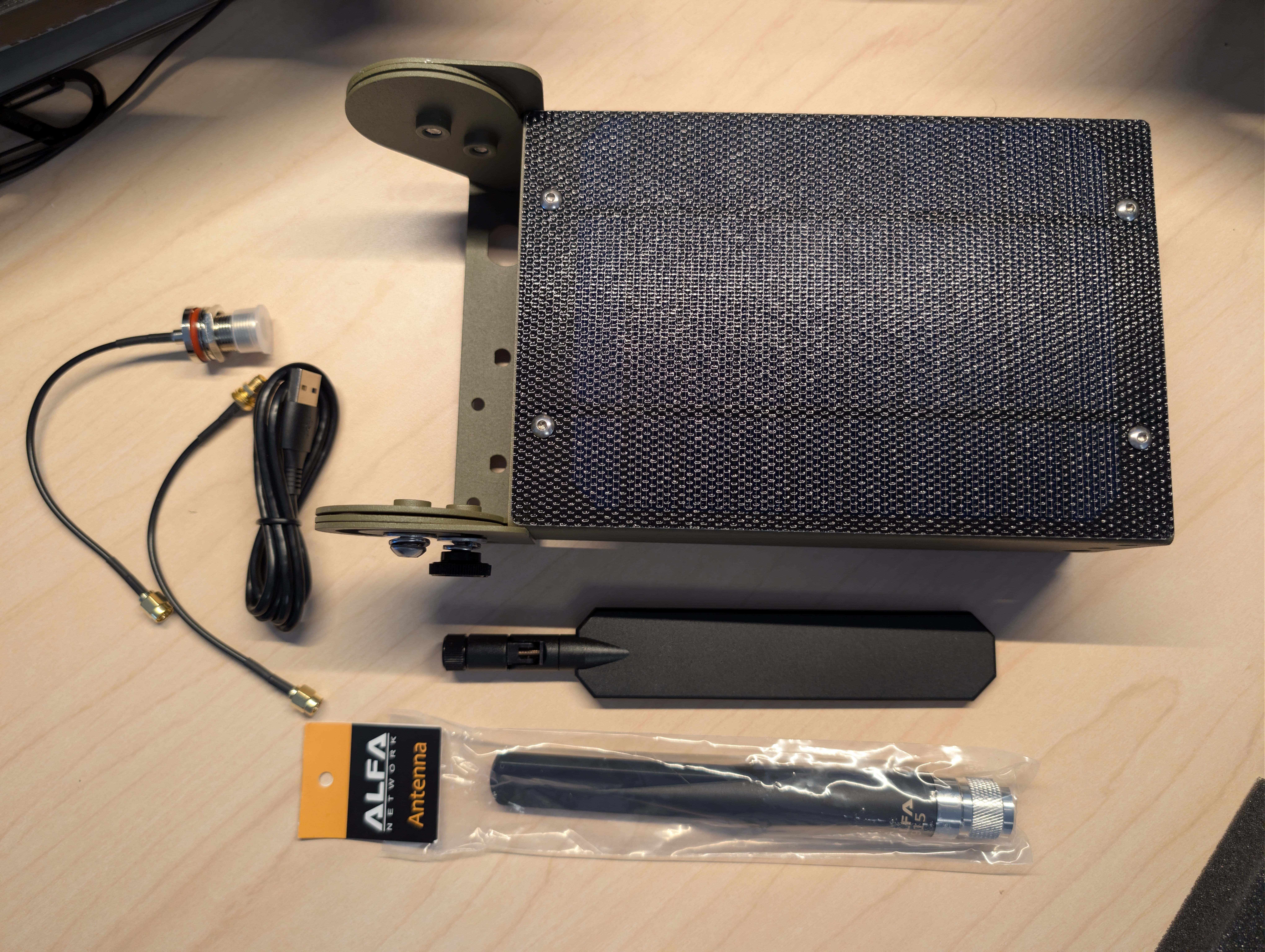
Our review unit shipped with:
- Atlavox Beacon enclosure (assembled, with the RAK 19007 WisBlock and battery inside)
- Alfa 915 MHz LoRa antenna
- 7-inch BLE antenna
- 5000 mAh LiPo battery (factory installed, with a physical power switch)
- 5 W solar panel
- Aluminum mounting frame
- USB-C charging cable
- Solar panel pigtail
Full Specifications
| Spec | Detail |
|---|---|
| Enclosure | Anodized aluminum |
| Frame | Powder-coated aluminum |
| Baseboard | RAK 19007 WisBlock |
| Core radio | RAK4631 (nRF52840 + SX1262) |
| LoRa frequency | Configurable 868 / 915 MHz (our review unit was US 915 MHz) |
| LoRa antenna | ALFA 5dBi (included with our unit) |
| BLE antenna | 7” external (included with our unit) |
| Battery | 5000 mAh LiPo with power switch |
| Solar panel | 5 V / 5 W ETFE |
| Charging | Waterproof USB-C connector and solar input |
| Sealing | Gasketed enclosure with IP-68 Amphenol vent |
| Firmware | Preflashed with MeshCore or Meshtastic, your choice at order; reflashable anytime |
| Price | $235.99 (base Beacon) |
Build Quality
It’s a chunk of aluminum, and that’s the point. The enclosure has real mass to it. Anodized aluminum case riding on a powder-coated aluminum frame, no plastic shortcuts where it counts. Mesh hardware lives on a build-quality spectrum from 3D-printed hobby enclosures up through gear like this. The Beacon sits at the premium end of that spectrum, and it feels like it was designed for a tower from day one.
A few touches that read as engineering rather than packaging. The case has an IP-68 Amphenol vent built in, which lets the enclosure breathe without taking on water during temperature swings. The gasket line is clean and uniform. We also found a desiccant pack tucked inside our unit when we opened it for inspection. None of that is glamorous, and most of it never shows up in marketing copy. It’s the stuff that decides whether a sealed enclosure stays sealed after a year on a tower.
The Standout Design Choice: Independent Angle Adjustment
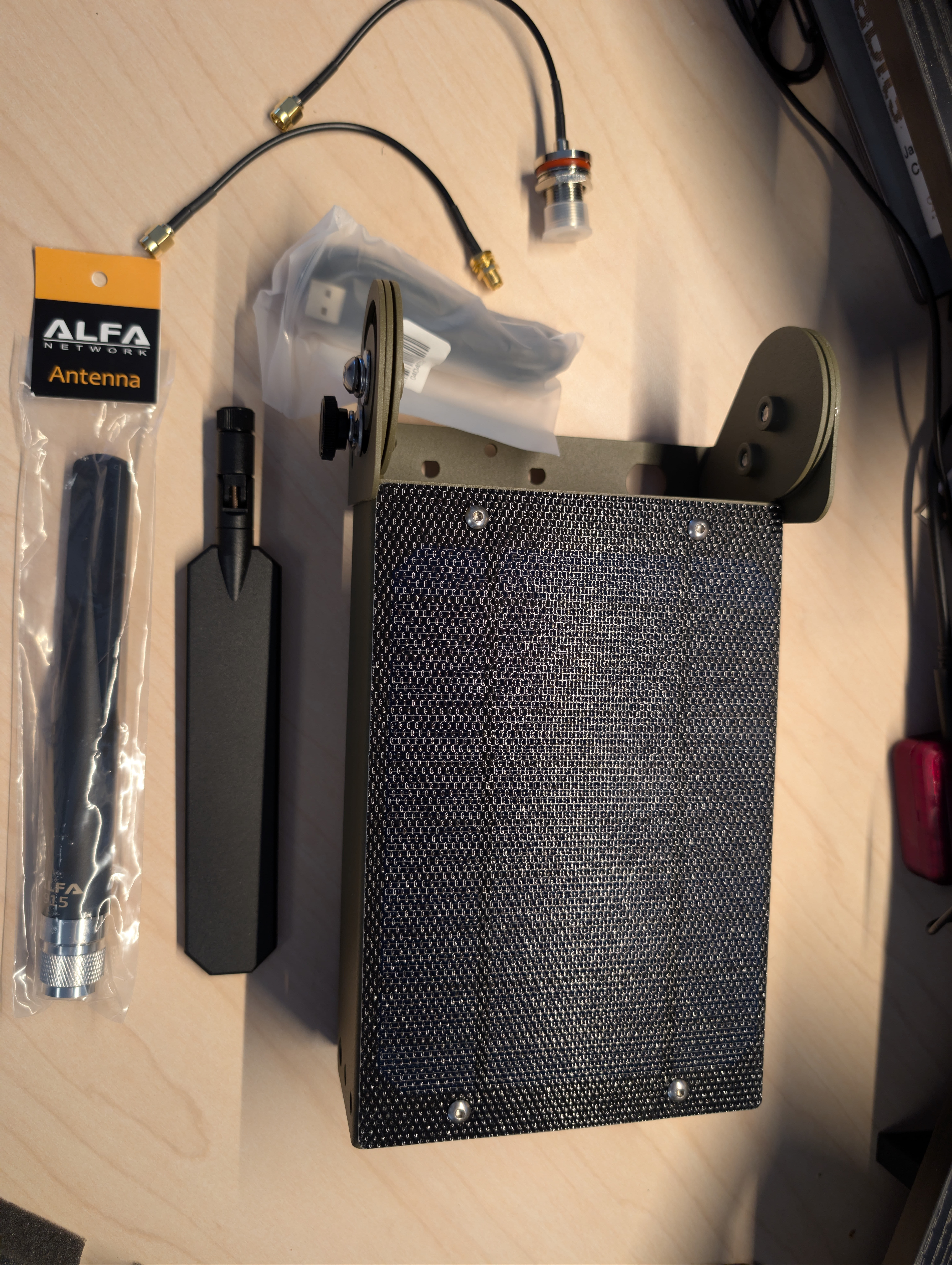
The mounting bracket has two articulation points. One on the back plate behind the solar panel, one on the antenna mount itself. They move independently.
That sounds minor until you actually go to install one of these. North Dakota latitude wants a roughly 45-degree solar tilt to make the most of a winter sun. The antenna wants vertical polarization to talk to the rest of the mesh. On any single-pivot enclosure, those two goals fight each other. You either compromise the solar angle to keep the antenna vertical, or you tilt the whole assembly and lose efficiency on the panel.
The Beacon’s split articulation lets you set each one for its own job. Solar angled for your latitude, antenna held vertical, no compromise. It’s a small piece of geometry that solves a real installation problem.
Inside the Enclosure
For a fuller look at the internals, here’s our teardown walkthrough.

The interior is open and roomy in a way that pays off when you have to work in it. The pillow battery is secured cleanly with the power switch broken out where you can reach it. The RAK 19007 WisBlock sits with the RAK4631 module installed and the LoRa pigtail routed to a board-side IPEX connector. Wiring is tidy. Connectors look intentional, not improvised.
A few details worth calling out:
- Waterproof USB-C connector. The USB-C charging port is broken out so you can plug a battery pack in for bench work without disturbing the solar wiring.
- Visible status LEDs. Activity LEDs are visible from outside the unit so you can read state without opening the case.
- Physical power switch. Atlavox calls it a power switch and that’s exactly what it is. A real switch, not a software toggle. Field-friendly when you need to drop the unit into a known-off state for transport or service.
- Open hardware platform. The RAK WisBlock ecosystem underneath means this isn’t a black box. If you ever need to reflash, swap the core module, or pull diagnostics, you have access to a documented platform with a real community around it.
How It Compares to the Beacon Preconfigured
The natural comparison here isn’t a competitor product, it’s the Beacon’s own sibling SKU. Atlavox sells the same hardware in two checkout flows. The base Beacon ($235.99) where you choose your own LoRa and BLE antennas at checkout (or skip them and bring your own), and the Beacon Preconfigured ($269.99) where the antenna kit comes in the box.
| Beacon | Beacon Preconfigured | |
|---|---|---|
| Baseboard | RAK 19007 WisBlock | RAK 19007 WisBlock |
| Core radio | RAK4631 | RAK4631 |
| Battery | 5000 mAh LiPo | 5000 mAh LiPo |
| Solar | 5 V / 5 W ETFE | 5 V / 5 W ETFE |
| Enclosure | IP67 anodized aluminum, custom CNC holes | IP67 anodized aluminum, custom CNC holes |
| Frame | Powder-coated aluminum | Powder-coated aluminum |
| Firmware | Preflashed with your choice, Meshtastic (default) or MeshCore; reflashable anytime | Preflashed with your choice, Meshtastic (default) or MeshCore; reflashable anytime |
| LoRa antenna | Configurable at checkout (or BYO) | ALFA 5dBi included |
| Bluetooth antenna | Configurable at checkout (or BYO) | 2.4 GHz external Bluetooth antenna included |
| Pigtail cables | Not included | N-Type and SMA pigtails included |
| Price | $235.99 | $269.99 |
Both versions are the same node. Same RAK 19007 / RAK4631 internals, same battery, same solar panel, same IP67 anodized aluminum enclosure with custom CNC holes, and both ship preflashed with your choice of firmware (Meshtastic by default, with a private encrypted primary channel tied to your order) and reflash to the other anytime. What the $34 Preconfigured premium buys you is the antenna kit. An ALFA 5dBi LoRa antenna (915 MHz or 868 MHz to match your variant), a 2.4 GHz external Bluetooth antenna, and the two pigtail cables to bolt them to the enclosure. Ready to deploy out of the box.
Both pages list Meshtastic as the default firmware, and both note that MeshCore and Reticulum are fully compatible if you prefer to flash custom firmware yourself. Atlavox shipped our review unit with MeshCore already on it instead of Meshtastic, which let us plug it in, pair, and tune role and channel settings for our network without pulling out a flashing cable. If you want a similar pre-config on your unit, ask at checkout.
If you want zero antenna decisions, the Beacon Preconfigured is the call. If you already have antennas you want to use, or you want to spec a higher-gain LoRa antenna at checkout, the base Beacon is the same node for $34 less.
Field Notes for Installers
Five things we want anyone else deploying one of these to know. None of them are dealbreakers. All of them are the kind of thing you’d rather hear from someone who put the unit on a tower before you did.
Confirm the power switch is ON before final assembly. The Beacon has a physical power switch. With it off, the unit will not charge from solar or USB even if everything else is wired correctly. Add this to your pre-deployment checklist, especially before sending the unit up a tower.
The charging LED can illuminate even when the unit is switched off. During testing we noticed the charge indicator lights up from solar input regardless of the power switch position. Don’t rely on the LED alone to confirm the unit is charging. Verify the switch is on first.
Mounting brackets use a square pattern. If your u-bolts or tower hardware spec a different spacing, you may need to drill out the bracket holes. We ran ours through a drill press to fit the specific u-bolts the tower install required. An X pattern would offer more flexibility for varied mounting hardware. Wishlist item for a future revision.
Internal antenna pigtail connectors benefit from a wrap of tape. The small board-side IPEX/U.FL connectors aren’t glued or otherwise secured. Before sealing the case for a tower deployment, a small piece of tape or a dab of silicone over each connector is cheap insurance against vibration over time.
Solar panel pass-through is hardwired through the gasket. Servicing or swapping the panel means opening the case rather than disconnecting at a plug. Not a dealbreaker, but a small two-pin weatherproof connector here would make field swaps significantly easier.
Going Up the Tower
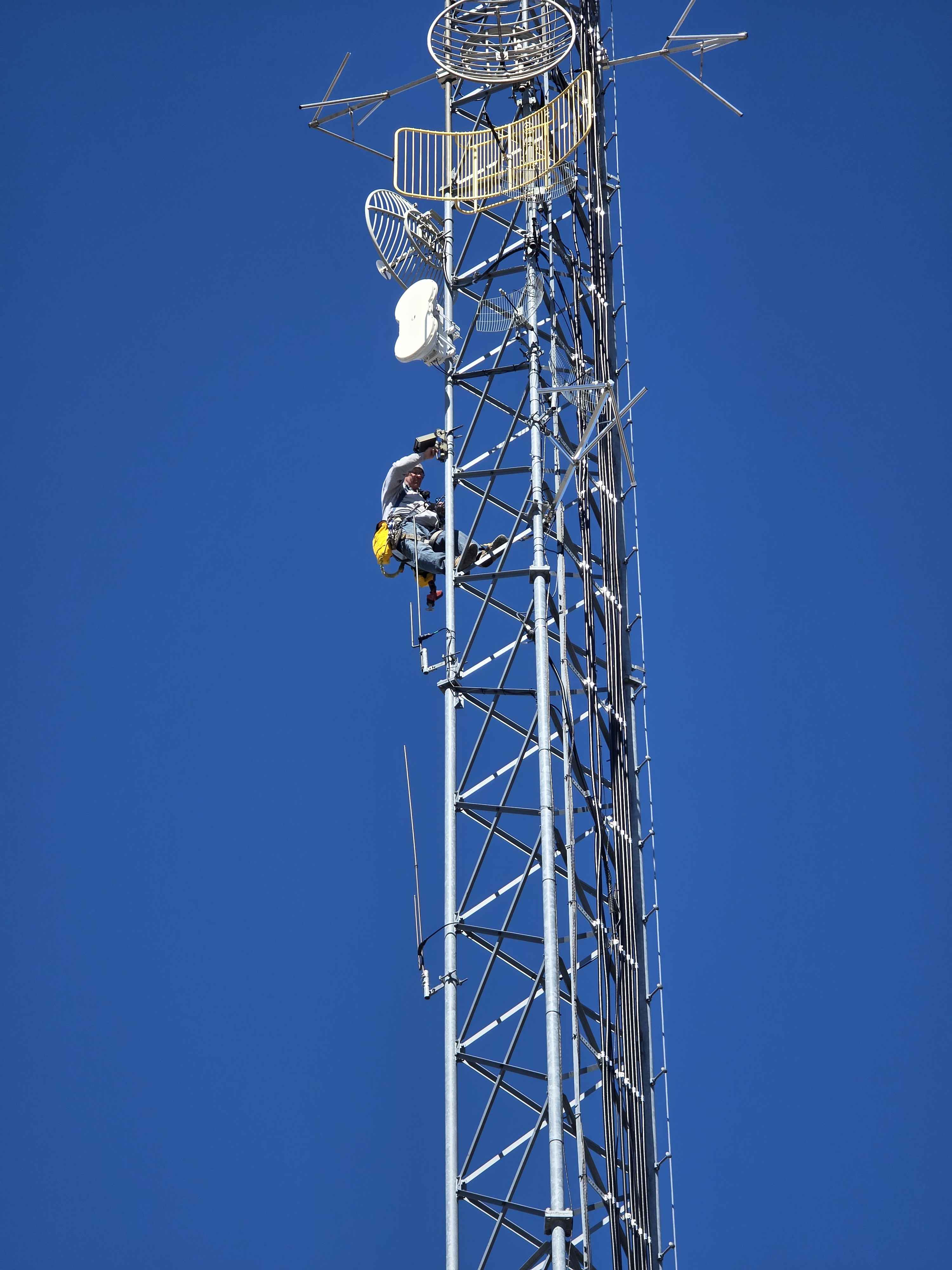
This is the payoff. We’re putting the Beacon partway up a licensed tower we have access to, well above the building, house, and vehicle-mounted nodes already on the network. Huge thanks to the climber willing to take this up for us. Tower work is its own discipline and we’re grateful that someone with the skills and gear to do it safely was willing to put a NodakMesh node on the structure.
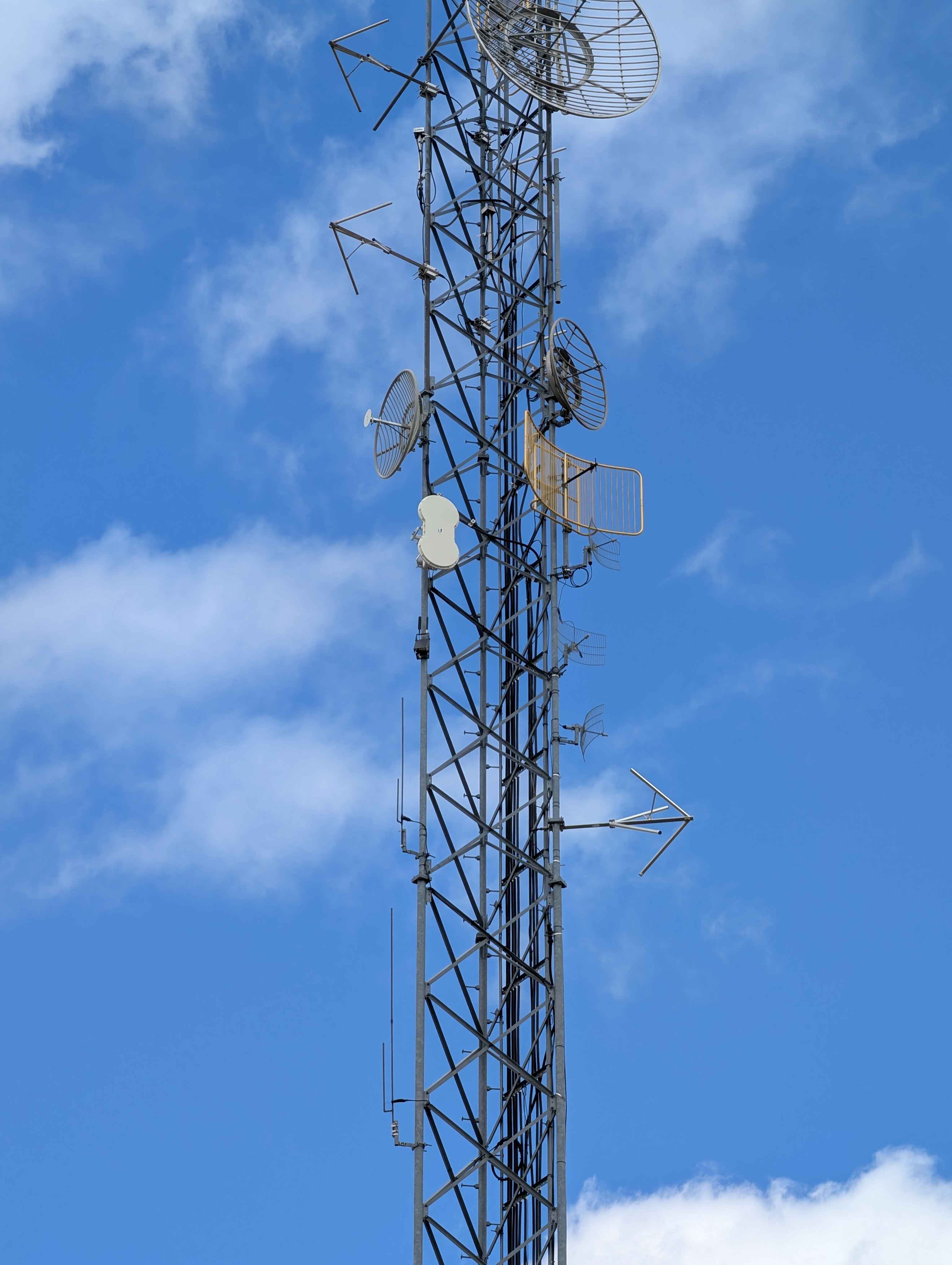
Mounted on the pole, the Beacon looks small relative to the rest of the hardware on the tower. That’s the point. Solar panel angled for our latitude, antennas vertical, the whole assembly riding cleanly on the bracket without any hardware sticking out where it shouldn’t.
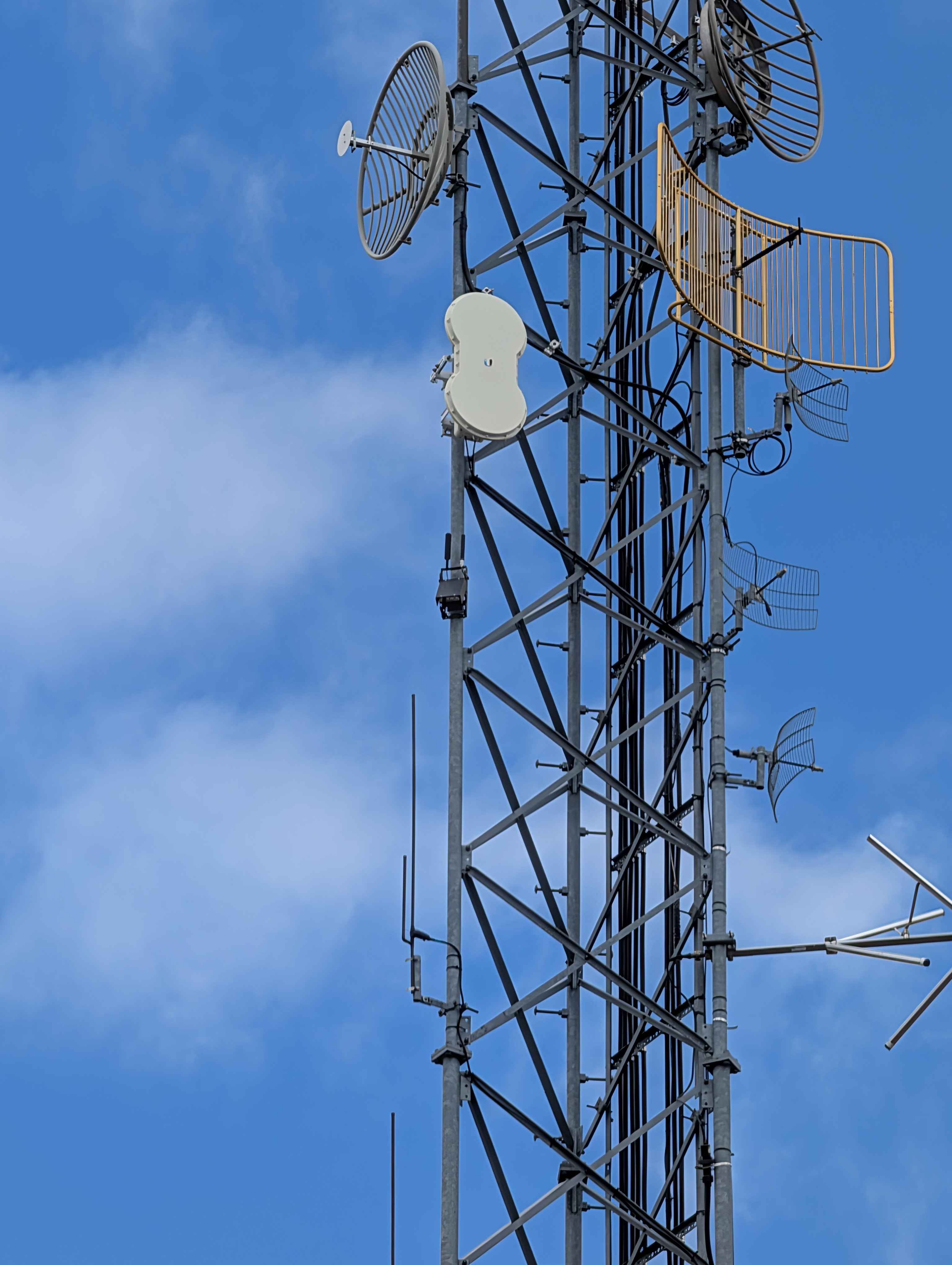
The tower itself carries other licensed gear, which is part of why this site matters. Sharing structure with established infrastructure means we get elevation we couldn’t justify building from scratch. Once the Beacon is live and registered, we’ll mark the new coverage on our coverage map and let the network find it.
Why We’re Recommending the Beacon
The Beacon is a solid piece of kit. Real ruggedization. The metal housing tells you it’s built to live outside, not survive a benchtop demo. Sealed enclosure with the unglamorous-but-correct details. Vent filter, factory desiccant, gasket line that reads as deliberate. Open hardware platform underneath, so you’re not stuck with a vendor-locked black box. And a couple of genuine design decisions, like the independent solar/antenna articulation, that come from someone thinking about how this gets installed in the real world.
The internals match the exterior. Clean wiring, broken-out USB-C, light pipes for status, a hard physical battery switch. When you do open the case, it’s clear someone designed it to be opened.
If you’ve been running 3D-printed enclosures and you want to step up to premium-quality hobby gear that’s actually built for a tower, this is the kind of hardware you want bolted to the mount. If you’re putting a node somewhere you can’t easily reach again, that step up matters.
What’s Next: The Long-Term Review
This first-look post is the bench impression and the install. The real test starts now. A few things we’ll be specifically tracking through the rest of the year:
Solar charge behavior through a North Dakota winter. Short days, deep cold, snow load on the panel, ice on the gasket. A 5 W panel and 5000 mAh battery is a reasonable starting budget for our latitude, but reasonable on paper and reasonable in February are different conversations. We’ll be watching battery voltage trends through the dark months.
Gasket integrity through freeze/thaw cycles. ND runs through dozens of freeze/thaw cycles a year. The vent filter should handle the pressure equalization. The gasket has to handle the rest. We’ll inspect on the first service trip after spring.
Packet stats and uptime from the network side. With the Beacon at tower elevation, we expect to see it carry a meaningful share of long-haul traffic. We’ll report back with actual hop counts, retry rates, and uptime once we have a few weeks of data.
Field-serviceability issues we hit. First-look reviews miss things that only show up after a month outside. If the solar pass-through becomes annoying to service, or if any of the field notes above grow into real problems, we’ll write that up too.
We’ll come back to this in a few months with real numbers.
Where to Find One
Direct links to both SKUs (these are NodakMesh affiliate links, same checkout price as going to atlavox.com):
Background on our Atlavox affiliate relationship is in the partnership announcement.
If you’re running a Beacon (or thinking about putting one up), come tell us about it on Discord.
Comments
Related Posts
Atlavox M1 Review: A Built-to-Order Mesh Handheld
Atlavox M1 review after time on Meshtastic and MeshCore. A built-to-order handheld with GPS and sensors, up to 10 days of battery, and no screen.
SenseCAP MeshTracker X1 Review: Our New Daily Carry
A month of daily carry with the SenseCAP MeshTracker X1: 4.5 to 5 days per charge, the best reception of the three trackers we carry, and USB-C at last.
GAT562 30s Kit Long-Term Review: 30dBm, Both Firmwares
GAT562 30s Kit long-term review: 30dBm repeater on a convention center's 16th floor, a reliable carpeater across Fargo, MeshCore and Meshtastic.